We will link the Store listing here the day it is live. Until then there is nothing to download.
Real app, cleaning a batch of sample product photos.
Works offline
No account, no ads, no tracking
Nothing is uploaded
Free
See it
Ten views. One batch, finished.
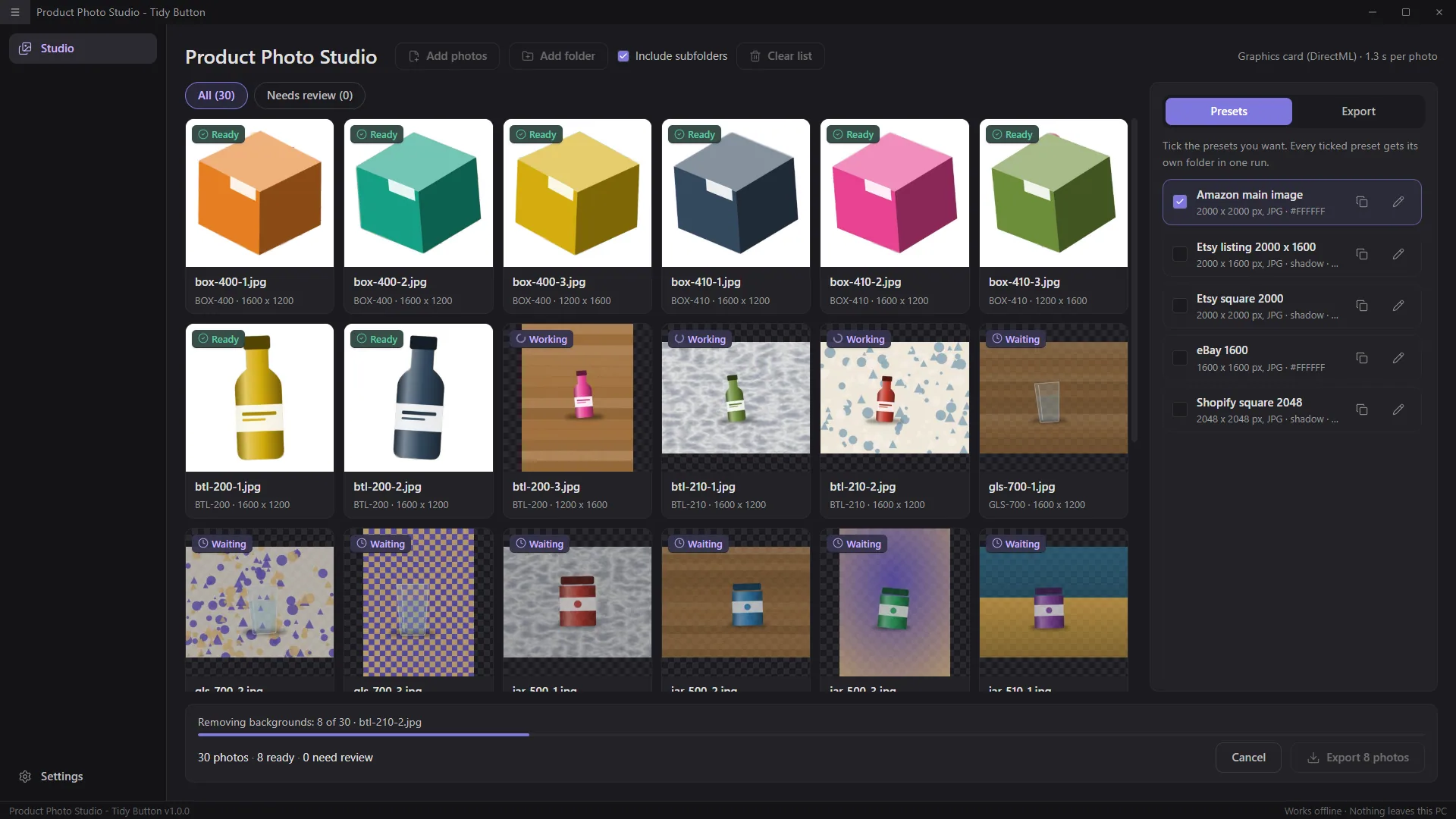
Batch
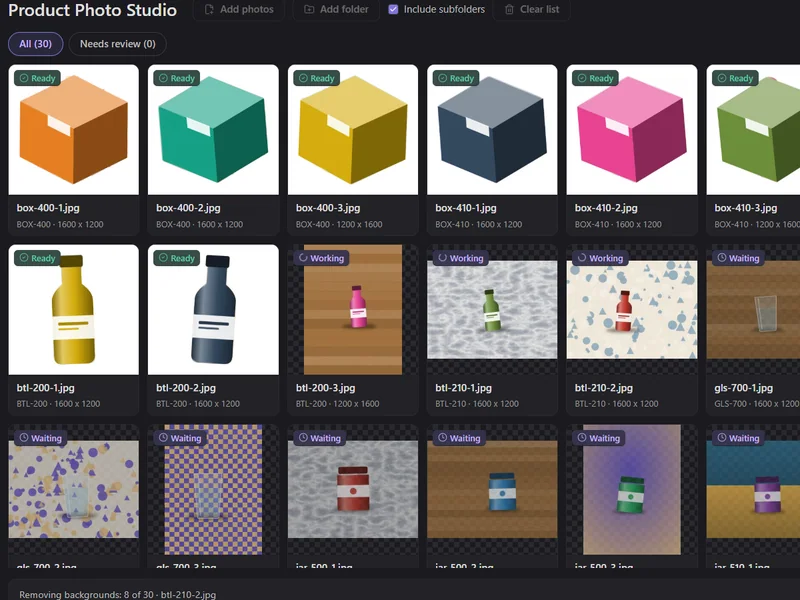
A whole folder at once. Backgrounds come off one photo after another, with progress and a Cancel button, all on your own PC
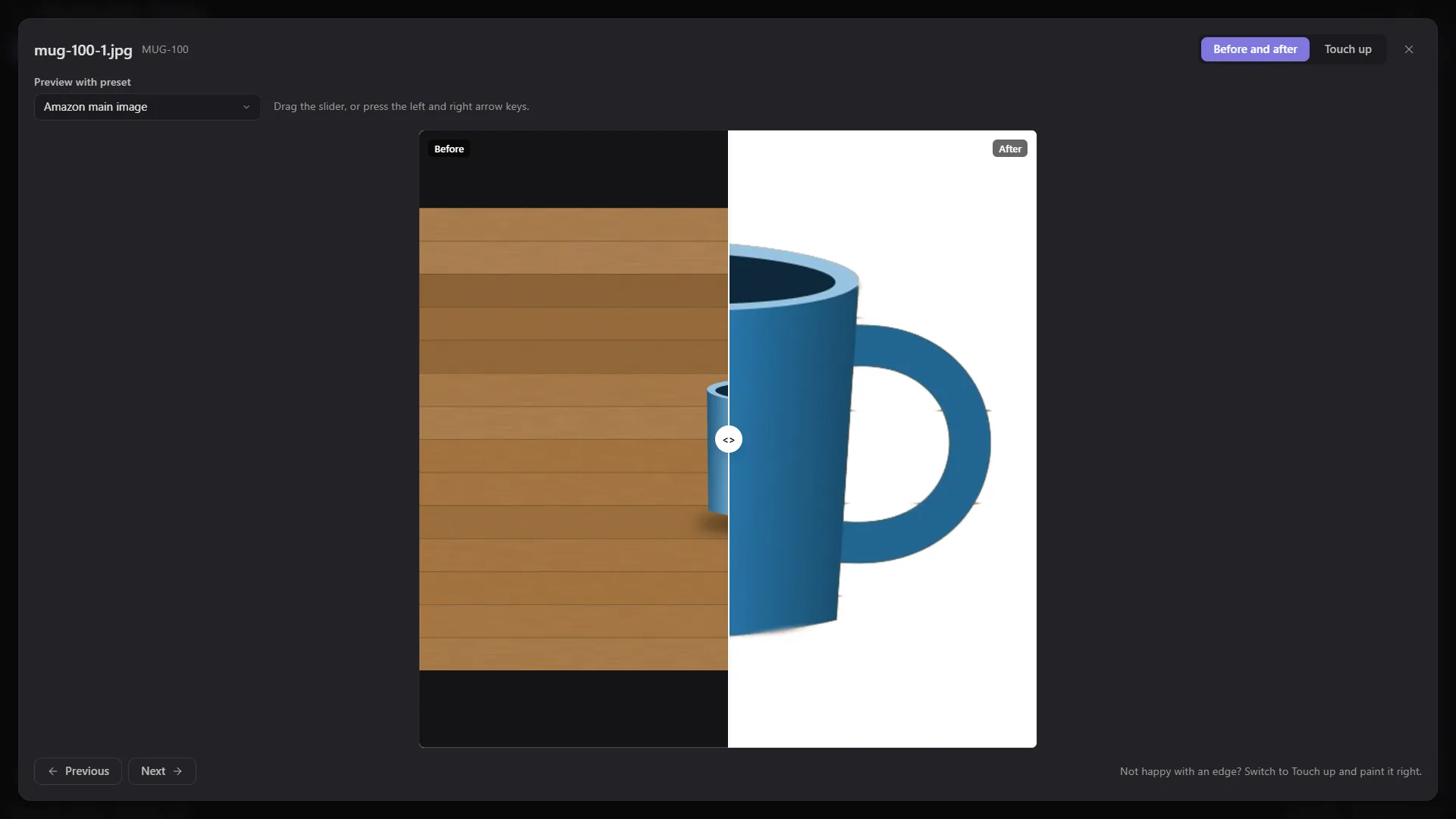
Before and after
Compare before and after with a slider. Here the product sits on a pure white background, centred and sized for a main image
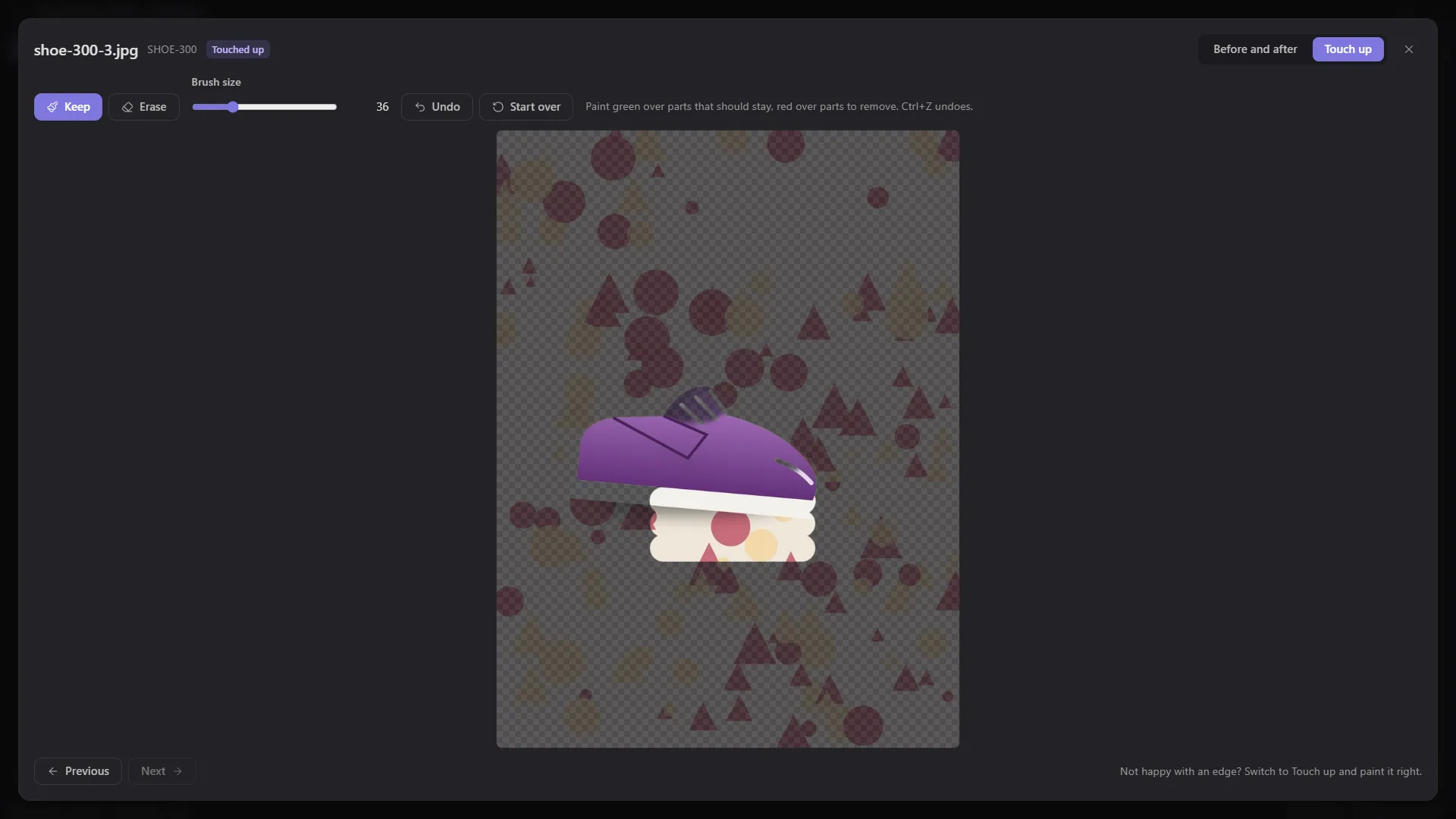
Touch-up
Fix any edge with the touch-up brush. Paint to keep or erase a part, undo every stroke, or start over
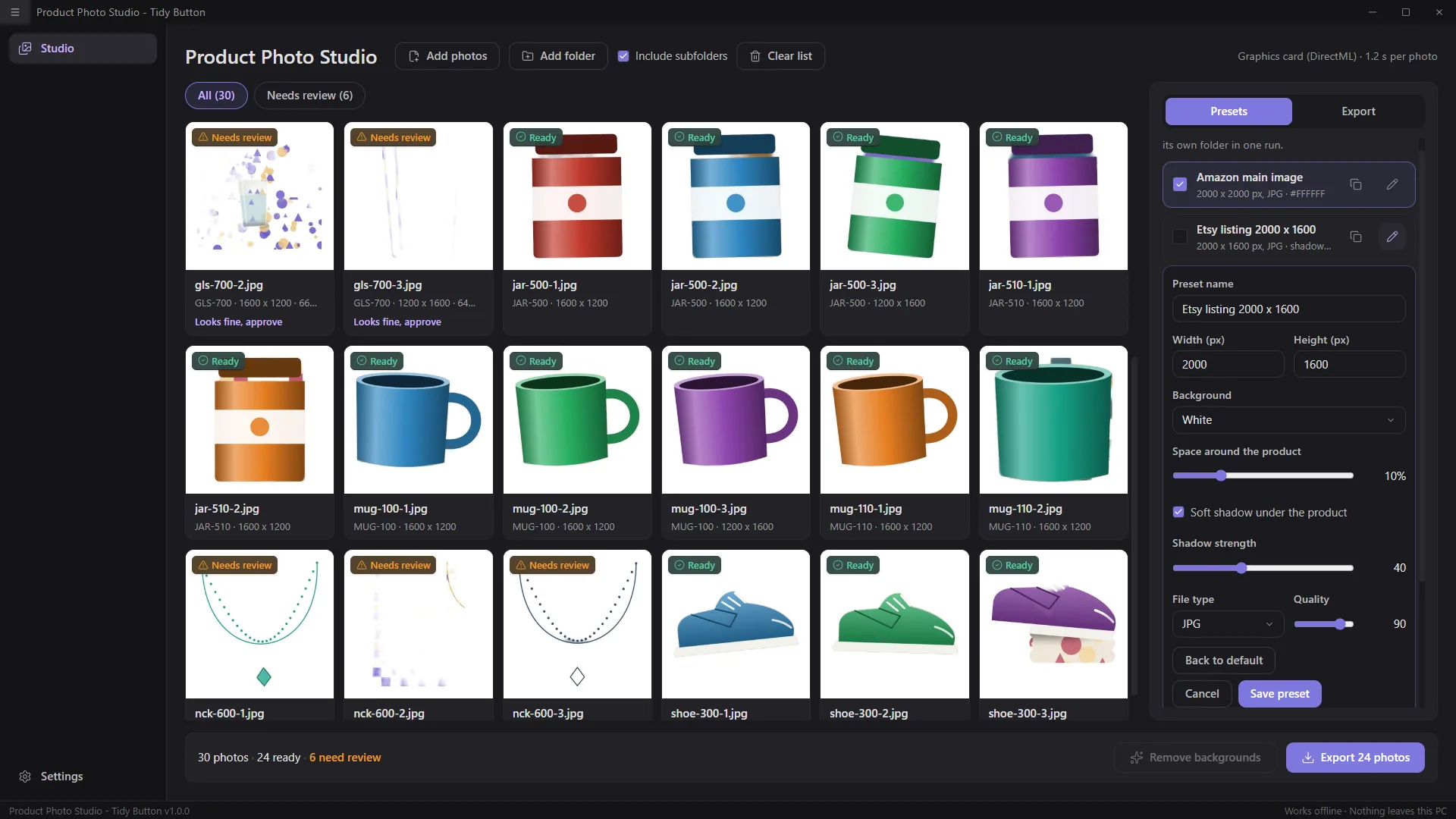
Presets
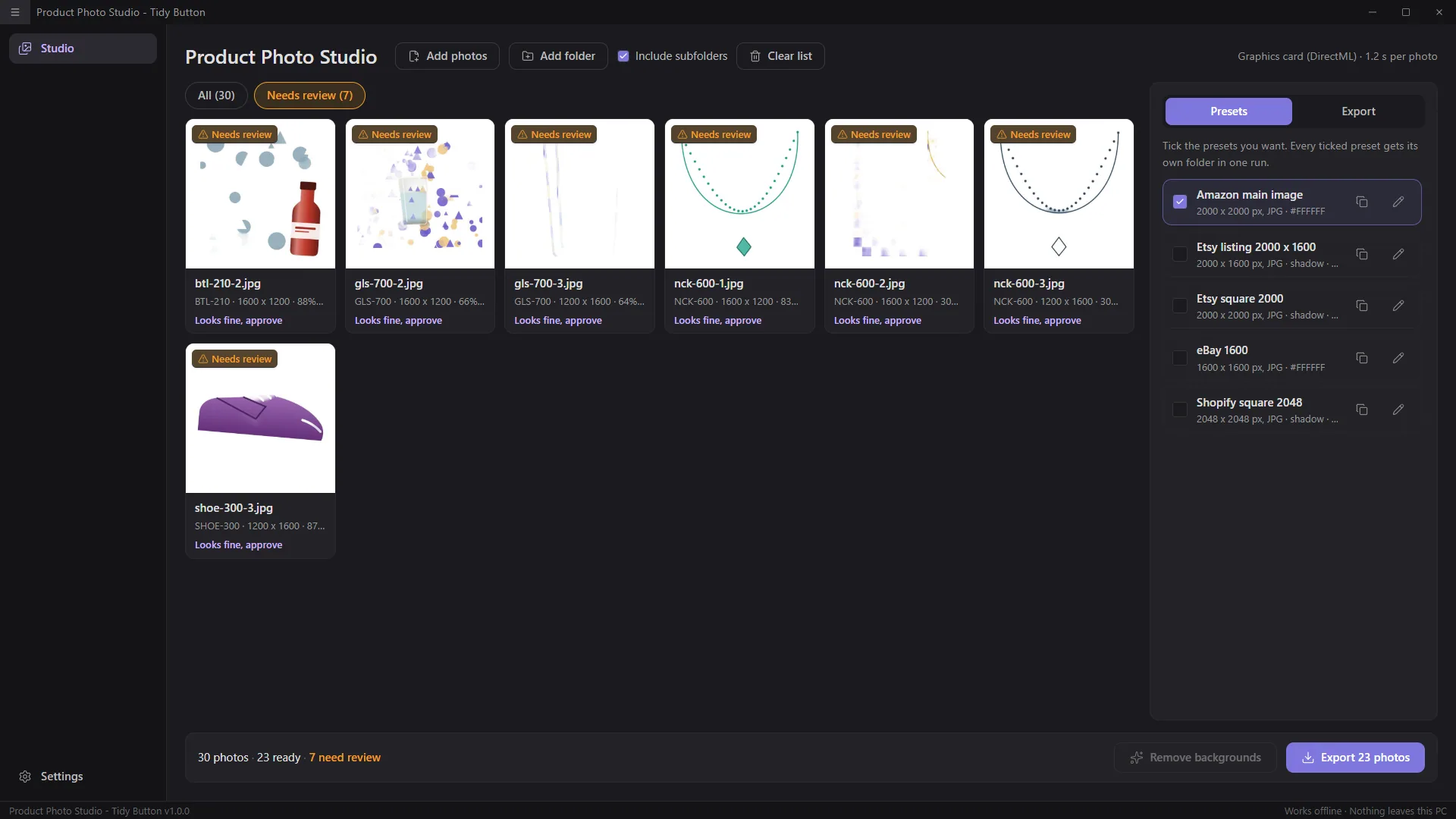
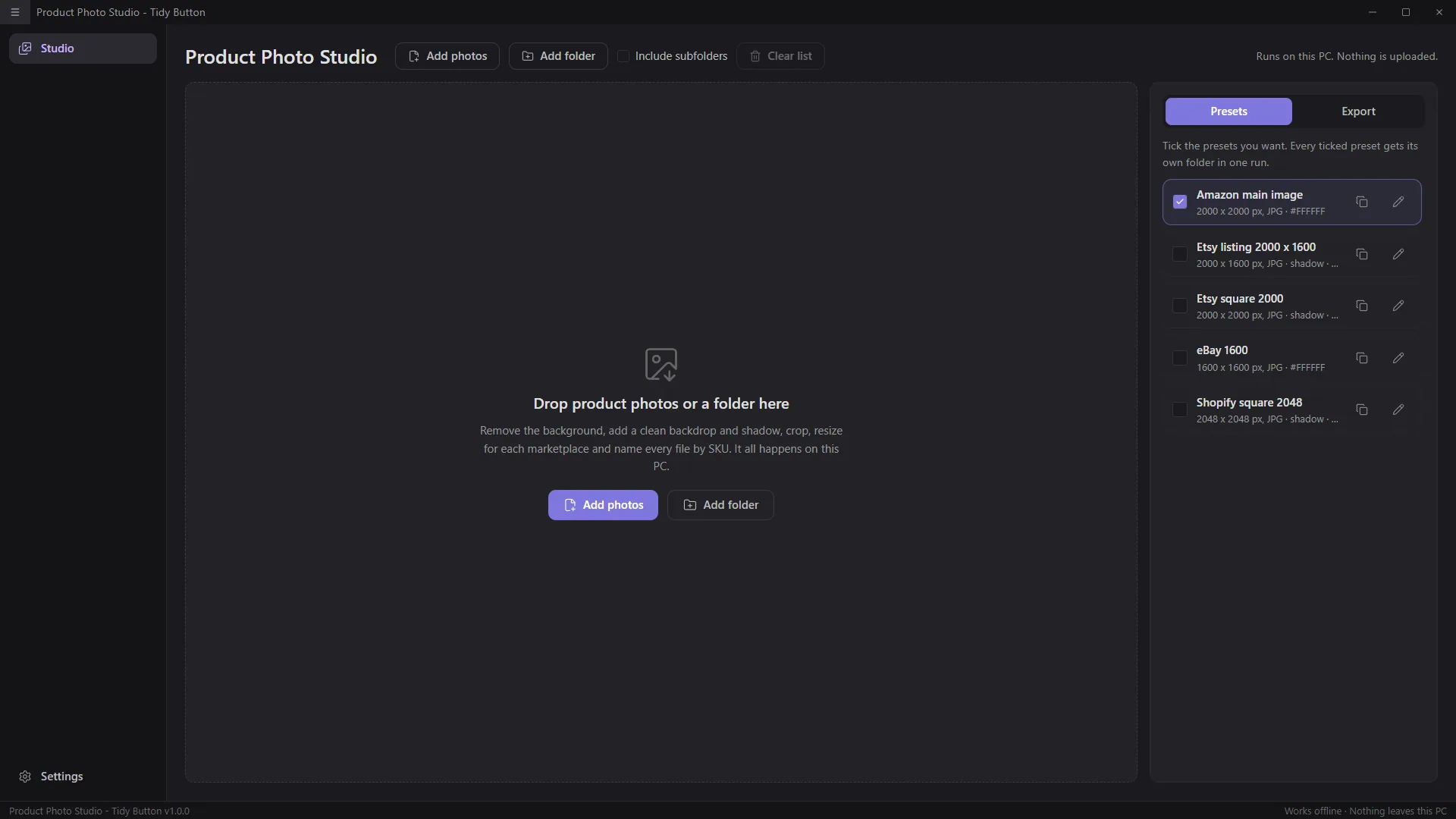
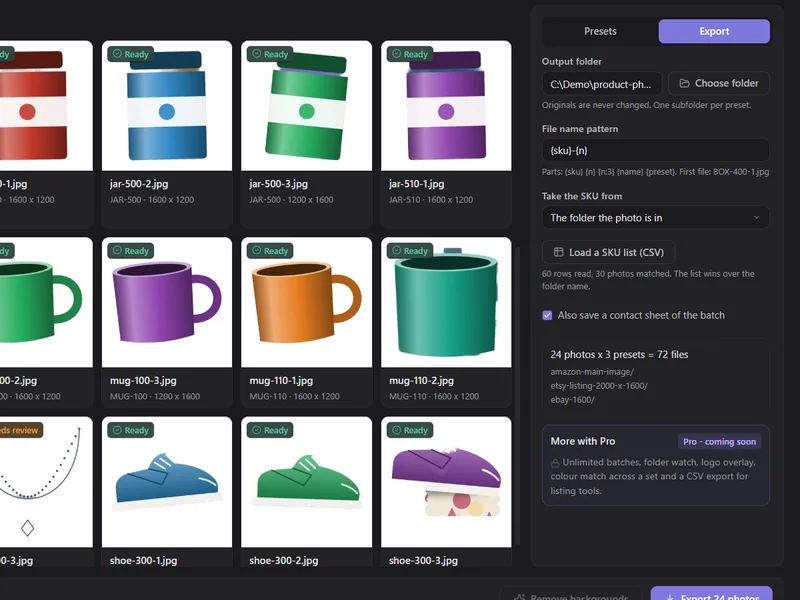
Presets for each marketplace, all editable: size, background colour, space around the product, soft shadow, file type and quality
Export
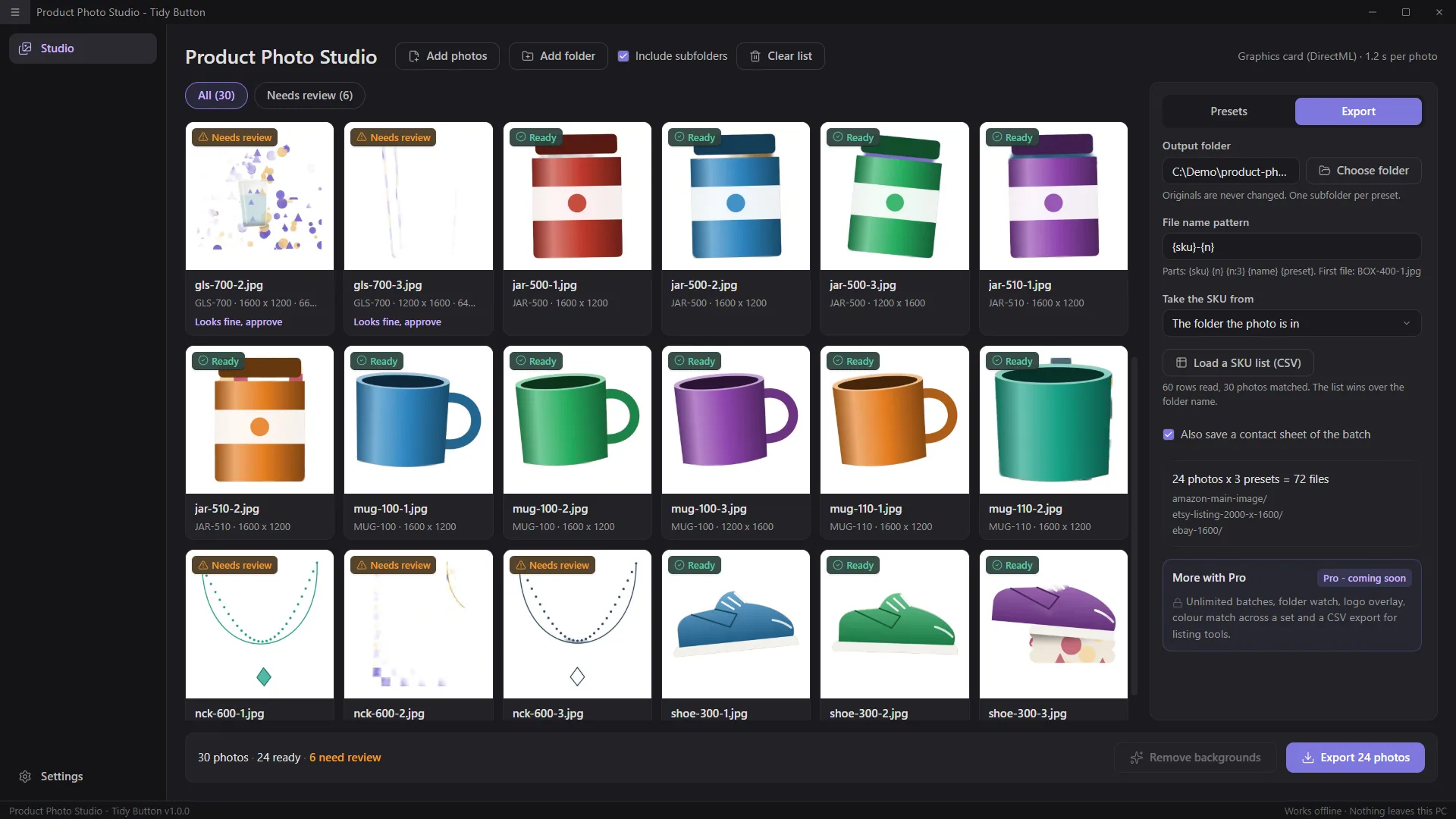
One run, several presets, one folder each. Files are named by SKU from the folder name or a CSV list
Review
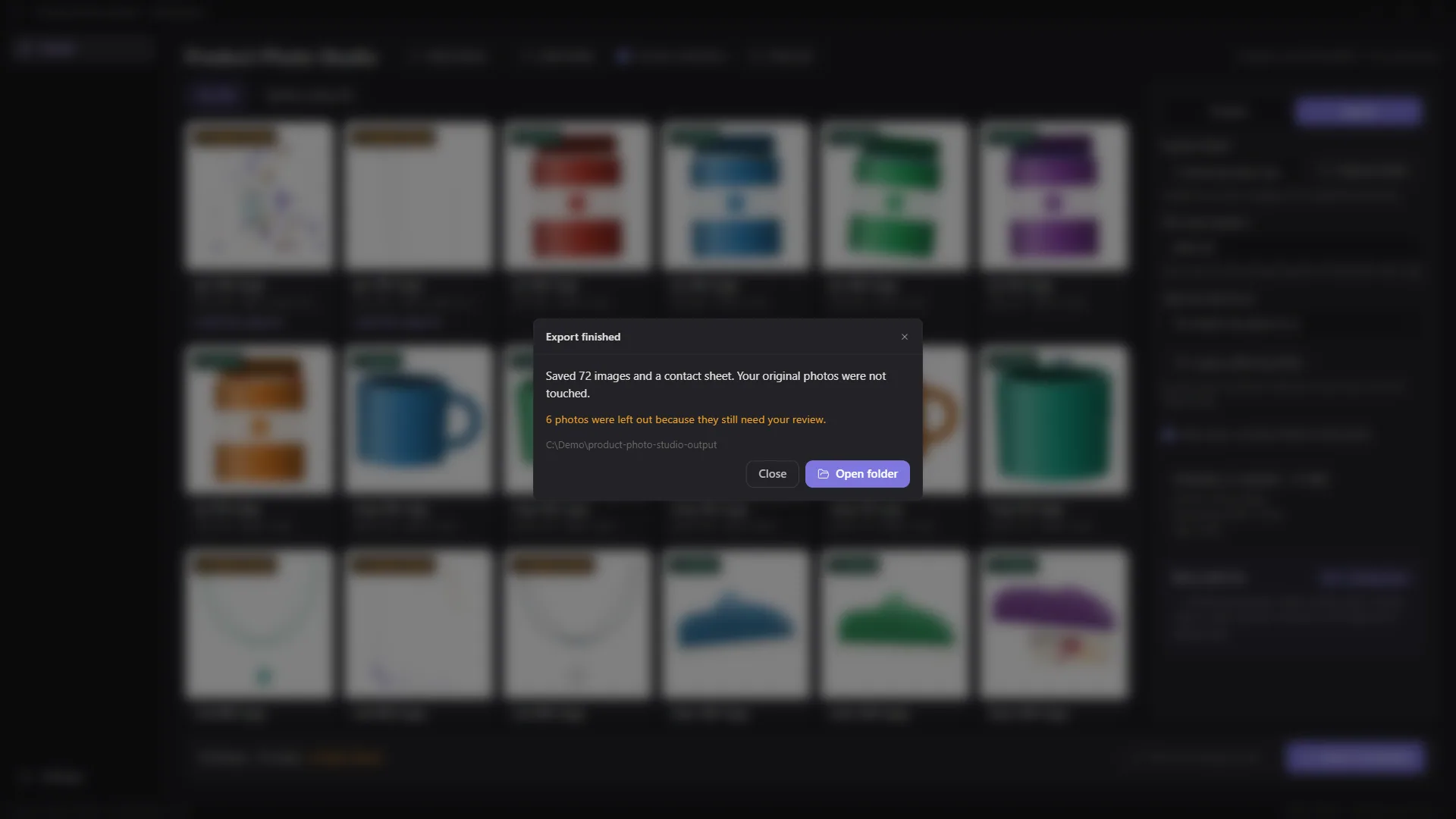
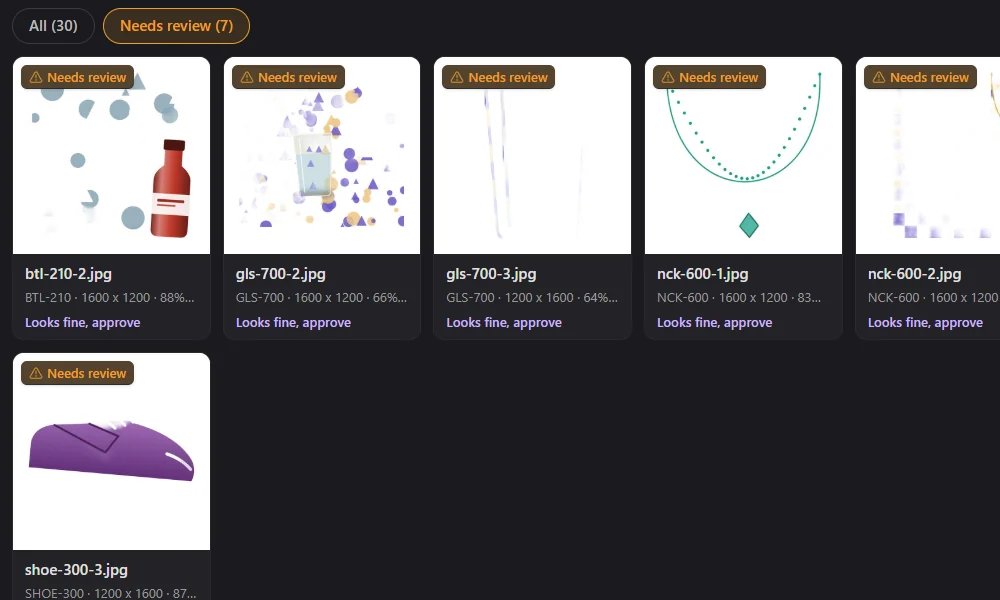
Photos with an uncertain edge, such as glass or thin jewellery, are flagged and left out of the export until you approve them
Light theme
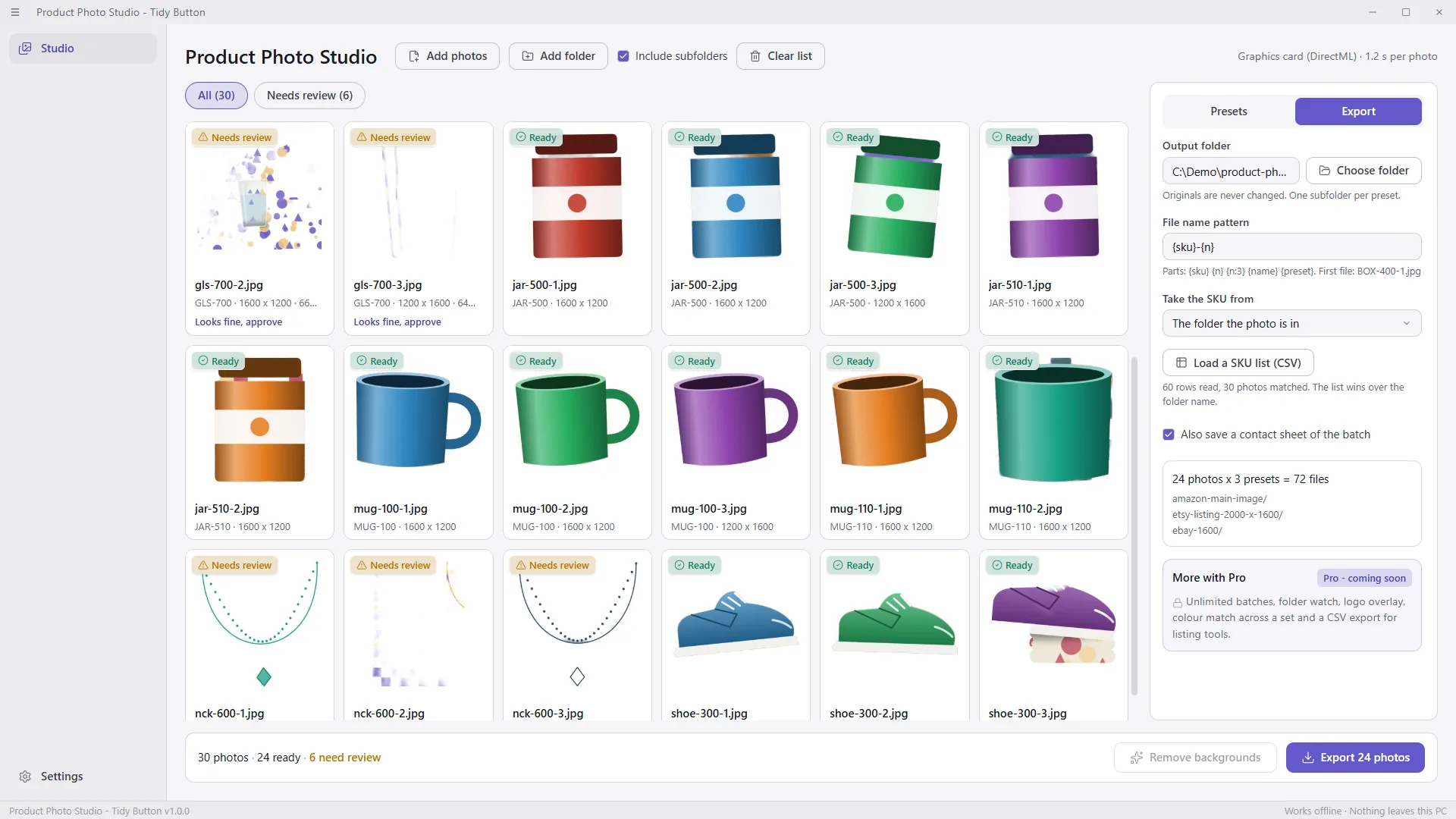
The same studio in the light theme. Every photo shows its cut-out on white as soon as it is ready
Free limit
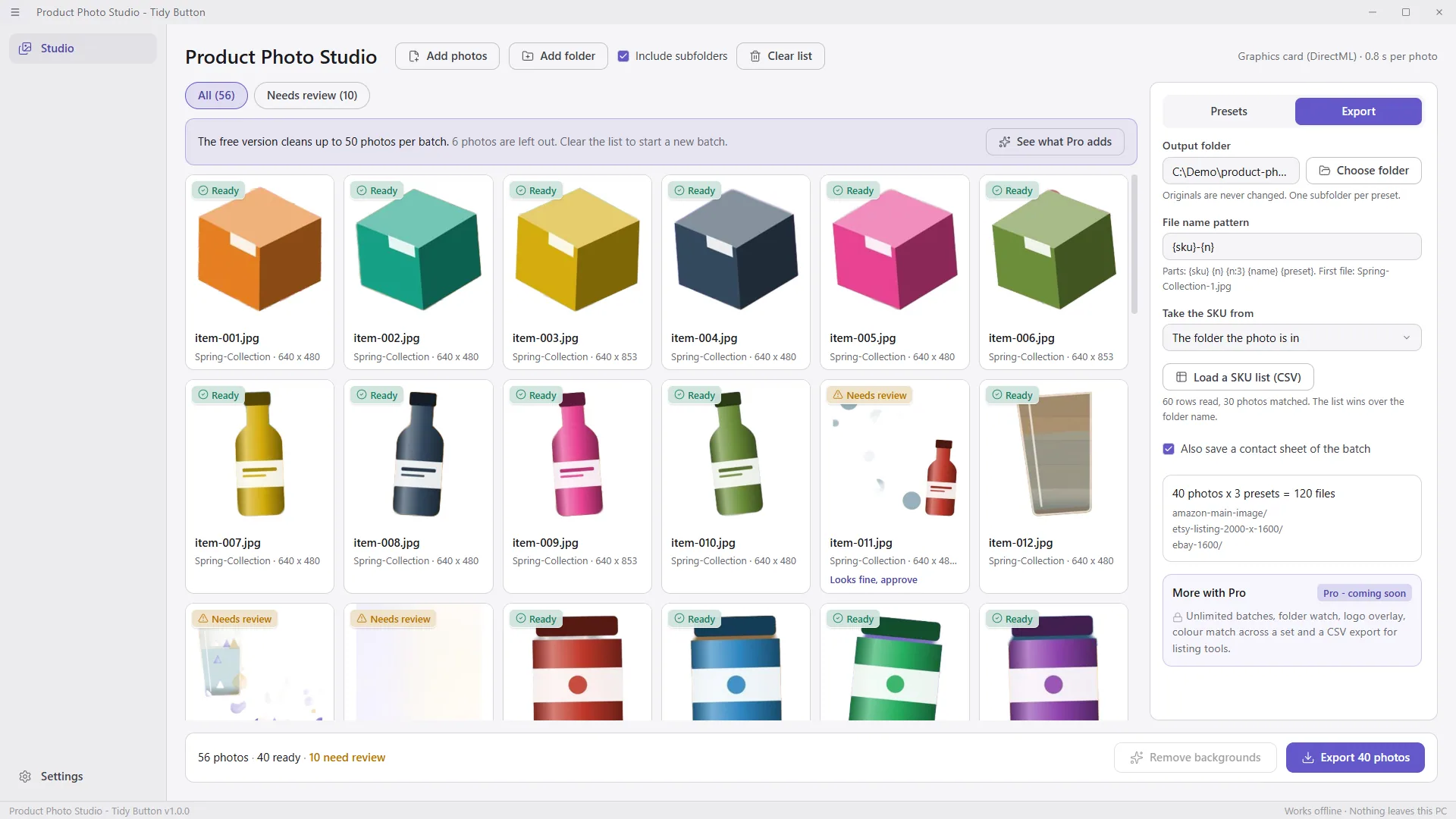
The free version handles up to 50 photos per batch. Extra photos wait, and Pro adds unlimited batches later
Start
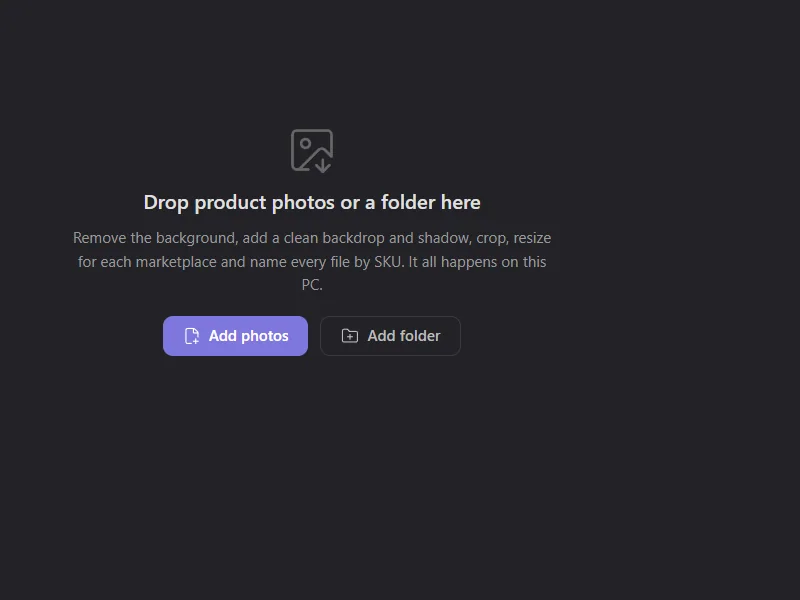
Start by dropping photos or a folder onto the window. Nothing is uploaded and no account is needed
Finished
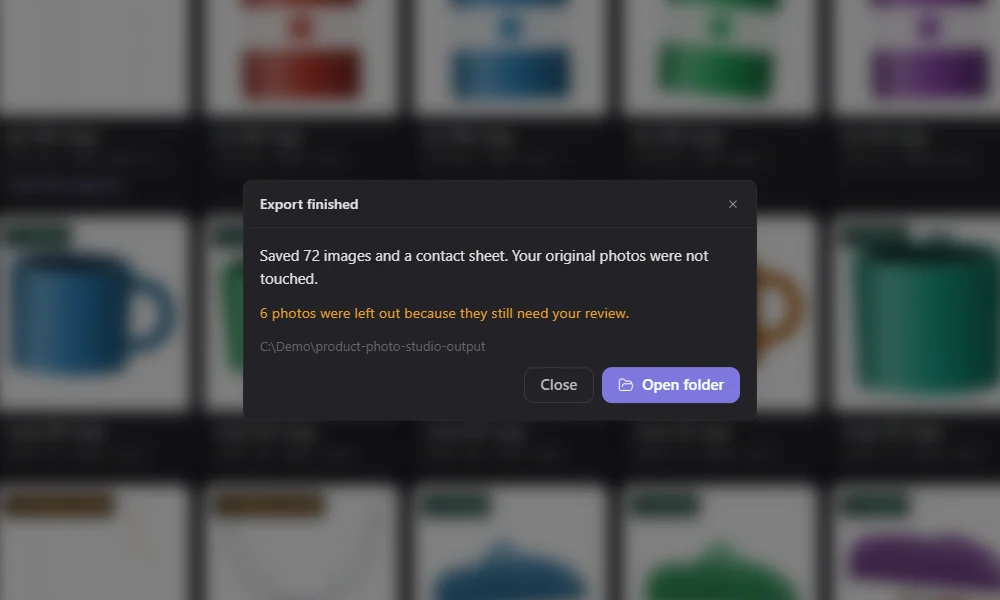
Finished. The summary shows how many images were saved, and your original photos were not touched
Screens show sample product pictures, not real photos. The app has light and dark themes.
How it works
Three steps. No manual.
01
Add photos or a folder
Drop product photos or a whole folder onto the window.
02
Remove backgrounds
Press Remove backgrounds. Check the before and after, and touch up any edge with the brush.
03
Export
Choose a folder and the presets to save, and press Export. Each preset gets its own folder.
What it does
What it does.
Add photos or a whole folder and the app does the rest: it removes the background, puts the product on a backdrop, crops and centres it, resizes it for each preset and names every file by SKU. Everything runs on your PC. Your photos are never uploaded, and your originals are never changed.
Backgrounds off, in bulk
Removes the background of every photo in a folder in one run. The cut-out runs on your graphics card when it can, otherwise your processor.
White, colour or transparent
Put the product on pure white, any solid colour or a transparent background, with an optional soft shadow.
Crop, centre, pad
The product is cropped, centred and padded to the size and space around it that you set.
Editable presets
Presets for a main image, an Etsy size, an eBay size and a Shopify square, all editable, plus your own. One run can save several presets, each into its own folder.
Named by SKU
Use a pattern such as {sku}-{n}. The SKU comes from the folder name or from a small CSV file that maps file names to SKUs.
Uncertain cut-outs flagged
Photos where the edge is uncertain, such as glass or jewellery, are flagged and left out of the export until you look at them.
Touch-up brush
Paint to keep or erase any part, undo every stroke, and compare before and after with a slider.
Never overwrites
Originals stay untouched, and a name that already exists gets (1). A contact sheet shows the whole batch in one picture.
The small print, in plain English
Safe by design.
Photos with an uncertain edge are flagged and left out of the export until you approve them.
The summary says what was saved, and your original photos were not touched.
Your photos are never uploaded. Background removal runs on your PC and the app makes no network requests.
Your original photos are never changed or deleted. Finished images go only into the folder you choose.
A file name that already exists gets (1), so nothing is overwritten.
Uncertain cut-outs are flagged and left out of the export until you approve them.
Works offline. No account. No ads. No tracking.
What it saves
One run, every size.
Presets decide the size, the background and the file type.
Presets, each editable.
Main image
Preset
A pure white background with the product filling about 85 percent of the frame.
Etsy size
Preset
A listing size you can edit.
eBay size
Preset
A listing size you can edit.
Shopify square
Preset
A square size you can edit.
Your own
Custom
Make a preset for any size, colour, padding, file type and quality.
File types
Three types
JPG, PNG and WebP photos in.
Pro is planned, not available yet, and would add unlimited batches, folder watch, a logo or watermark overlay, colour matching across a set and a CSV export for listing tools. Everything in the app runs on your PC only.
Good for
Handy when the product shots pile up.
A shop with a folder of new product photos
Getting a white background on every main image
One batch saved at several marketplace sizes
Naming a whole set of images by SKU
Questions
Plain answers.
Is anything uploaded?
No. Background removal runs on your PC with a model included in the app. There is no upload, no account, no telemetry and no ads.
Does it change my original photos?
No. Your originals are never changed or deleted. Finished images go only into the folder you choose, and a name that already exists gets (1).
Does it need a graphics card?
No. It uses your graphics card when it can and otherwise your processor, which is slower.
What about glass or jewellery?
Photos where the edge is uncertain are flagged for review and left out of the export until you look at them. You can fix an edge with the touch-up brush.
How are files named?
With a pattern such as {sku}-{n}. The SKU comes from the folder name or from a small CSV file that maps file names to SKUs.
Is there a limit in the free version?
The free version handles up to 50 photos per batch. A Pro add-on is planned (coming soon) with unlimited batches, folder watch, a logo or watermark overlay, colour matching and a CSV export.
Which photo types does it read?
JPG, PNG and WebP.
Does it need an account?
No. There is no account, no ads, no tracking and no subscription.