We will link the Store listing here the day it is live. Until then there is nothing to download.
Real app, with sample photos.
Works offline
No account, no ads, no tracking
Originals stay safe
Free up to 50 photos a batch
See it
Eight views. One photo set, located.
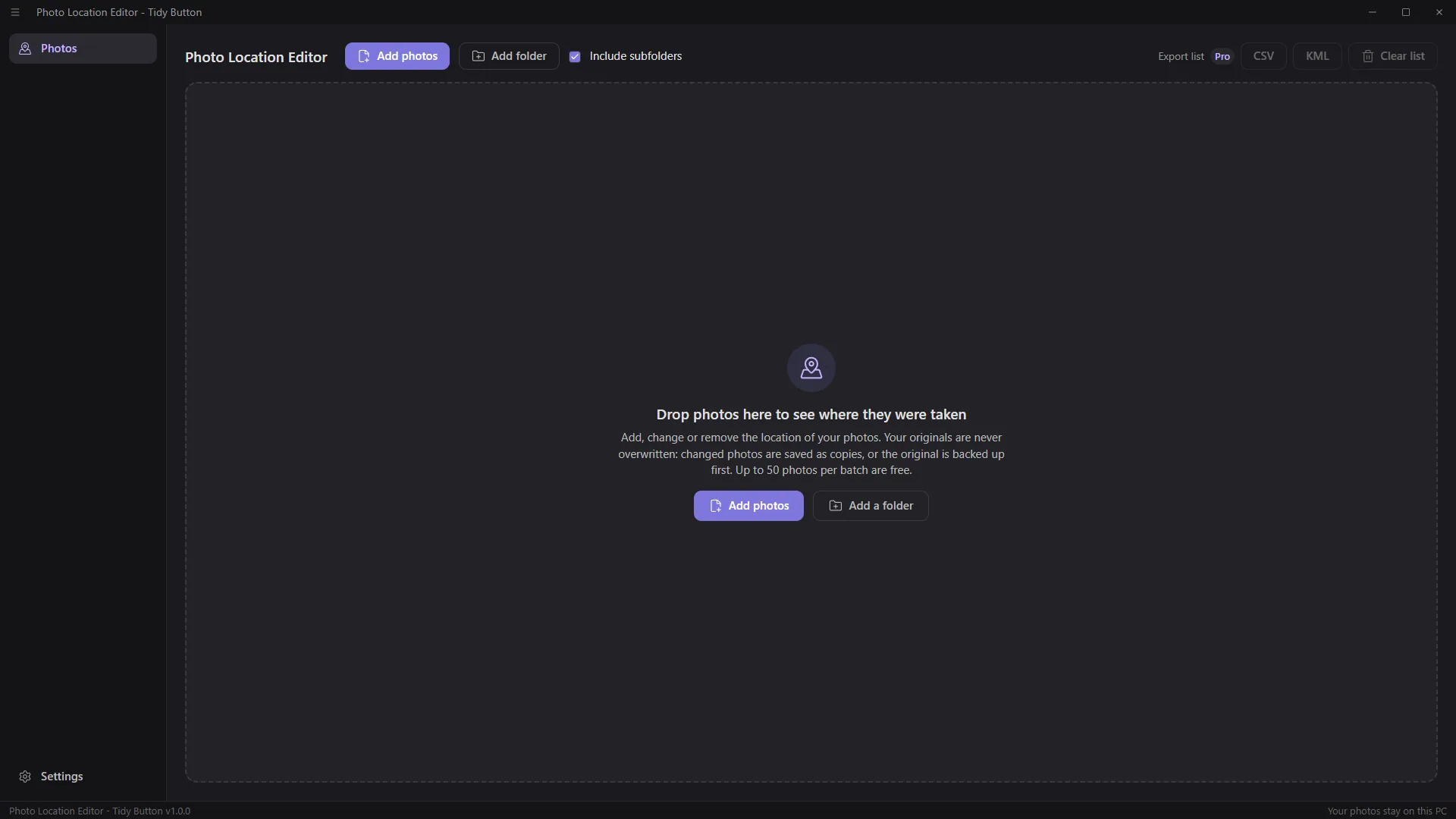
Start
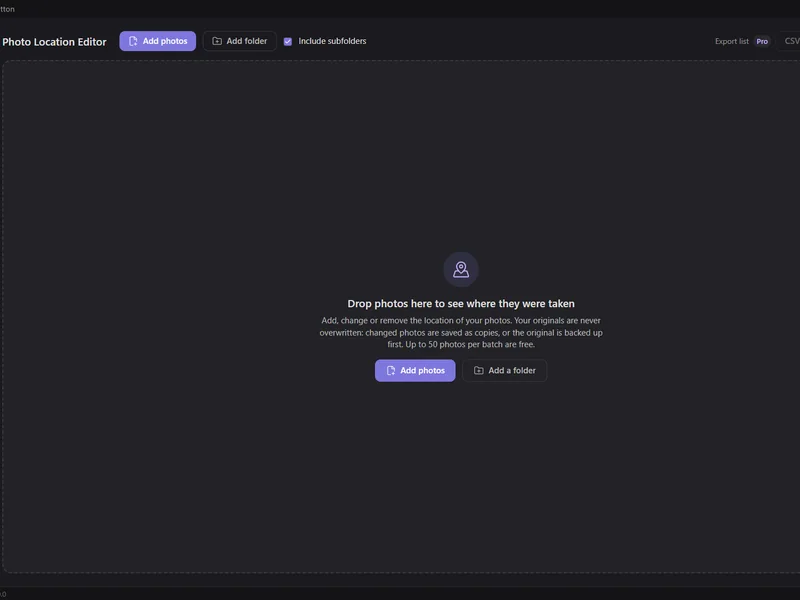
Drop photos or a folder in to see where they were taken. Up to 50 photos per batch are free.
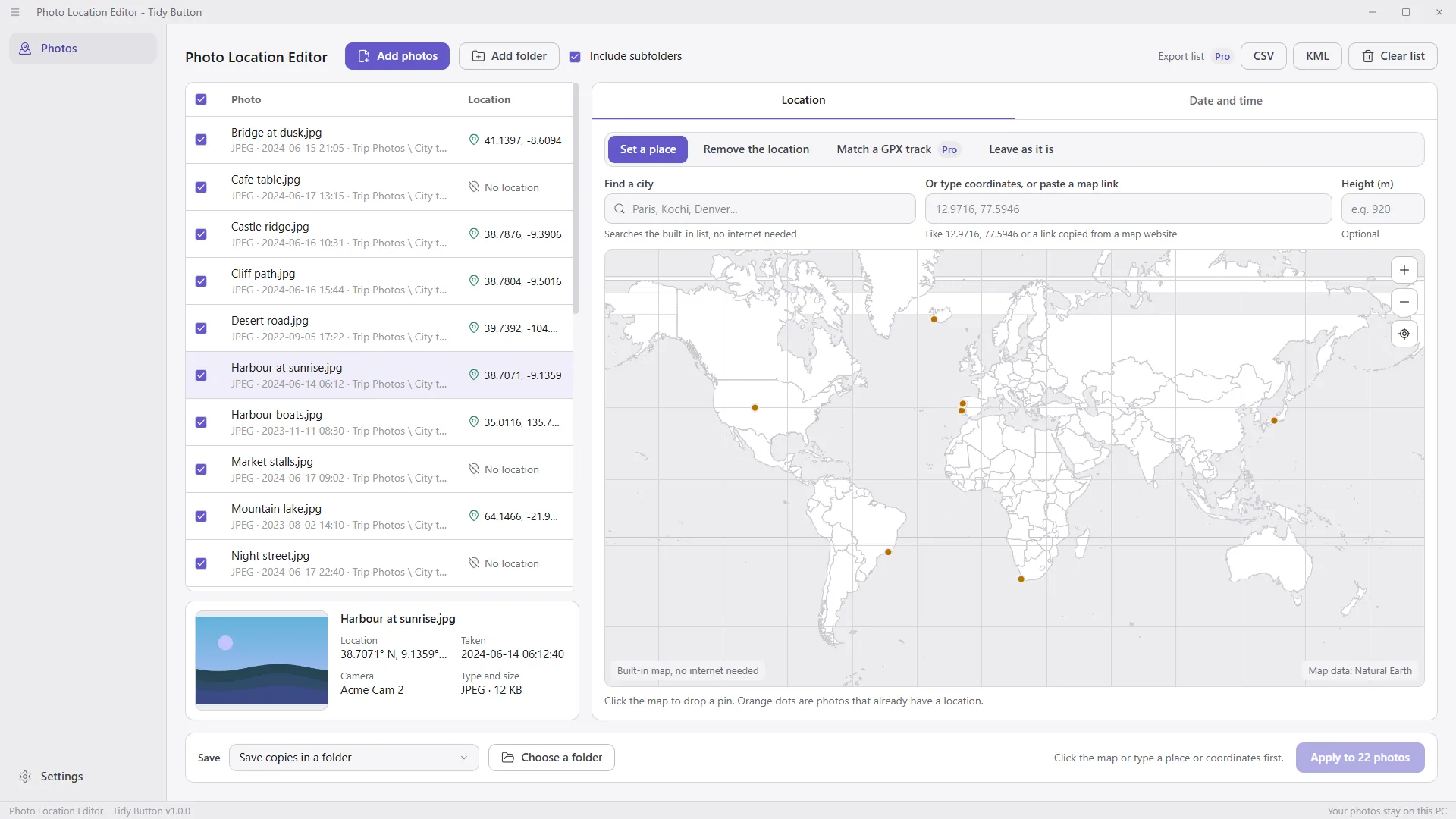
Photos
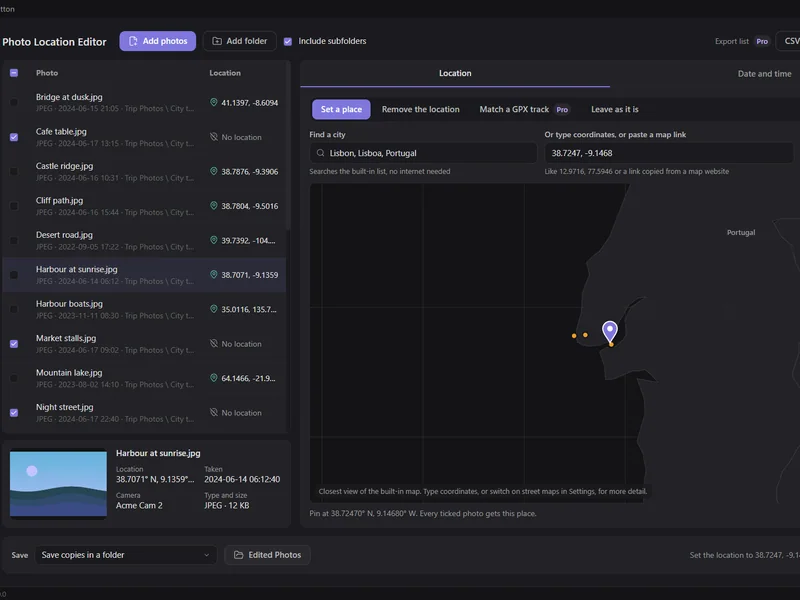
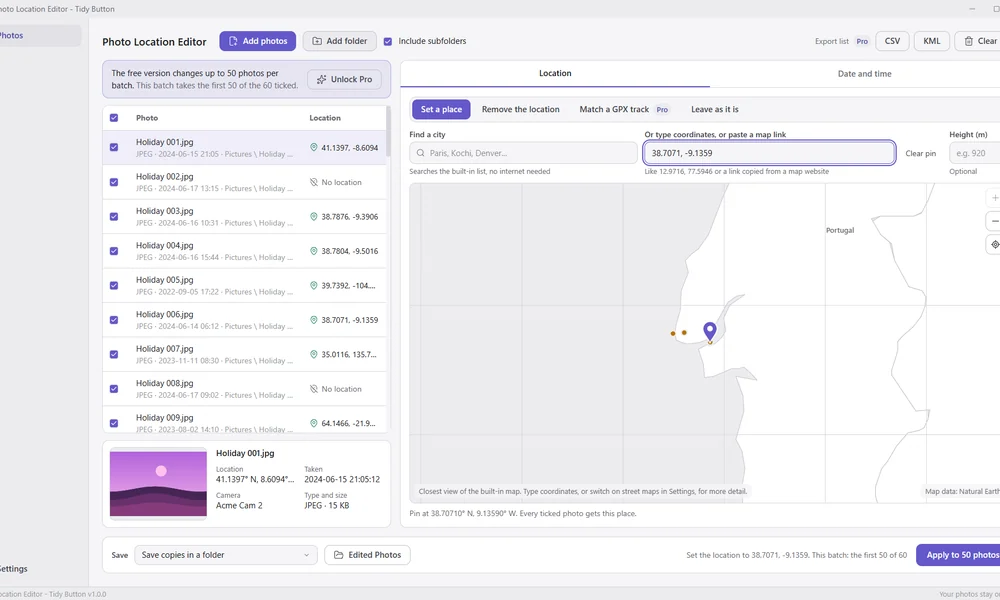
Every photo with its place, date and camera, a preview, and a map of where the photos were taken.
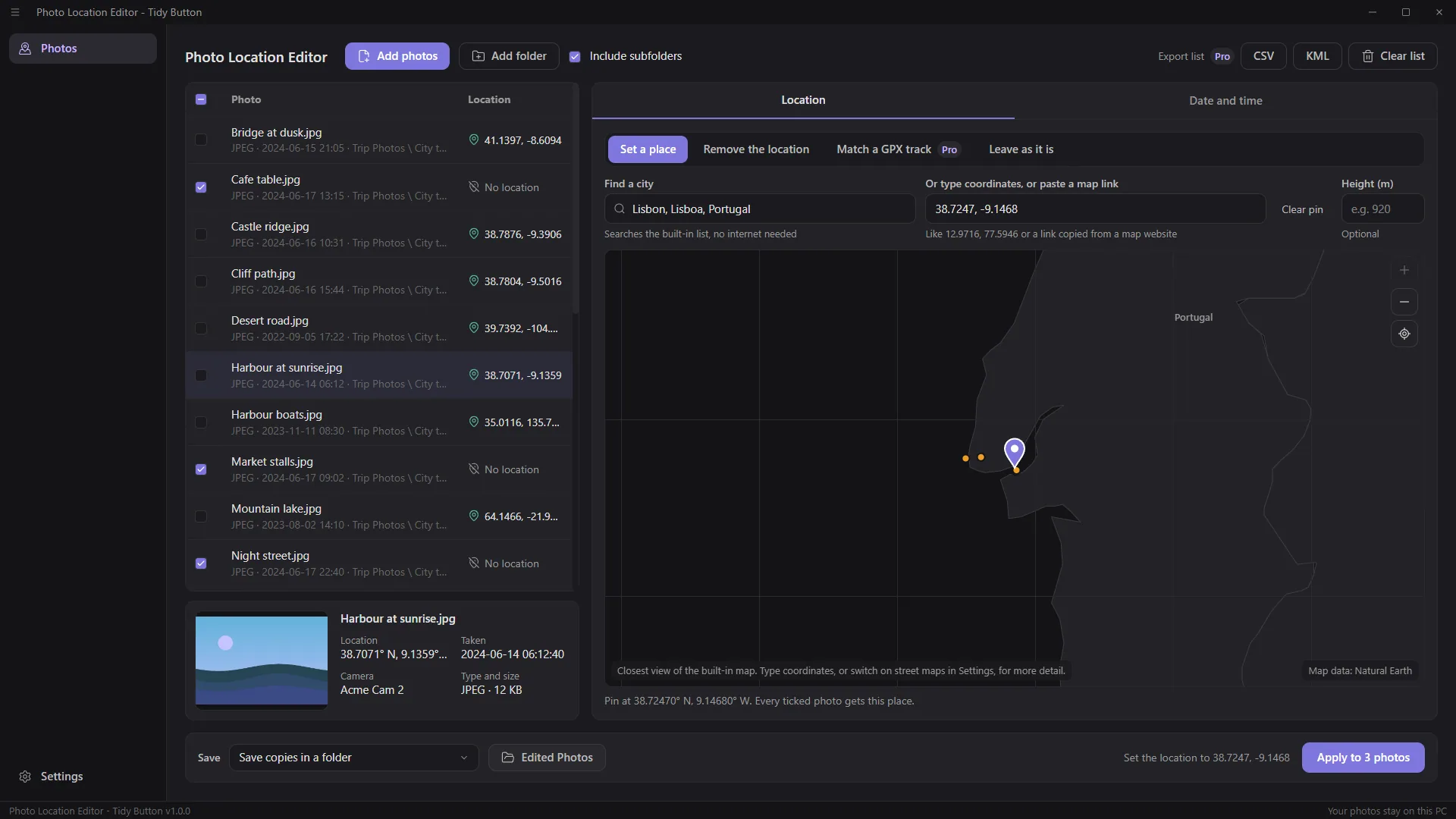
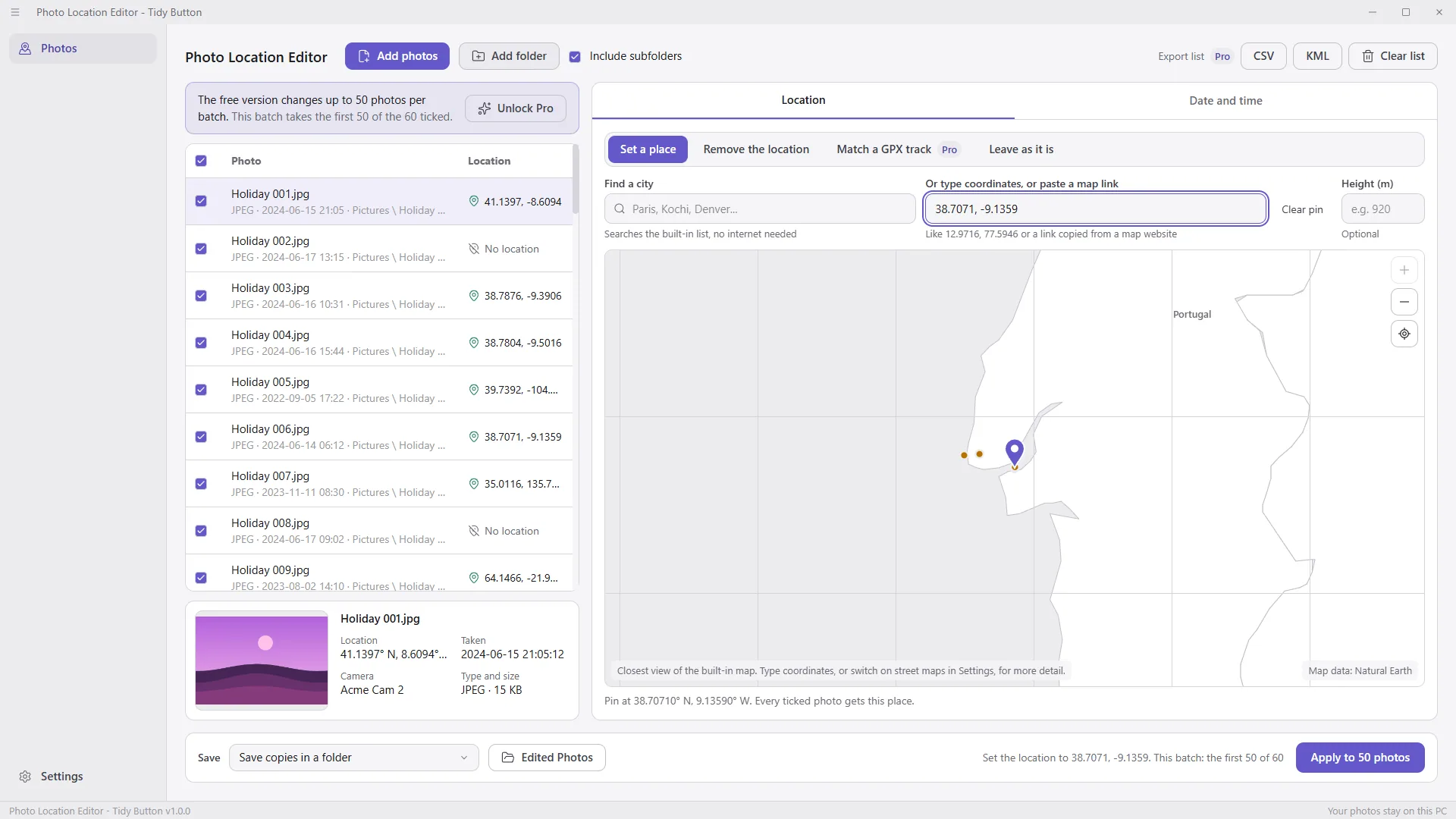
Pick a place
Search a city or type coordinates, and the pin lands on the built-in map. The ticked photos get that place.
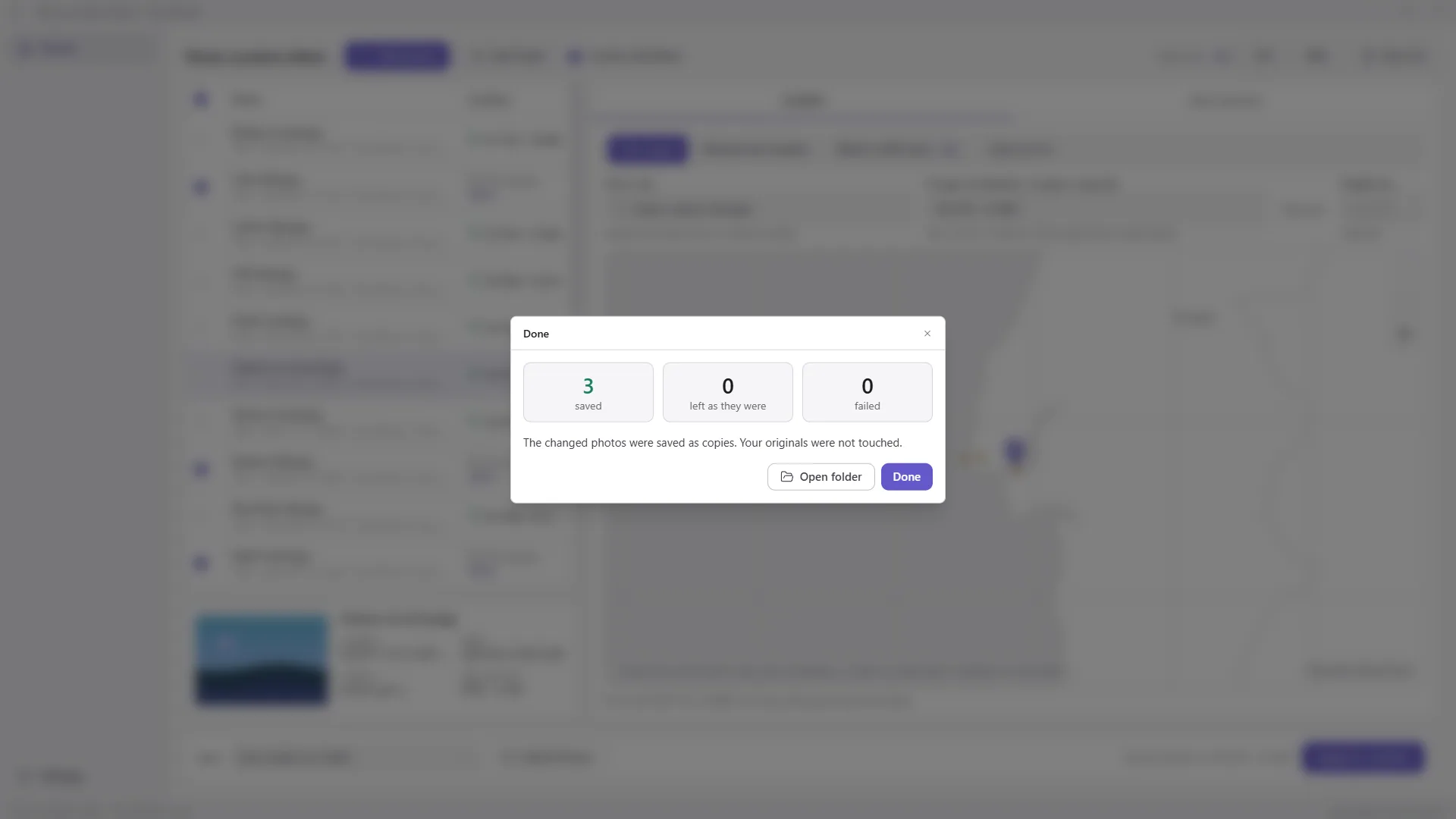
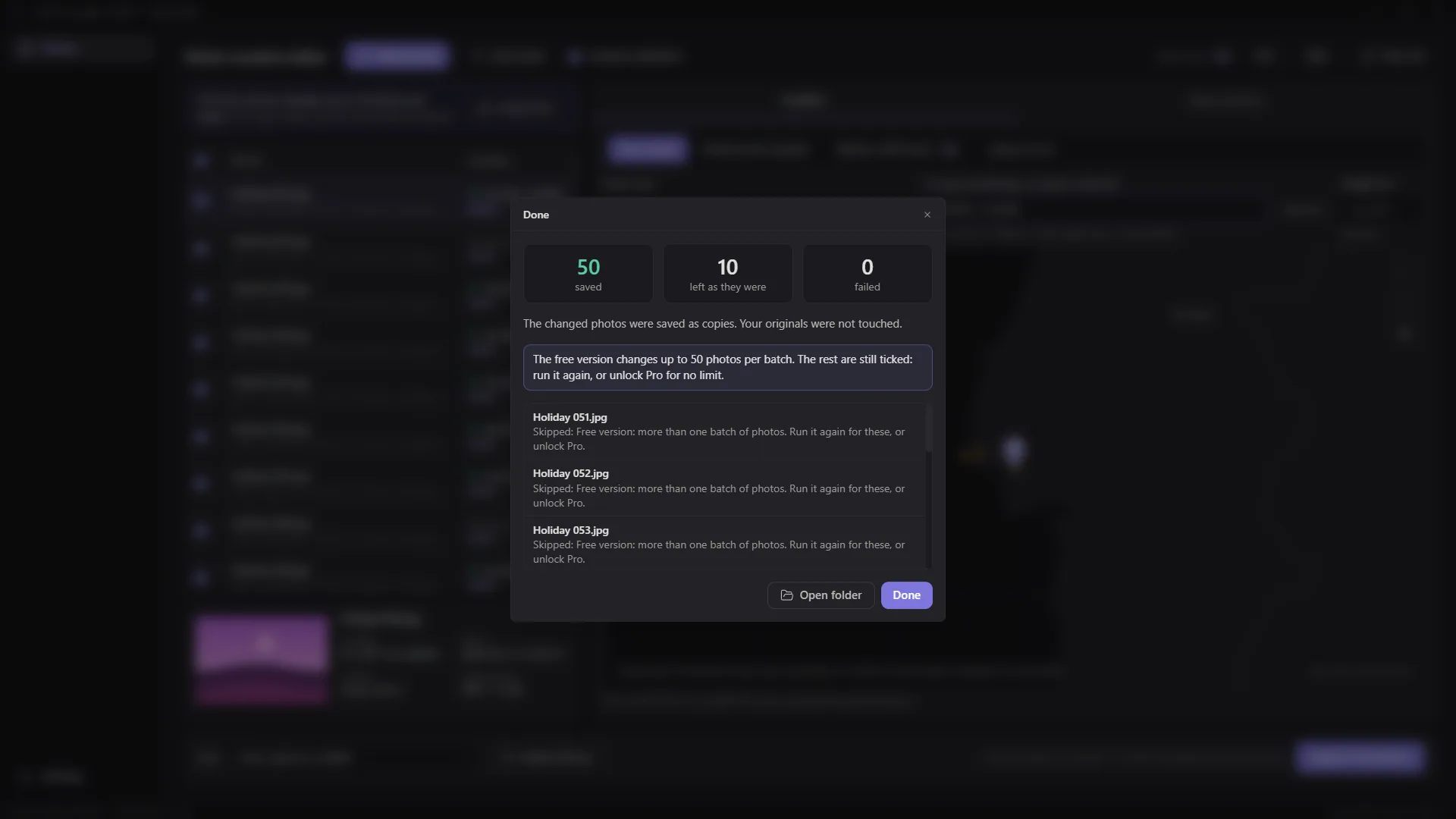
Saved
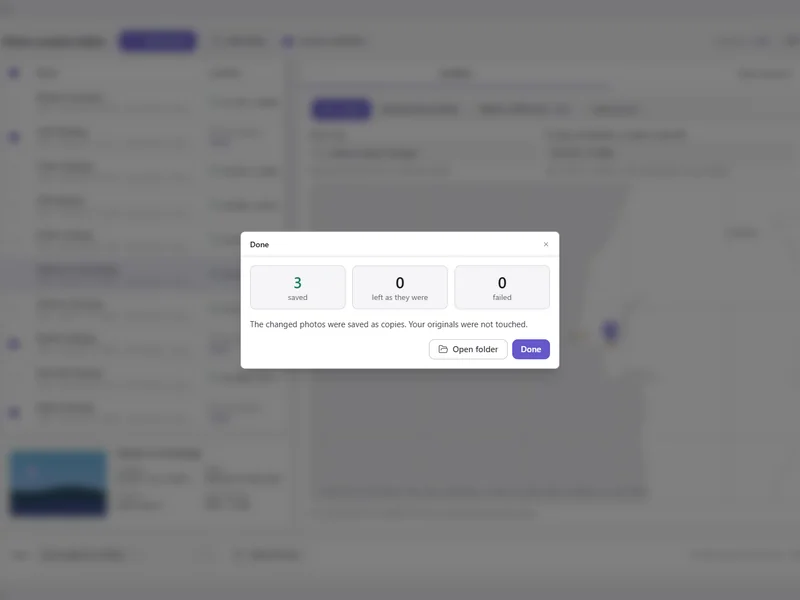
The result says how many photos were saved. Changed photos go to copies, so the originals are not touched.
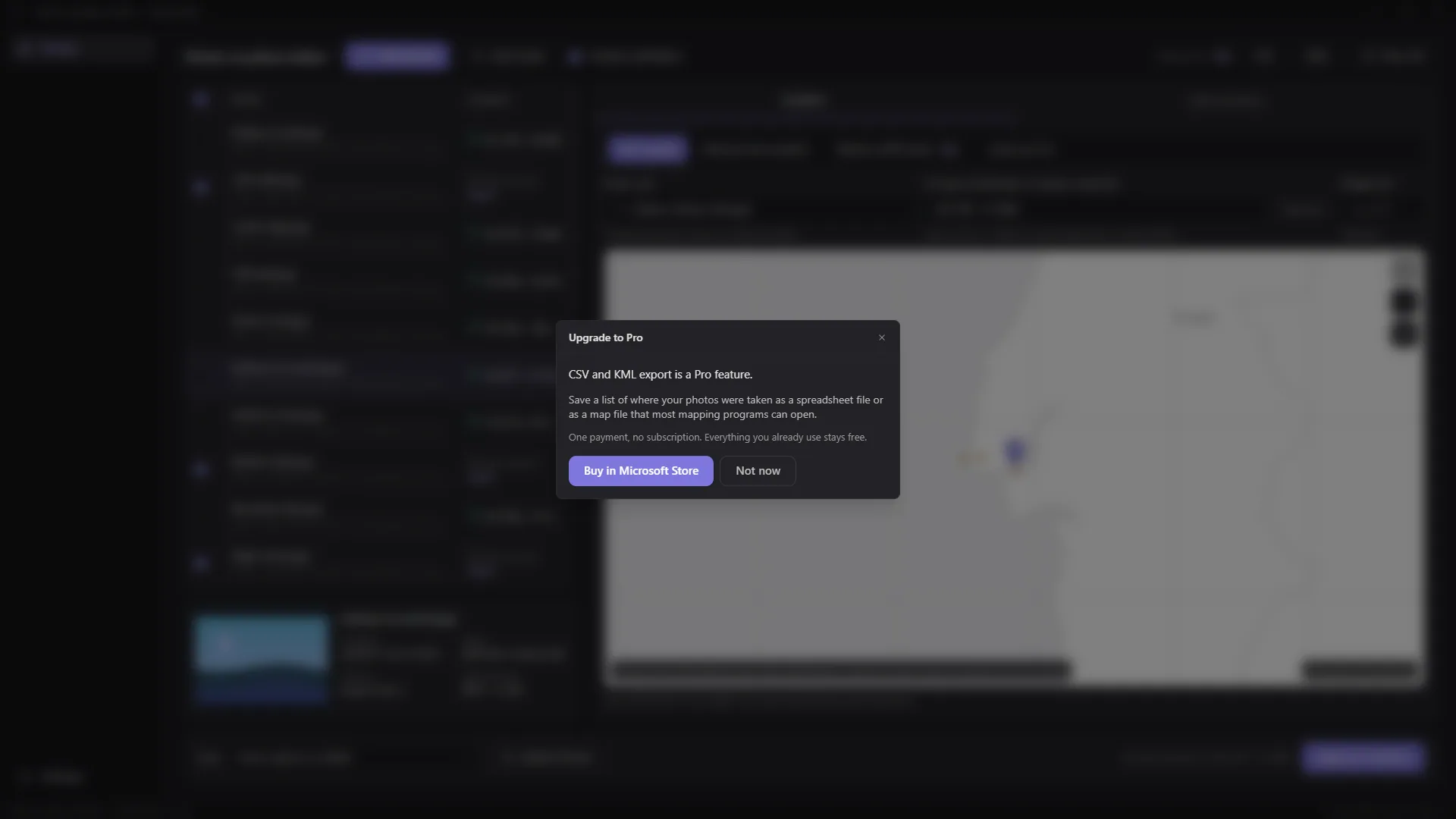
Export
Pro: save a list of where your photos were taken as a CSV or KML file.
Free limit
The free version changes up to 50 photos per batch. The screen says so before you apply.
Limit reached
After a batch, the rest stay ticked. Run it again for them, or unlock Pro for no limit.
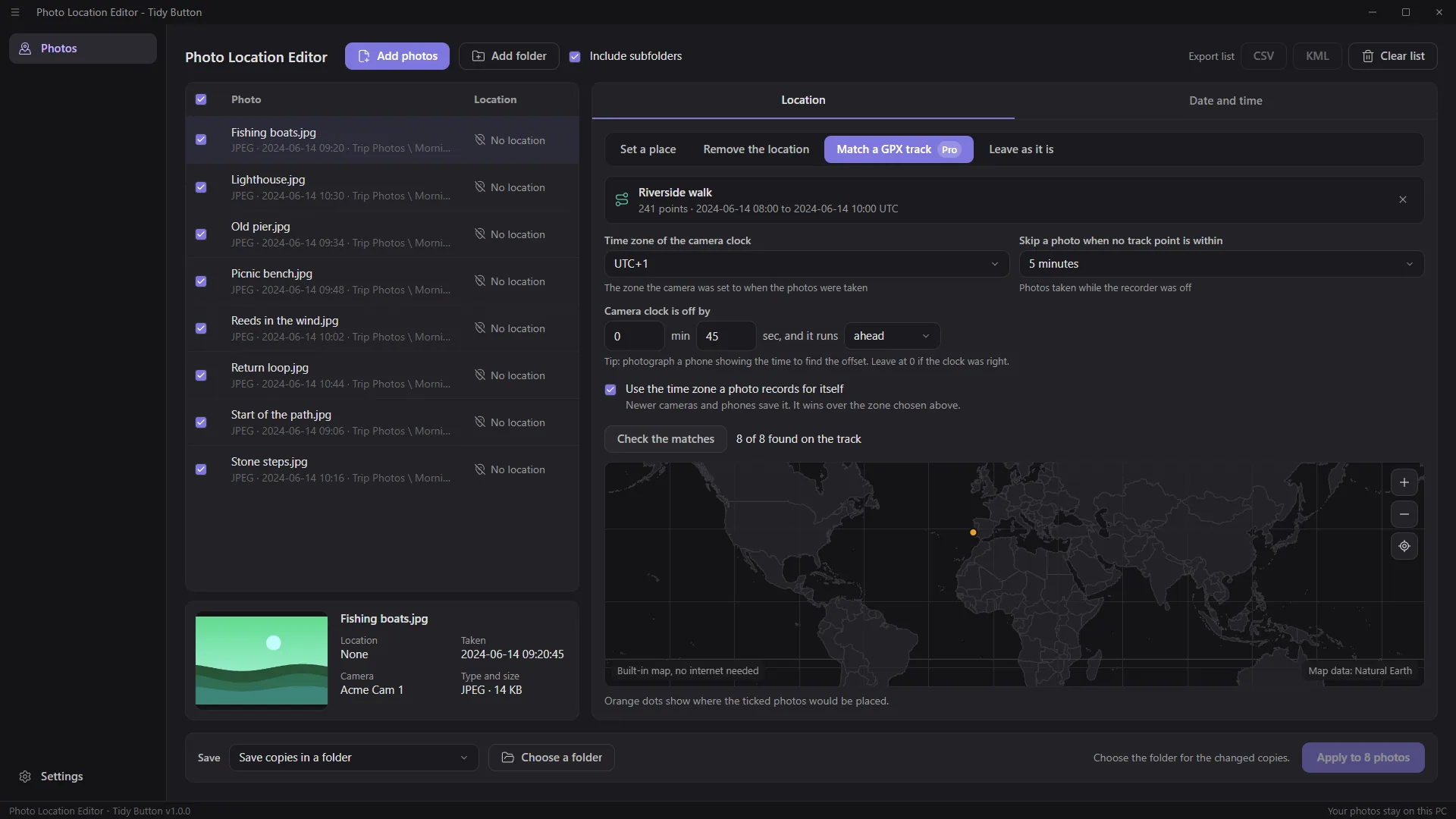
GPX match
Pro: match photos to a GPX track by time, set the camera clock offset and check the matches first.
Screens show the app with sample photos. The app has light and dark appearance.
How it works
Three steps. No manual.
01
Add photos
Drop photos or a whole folder into the window.
02
Pick a place
Click the map, search a city or type coordinates for the ticked photos.
03
Save safely
Save as copies, or change originals after a backup. The result says how many were saved.
What it does
What it does.
Photo Location Editor shows where and when each of your photos was taken, and lets you fix it. Add the photos or a whole folder, see each photo's place, date and camera, and find the ones with no location. Change the place by clicking a map, searching a built-in list of cities or typing coordinates or a map link. Remove the location from photos you are about to share, or set an exact date and time. Your originals are never overwritten without a safety net. Save changed photos as copies in a folder you choose, as copies next to the originals, or change the originals after a verified backup of each one is kept. The map is built in and your photos stay on your PC. JPEG, PNG and TIFF photos can be changed. HEIC, AVIF and WebP photos can be read and are never changed.
See where and when
Every photo shows its place, date and camera, with a preview, and photos with no location are easy to find.
Add folders
Add photos or whole folders, with subfolders if you like, by button or by drag and drop.
Pick a place
Click a map, search a built-in list of 1,250 cities, or type coordinates or a map link.
Remove location
Take the location out of photos before you share them.
Set date and time
Set an exact date and time on the ticked photos when a camera clock was wrong.
Originals stay safe
Save as copies, or change originals only after a verified backup of each one is kept. Every saved photo is read back and compared.
GPX matching
Pro: match photos to a GPX track by time, with the camera's time zone and clock offset, and check the matches before saving.
No batch limit and export
Pro: no limit on photos per batch, move the dates of a whole folder and export where photos were taken as CSV or KML.
The small print, in plain English
Safe by design.
Changed photos go to copies, so the originals are not touched.
The free version says plainly that it changes up to 50 photos per batch, before you apply.
Your photos stay on your PC.
No ads, no pop-ups and no waiting screens.
Works offline with a built-in map. No account. No tracking.
Up to 50 photos per batch are free. Pro is optional and one payment.
What it does
Every photo, placed where it belongs.
From one photo to a whole folder.
Pro: match photos to a GPX track by time.
See
Free
Place, date, camera and a preview for every photo.
Place
Your choice
A map, a built-in list of 1,250 cities, coordinates or a map link.
Remove
Free
Take the location out before you share a photo.
Date
Free
Set an exact date and time on the ticked photos.
Safe
Always
Copies, or originals after a verified backup. Each saved photo is read back and compared.
Pro
Pro
No batch limit, GPX matching, moving dates for a folder, and CSV or KML export.
JPEG, PNG and TIFF photos can be changed. HEIC, AVIF and WebP photos are read and never changed.
Good for
Handy when a photo has no place.
Removing the location before you share photos
Adding a place to photos that have none
Fixing a camera clock that was set wrong
Tagging holiday photos from a GPX track
Listing where a set of photos was taken
Questions
Plain answers.
Will it overwrite my original photos?
Not without a safety net. You can save changed photos as copies in a folder, as copies next to the originals, or change the originals after a verified backup of each one is kept.
Which photo types can it change?
JPEG, PNG and TIFF photos can be changed. HEIC, AVIF and WebP photos can be read and are never changed.
Does it work offline?
Yes. The map is built in. Street maps are an optional setting that is off by default.
Is anything sent anywhere?
No photo data is sent. If you switch on street maps, the app requests map squares by position only. Otherwise the only network use is the check of a Pro licence.
What does the free version include?
Viewing, adding, changing and removing locations and setting dates, up to 50 photos per batch, with no ads. Run it again for the rest.
What does Pro add?
One payment, no subscription. Pro adds no limit per batch, GPX track matching, moving the dates of a whole folder and CSV or KML export.