We will link the Store listing here the day it is live. Until then there is nothing to download.
Real app, with sample classes and plans.
Works offline
No account, no ads, no tracking
No subscription
Free for 2 classes
See it
Eight views. One planned week.
Start
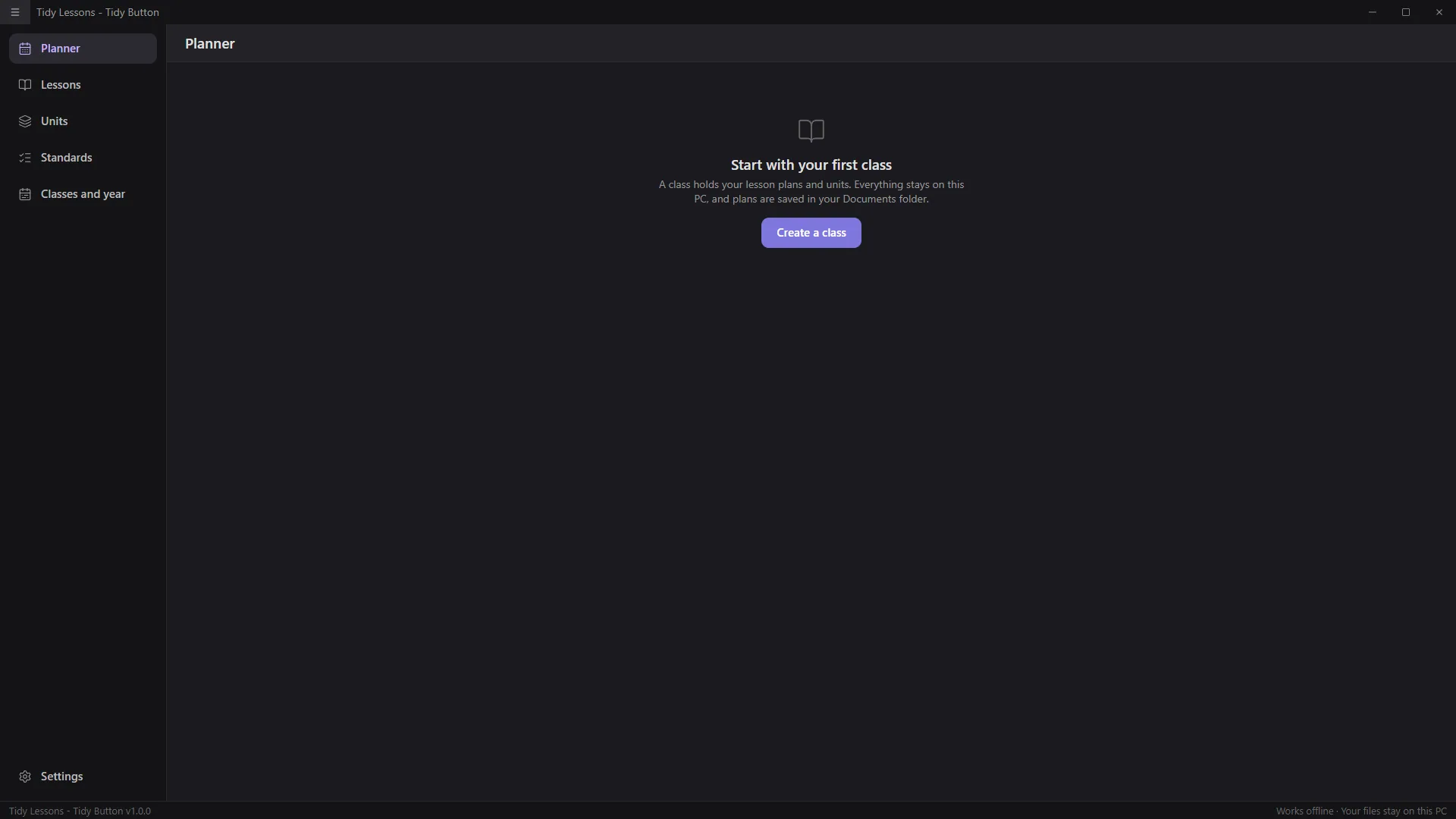
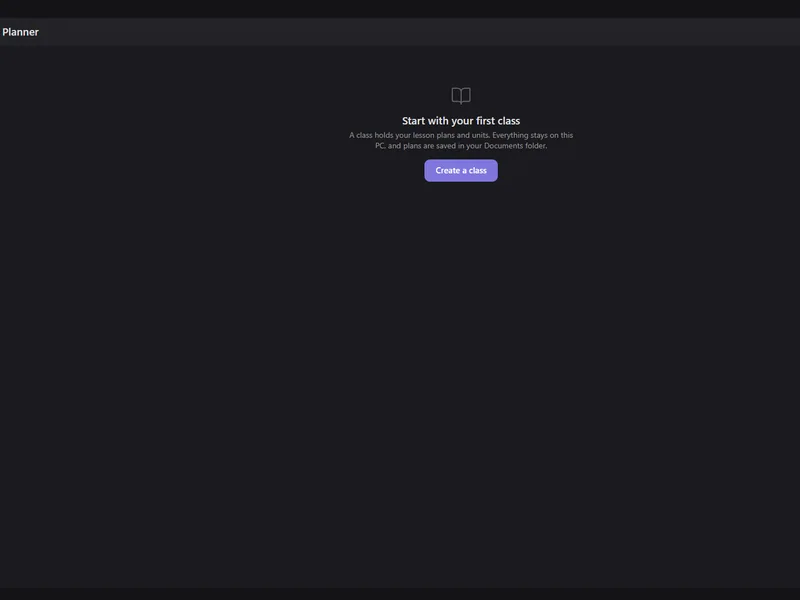
Start with a class. Everything stays on this PC
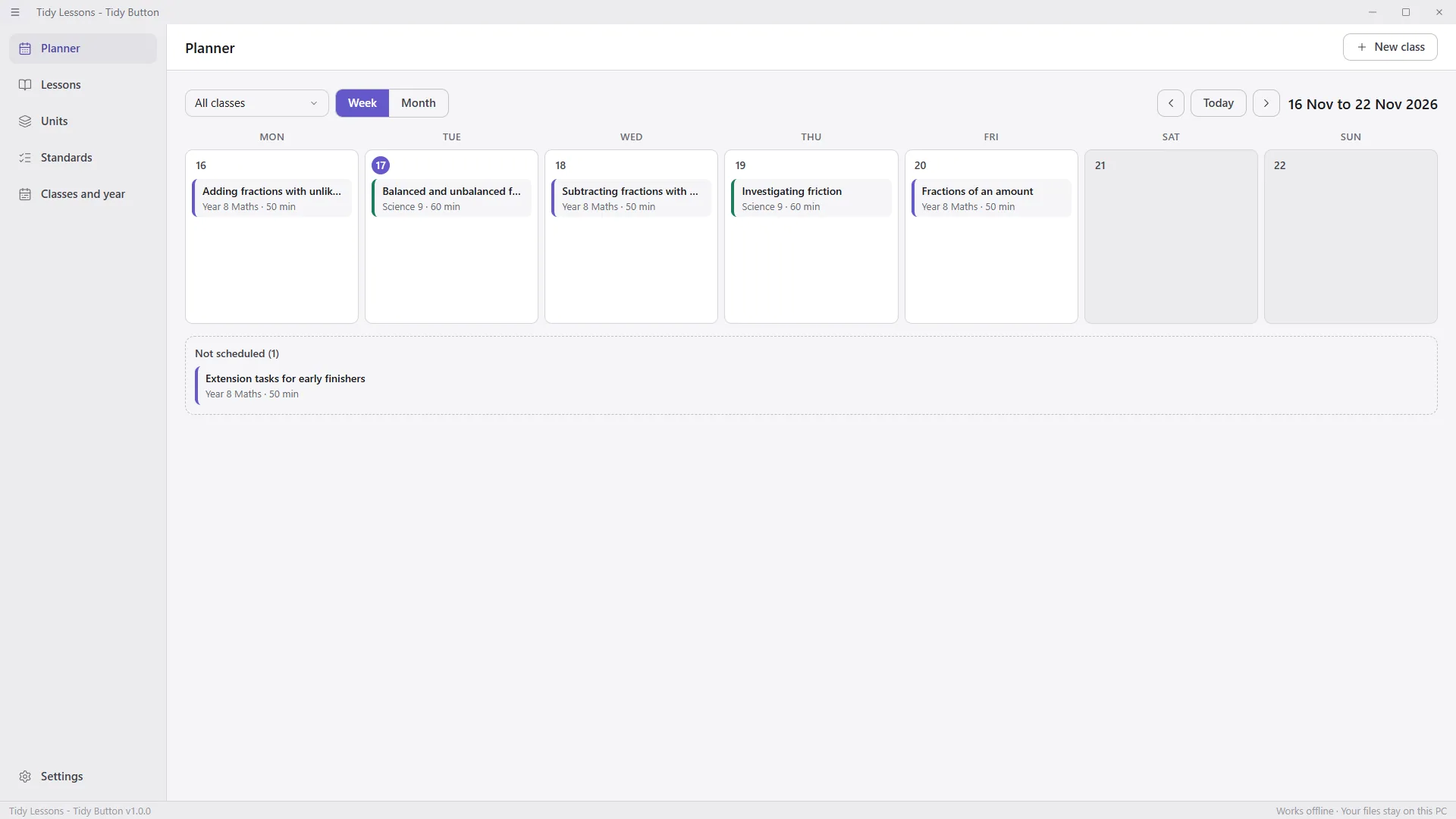
Week
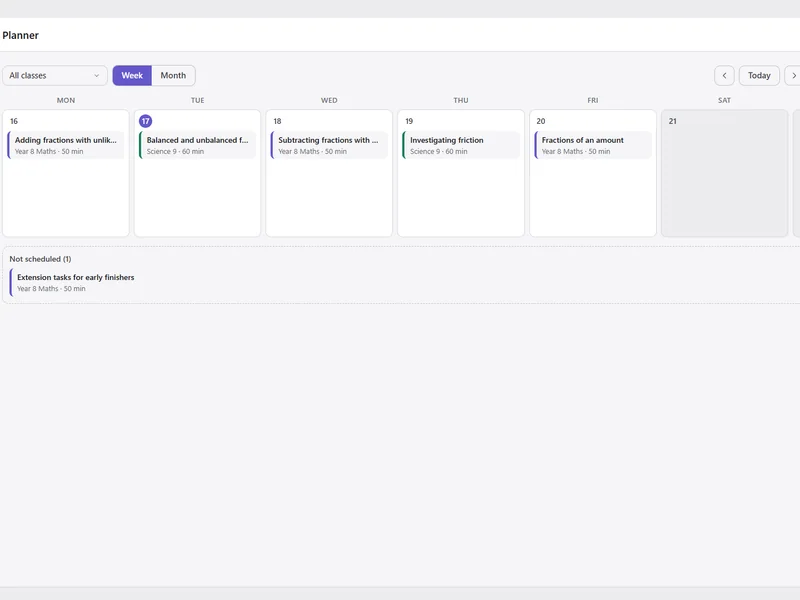
See the week in your class colours and drag a lesson to another day
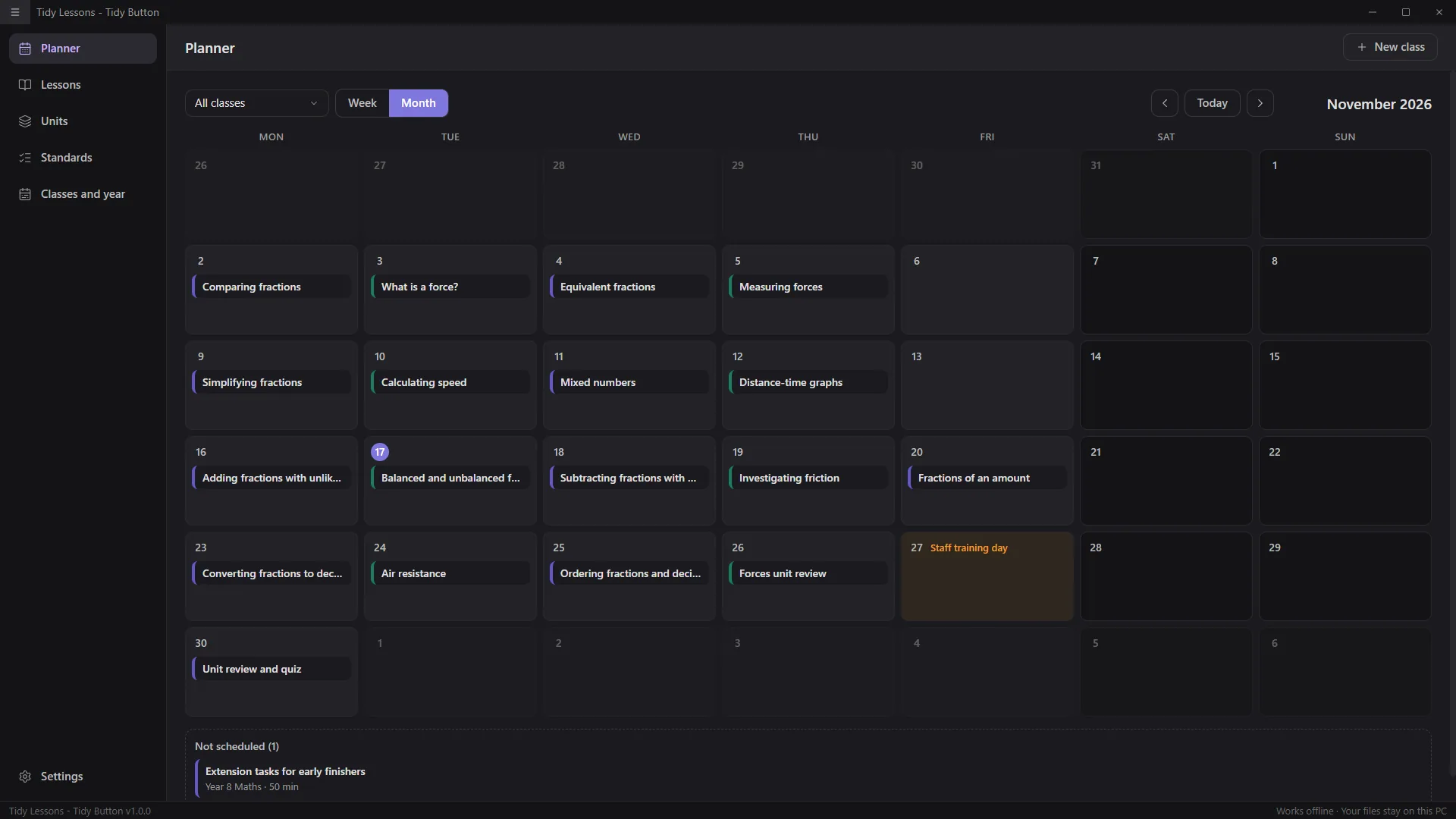
Month
The month view shows every planned lesson and your days off
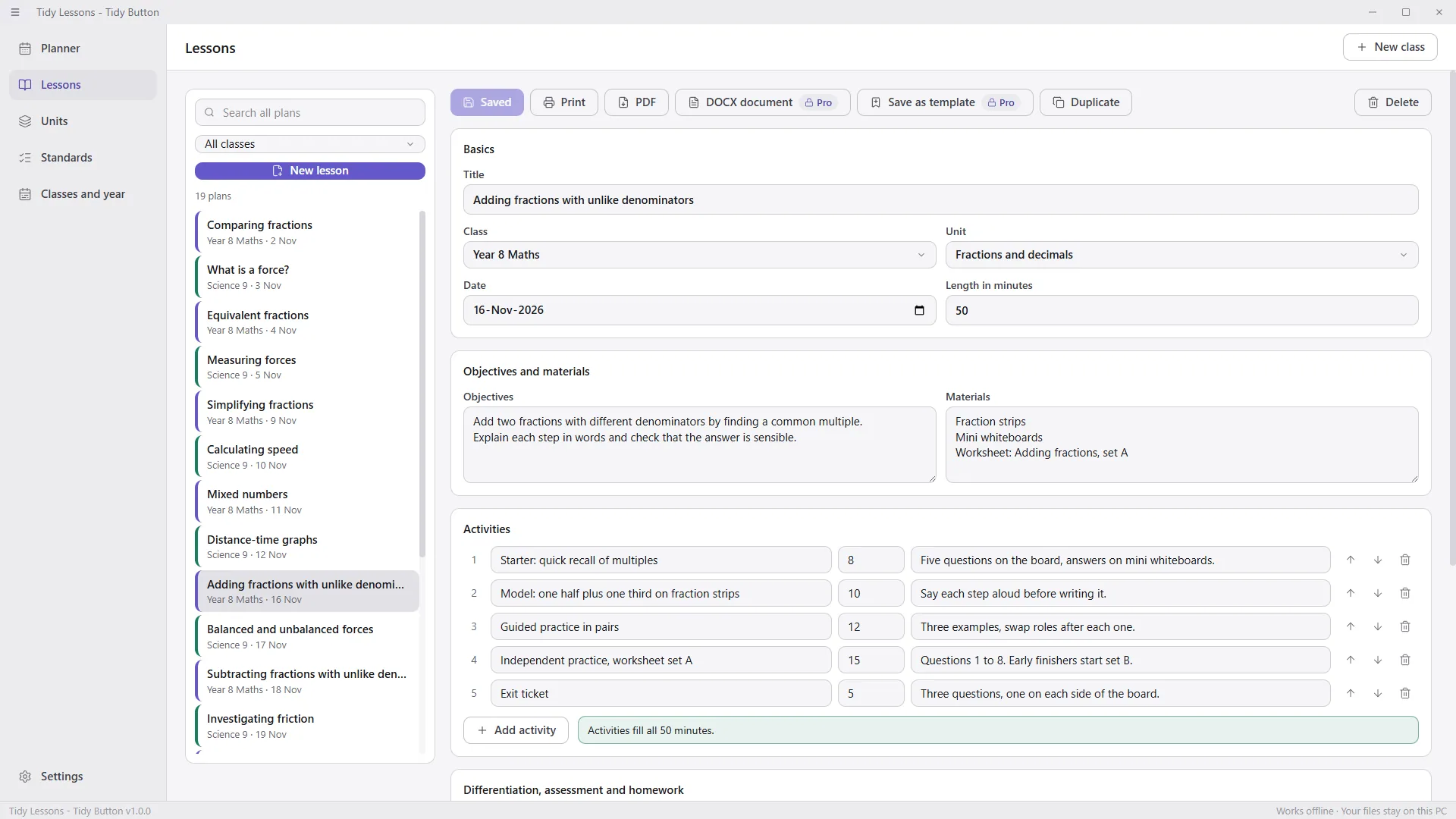
Lesson plan
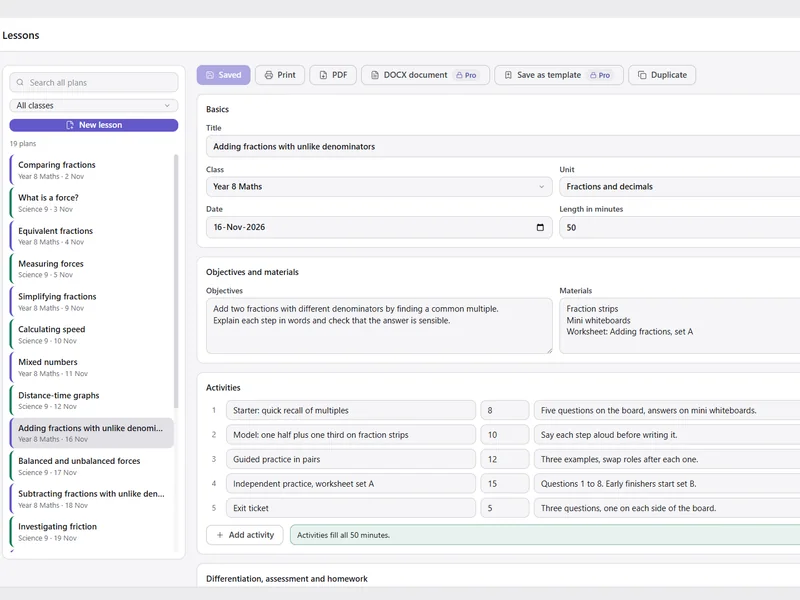
Write timed activities and see the minutes checked against the lesson length
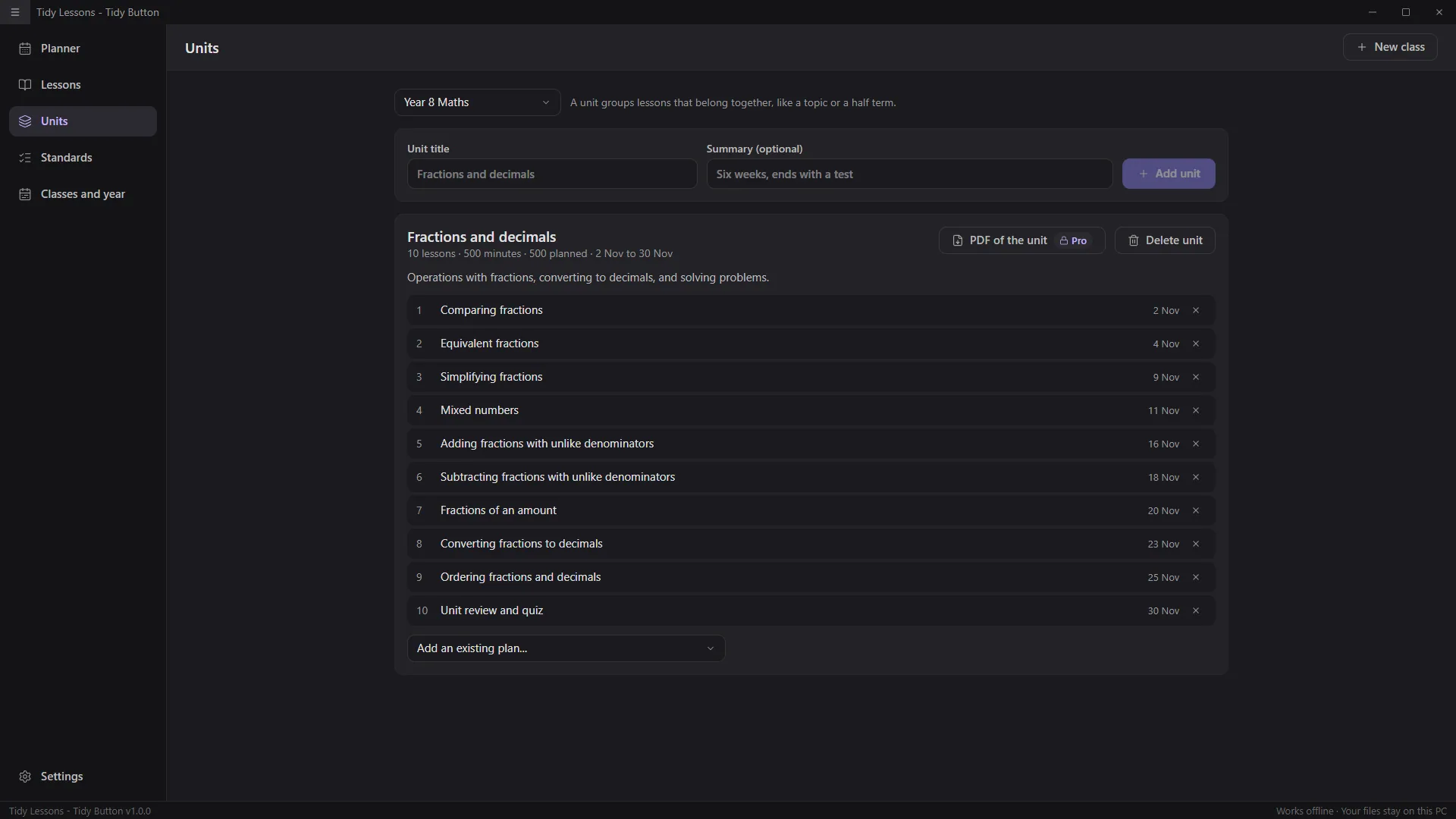
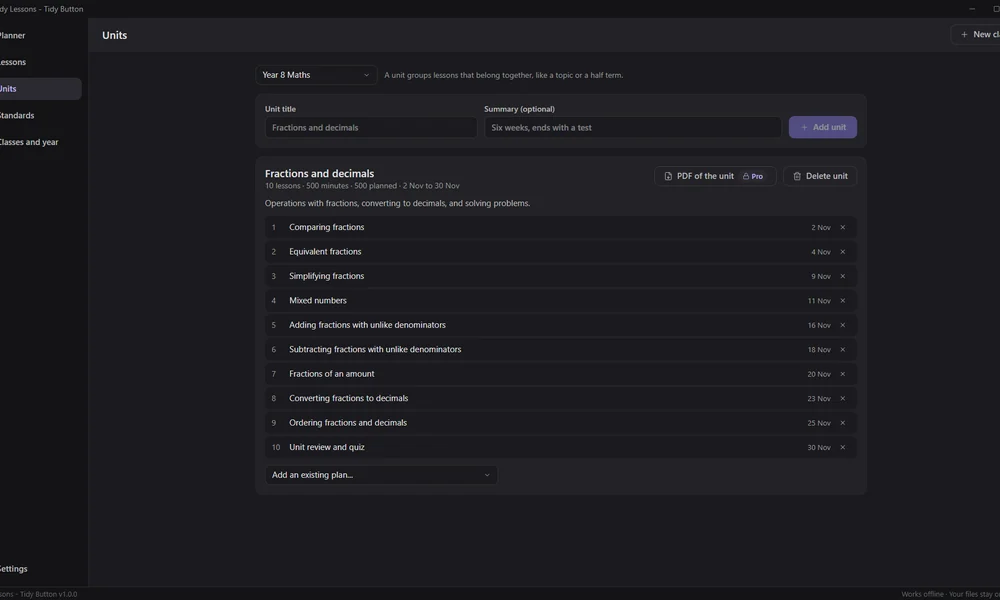
Units
Group lessons into a unit with its lesson count, minutes and dates
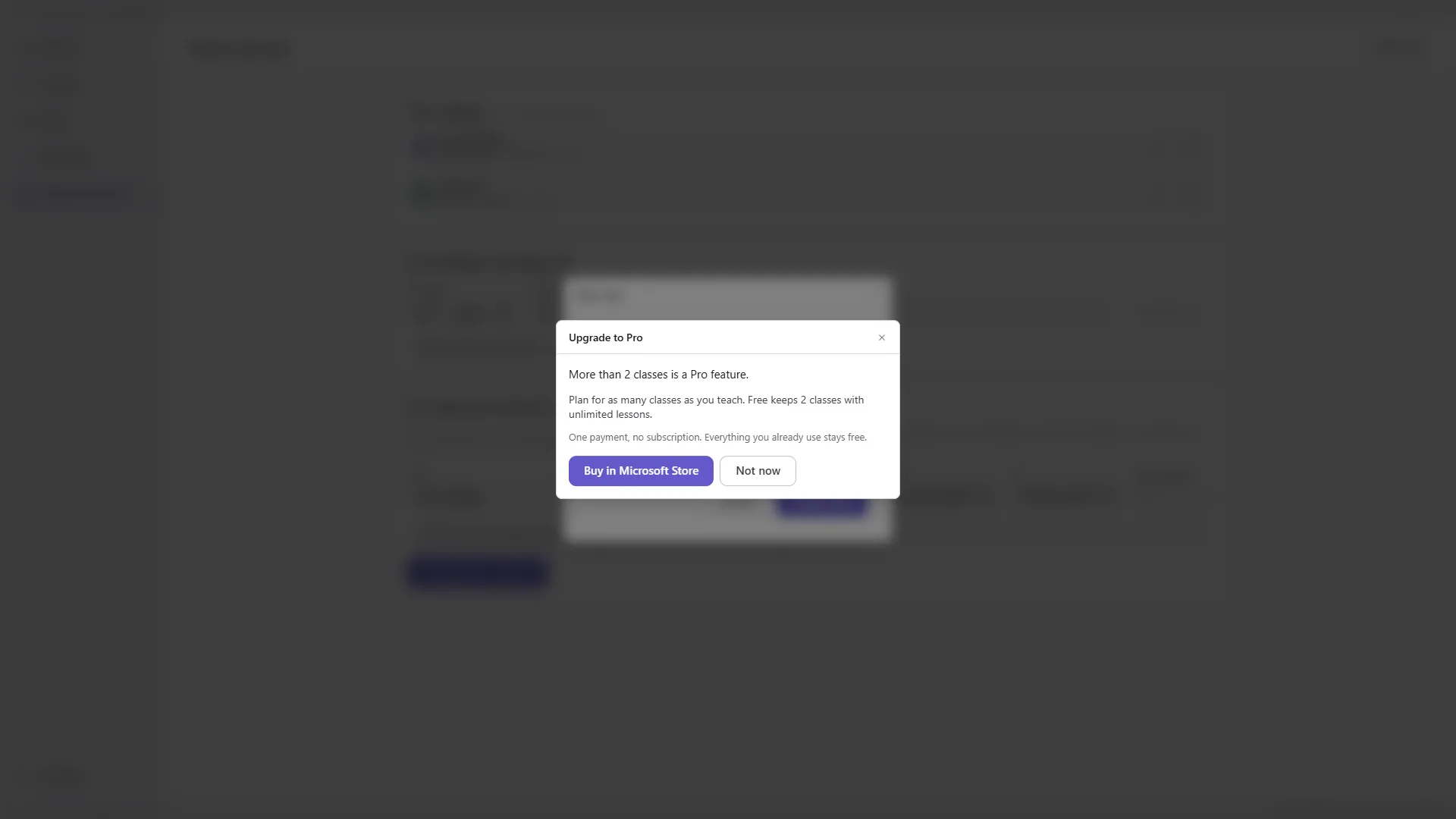
Free limit
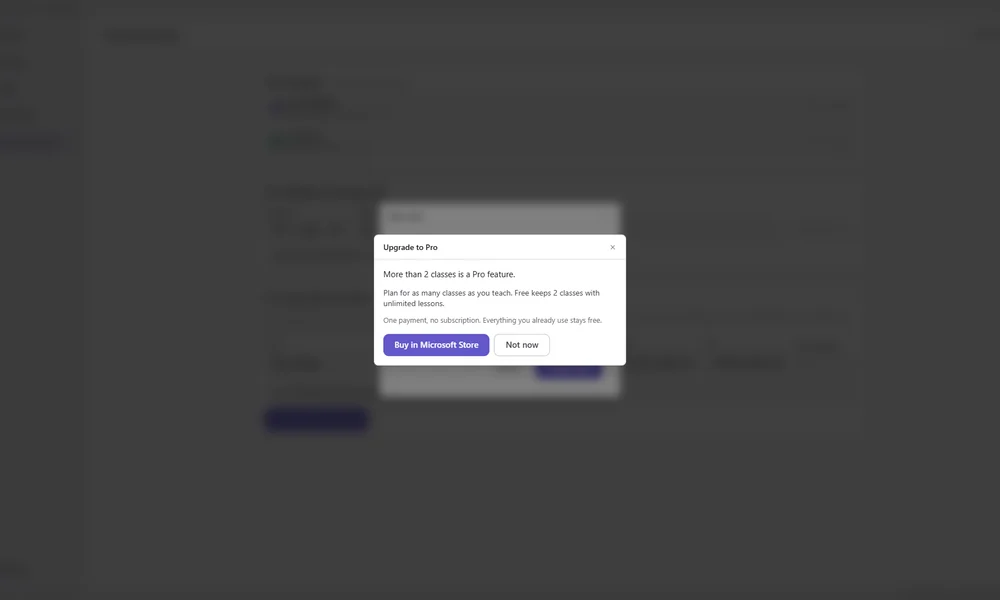
The free version has 2 classes; a third asks for Pro
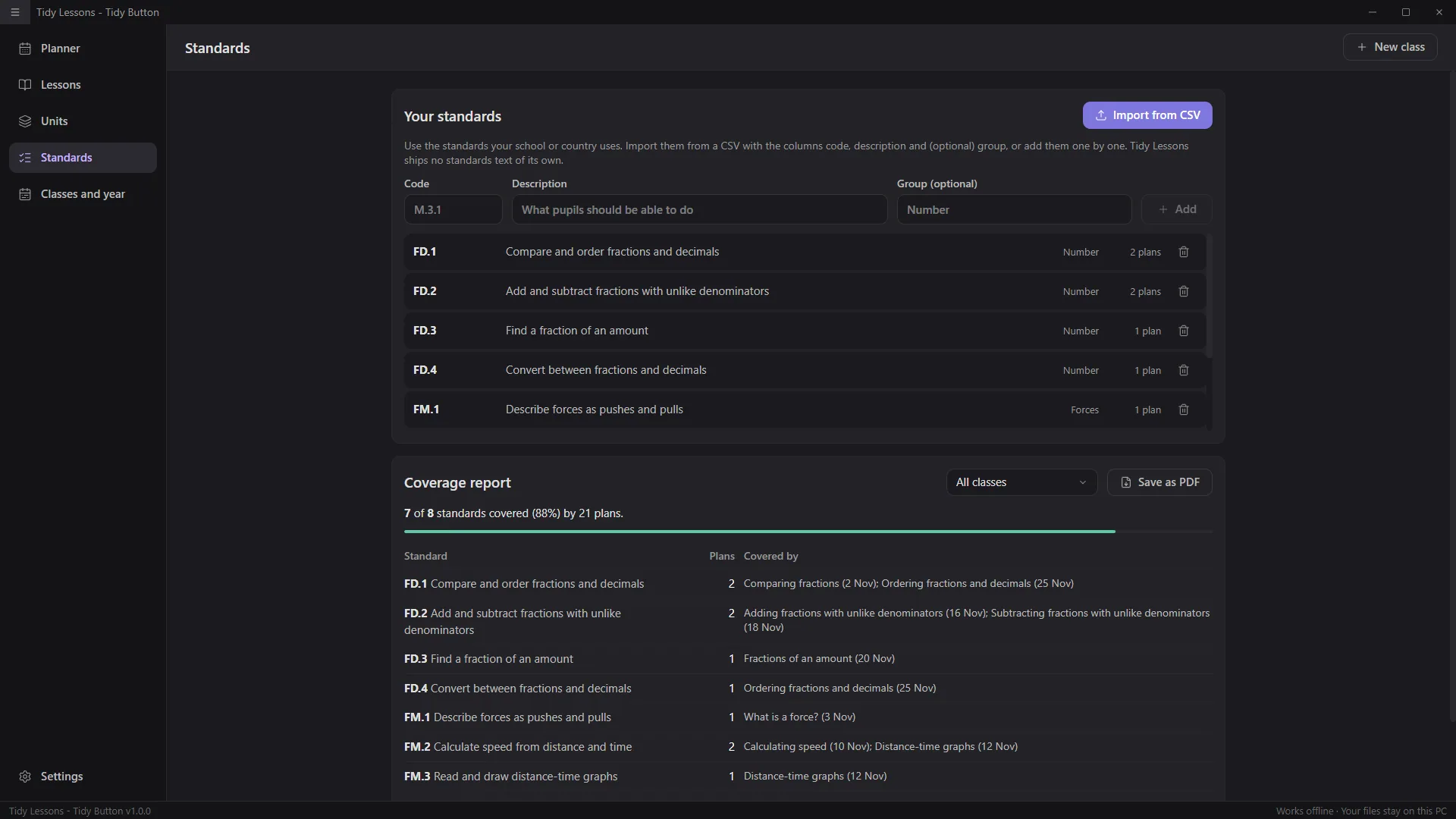
Standards
Pro: tag plans with your own standards and see what is covered
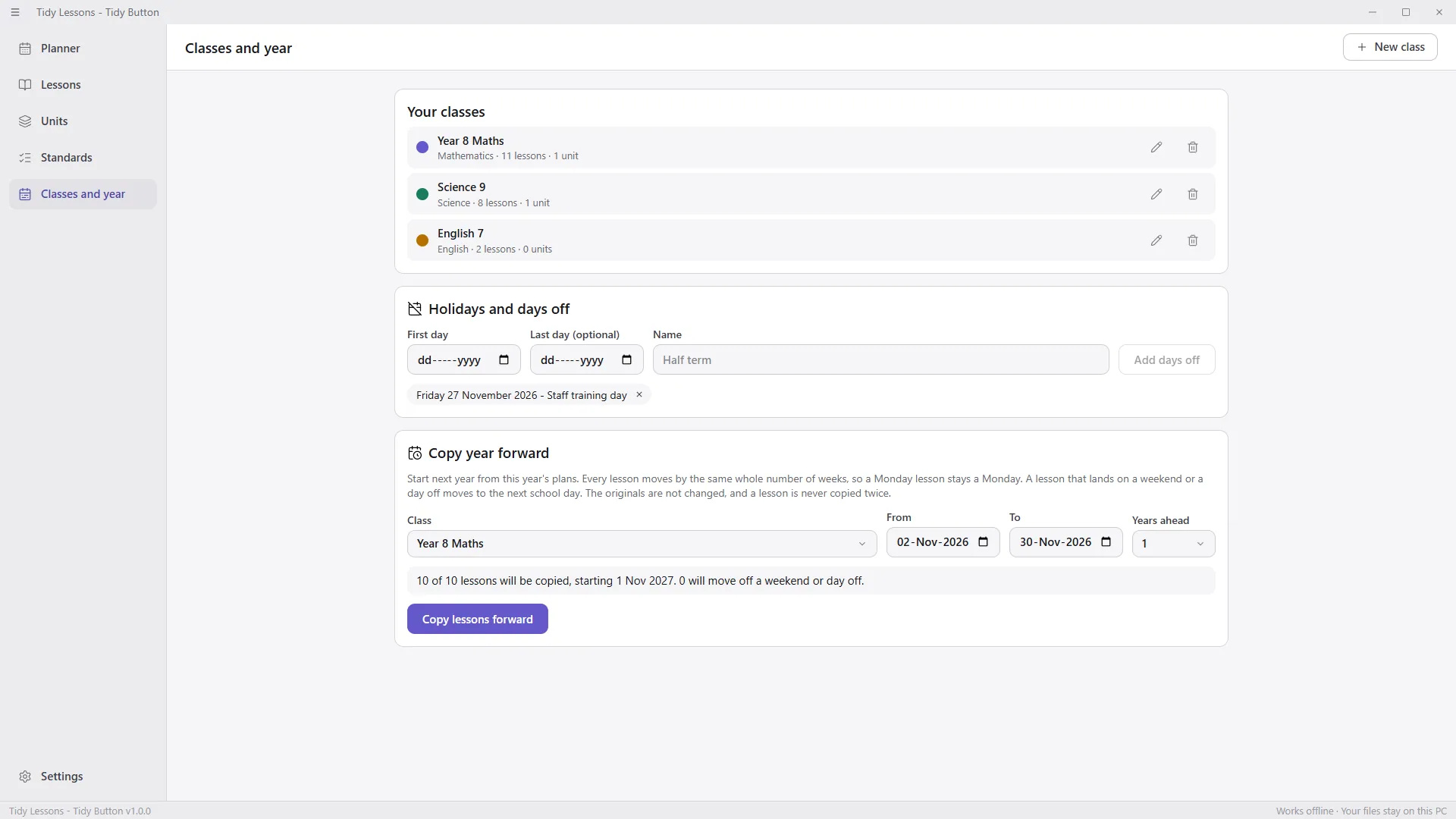
Next year
Pro: copy a class forward to next year by whole weeks
Screens show sample classes and plans. The app has light and dark themes, and a Pro screen is marked Pro.
How it works
Three steps. No manual.
01
Make a class
Give your class a name and a colour. Everything stays on this PC.
02
Write the plan
Add objectives, materials and activities with minutes. The app checks that the minutes fit the lesson.
03
Put it on a day
See it in the week or the month, drag it to another day, then print it or save a PDF.
What it does
What it does.
Tidy Lessons is a lesson planner for teachers, tutors and homeschool parents. Write a plan with objectives, materials and timed activities, put it on a day, and print it. Plans are saved as a file in your Documents folder, with a dated backup copy for each day. Everything happens on your PC, and the free app works with the internet turned off.
Lesson plans
Title, class, date and length, then objectives, materials, activities with minutes, differentiation, assessment and homework.
Minutes that add up
The minutes of your activities are checked against the length of the lesson as you type, and the app says how many are over or short.
Week and month
See every planned lesson in your class colours. Drag a lesson to another day, or to a Not scheduled box.
Units
Group lessons into a unit and see its lesson count, minutes and dates.
Search everything
Find words in any part of any plan. Capital letters and accents do not matter.
Print and PDF
Print a plan or save it as a PDF on A4 or US Letter paper.
Safe saving
Saves go to a temporary file first, a copy of each day is kept, and one-file backup and restore is free.
Pro, one payment
Unlimited classes, 16 more templates and your own, your own standards with a coverage report, attachments, copy year forward, and several plans in one PDF or .docx.
The small print, in plain English
Safe by design.
The free version has 2 classes. A third class asks for Pro, and nothing is taken away.
Units show how many lessons, how many minutes and which dates.
Nothing is uploaded. Your plans are a file in your Documents folder.
Nothing you made is hidden or deleted if you never buy Pro.
The free version has 2 classes with unlimited lessons and units.
Pro is one payment. There is no subscription.
Works offline. No account. No ads. No tracking.
What it keeps
Your plans, your file.
Plans are a file in Documents, saved safely, with a copy of each day.
Objectives, materials, activities, and the minutes checked.
Saving
Crash-safe
Each save goes to a temporary file first and is swapped in, so a crash cannot leave half a file.
Backups
Daily copies
A copy of each day is kept, and you can save everything to one file and restore it, free.
Printing
Clean pages
A4 or US Letter. Greek, Cyrillic and Chinese print correctly.
Search
Everywhere
Finds words in every part of every plan, ignoring capitals and accents.
Standards
Your list (Pro)
The app ships no standards text. Bring your own list as a CSV file, or type it in.
Next year
Copy forward (Pro)
Copy a class forward by whole weeks. Weekends and days off are skipped and nothing is copied twice.
Hebrew, Arabic and Indic text is kept in your plan and shows a note instead of printing garbled.
Good for
Handy when a week needs planning.
Teachers who plan every week
Private tutors with a few classes
Homeschool parents
Next year, starting from this year's plans
Questions
Plain answers.
Is anything uploaded?
No. Your plans are a file in your Documents folder. The app works with the internet turned off.
What is free?
Two classes with unlimited lessons and units, three templates, the week and month planner, search, printing, a PDF of one plan, backup and restore.
What does Pro add?
Unlimited classes, 16 more templates and your own, your own standards with a coverage report, attached files, copy year forward, and a PDF, print or .docx of several plans. It is one payment, not a subscription.
What if I never buy Pro?
Nothing you made is hidden or deleted. Pro only adds things.
Where are my plans?
In a folder named Tidy Lessons in Documents, with a Backups folder beside the plan file. They stay there if you uninstall the app.
Does it include standards?
No. You bring your own list as a CSV file, or type your standards in.