We will link the Store listing here the day it is live. Until then there is nothing to download.
Real app, with made-up sample invoices.
Works offline
No account, no ads, no tracking
No subscription
Free to start
See it
Eight views. One invoice, sent.
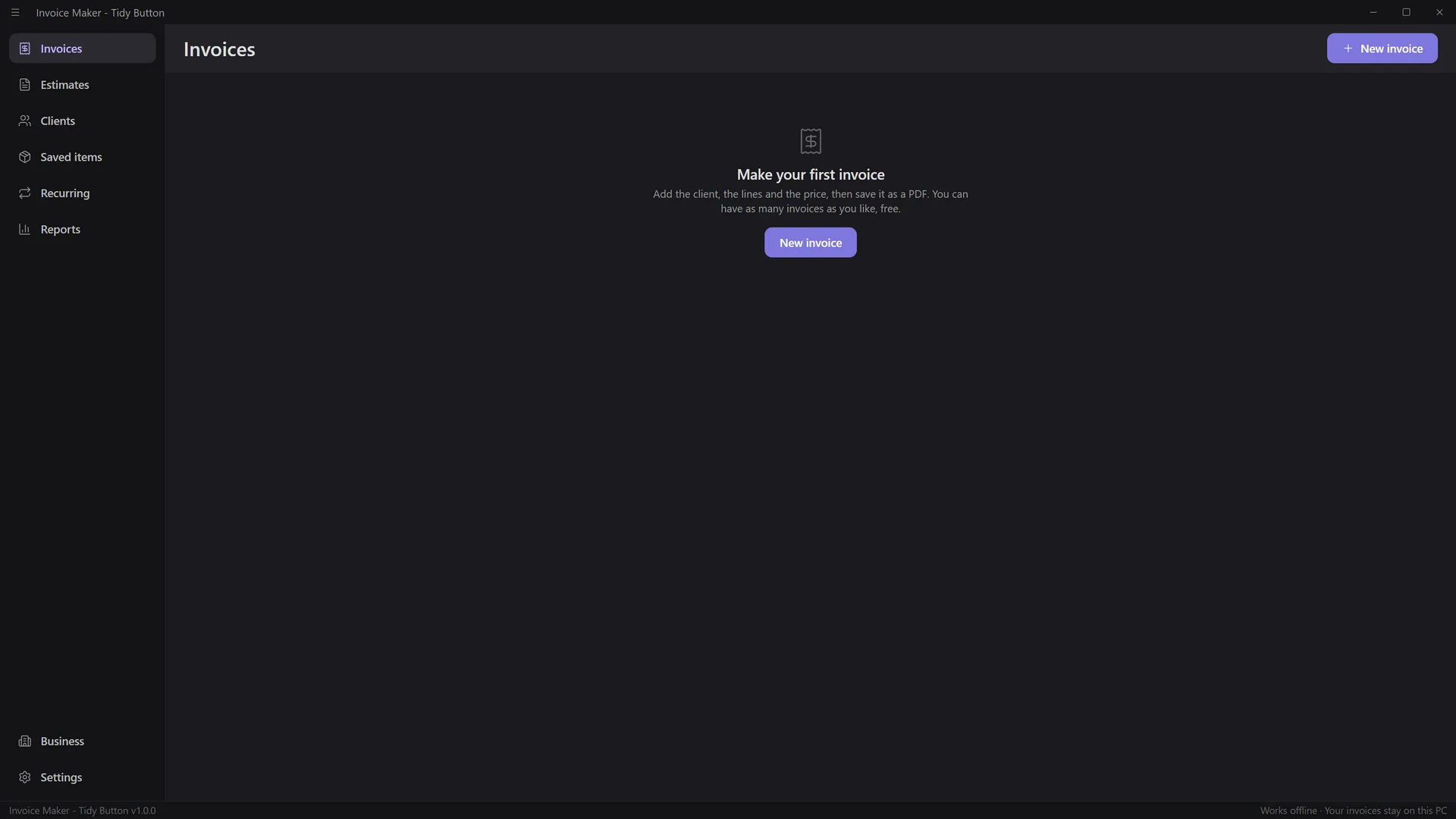
Start
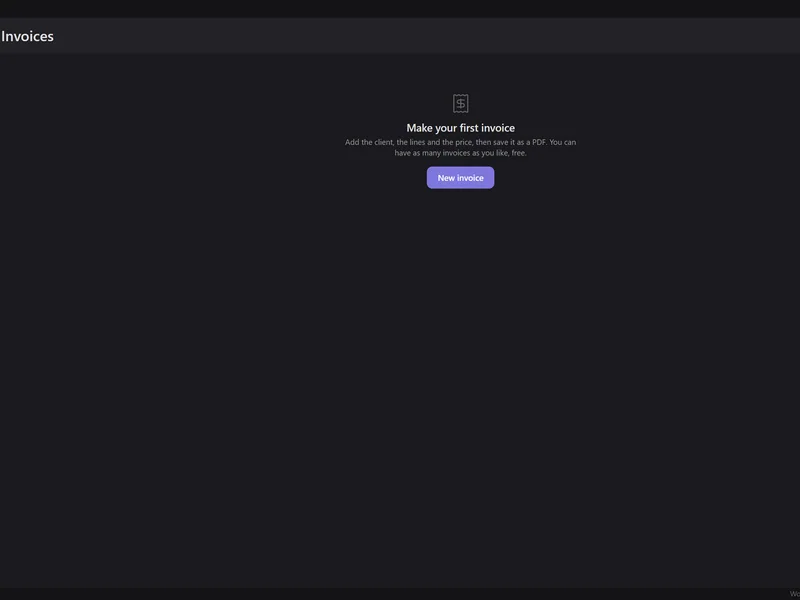
Start with a clean screen and make your first invoice
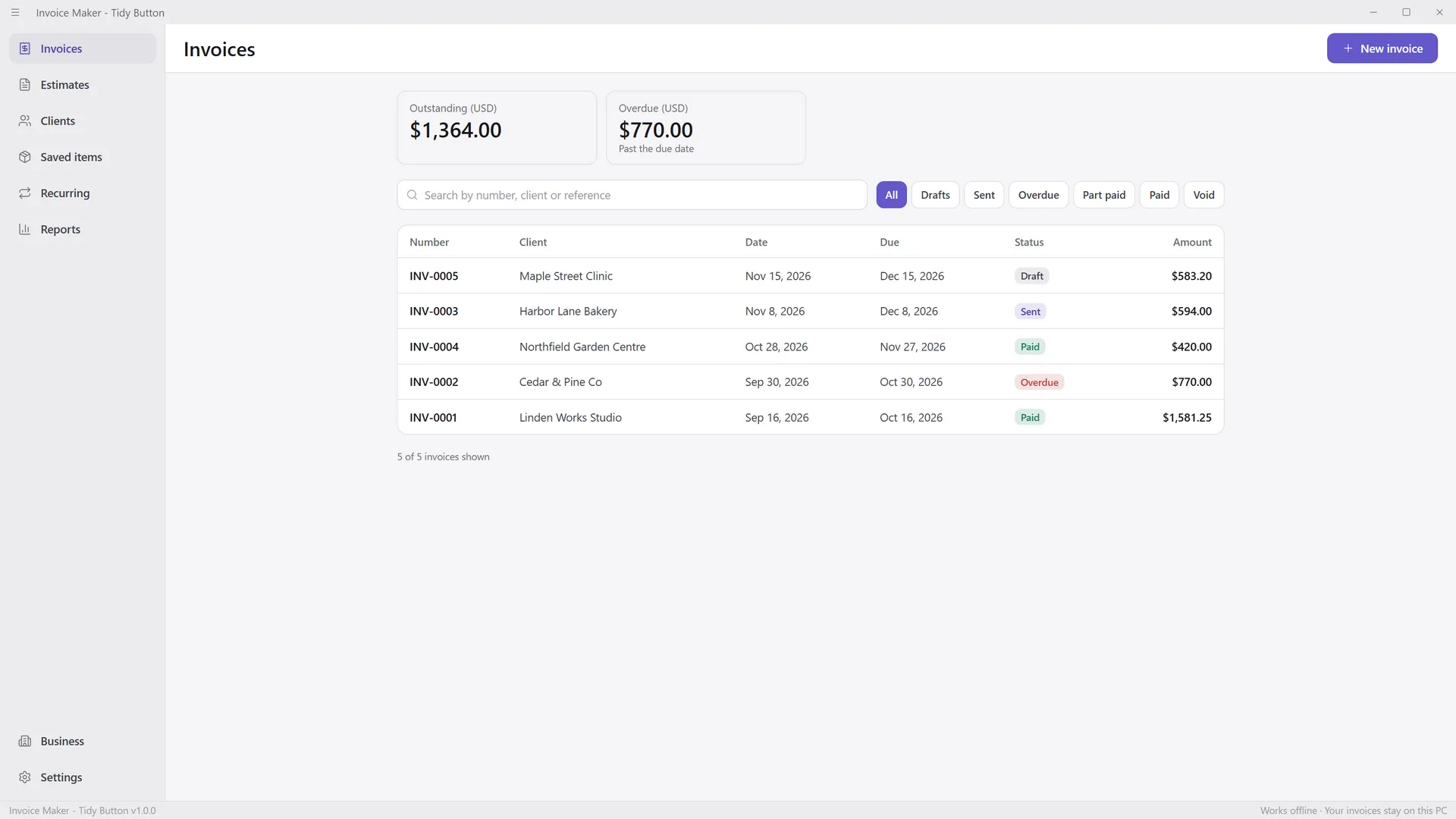
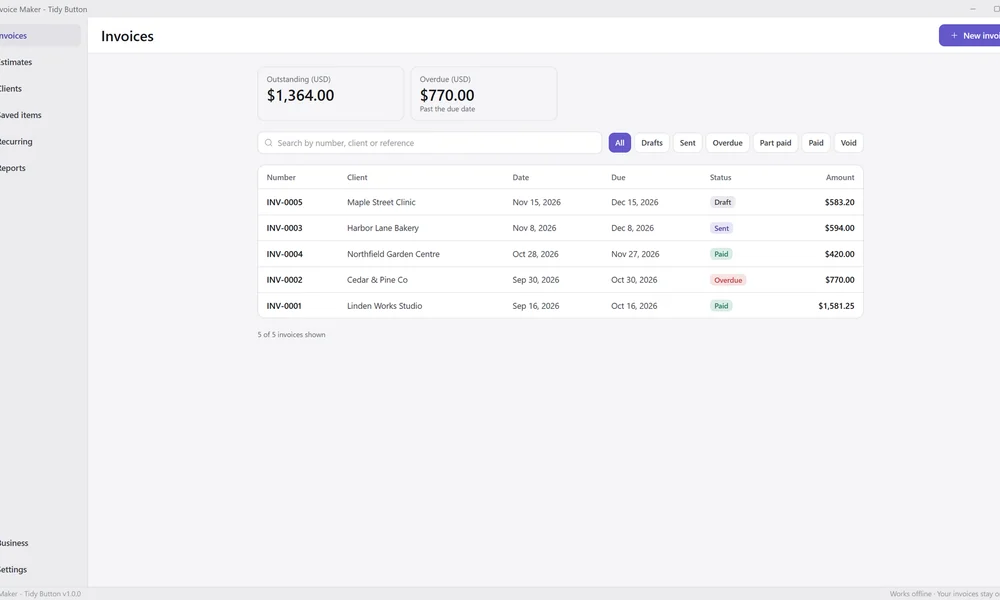
Invoices
See what is outstanding and what is overdue at a glance
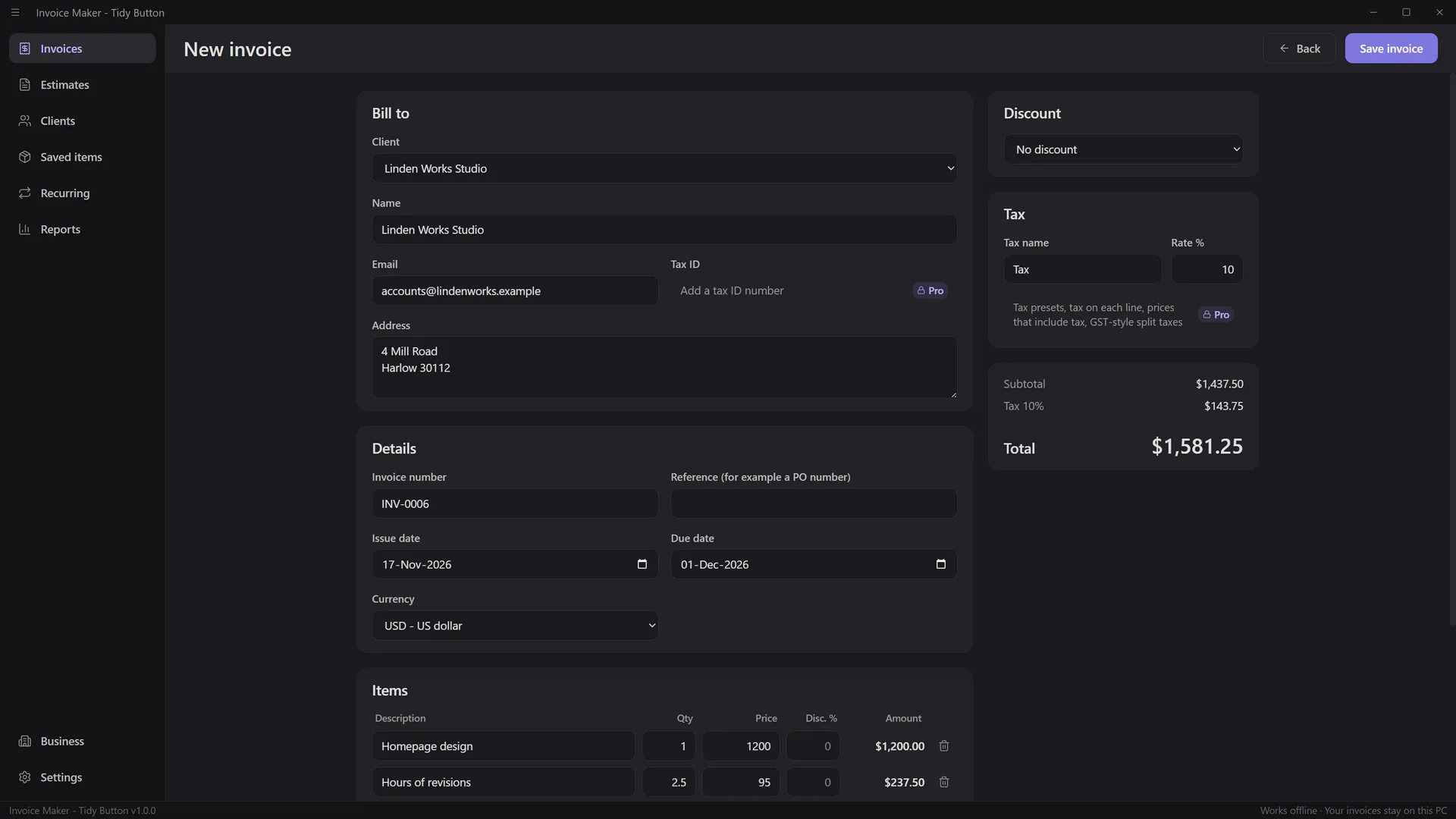
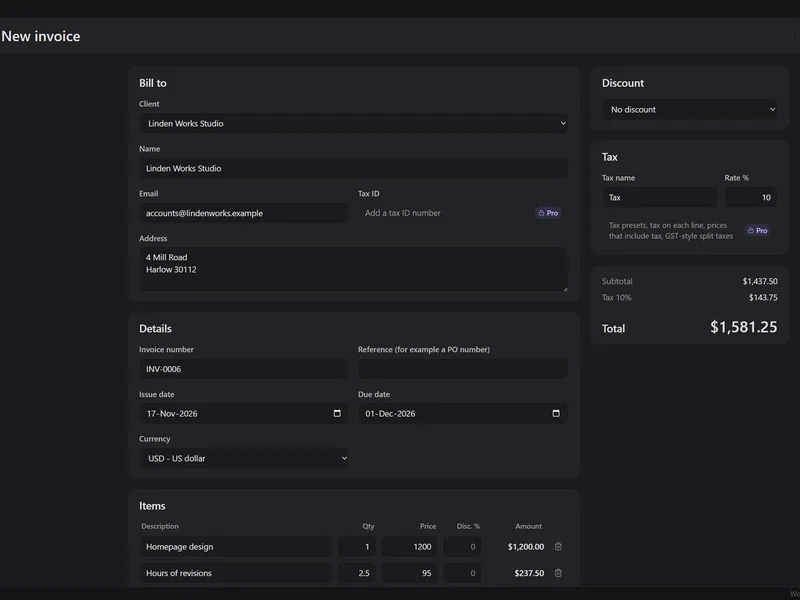
Editor
Add lines and tax and watch the total update as you type
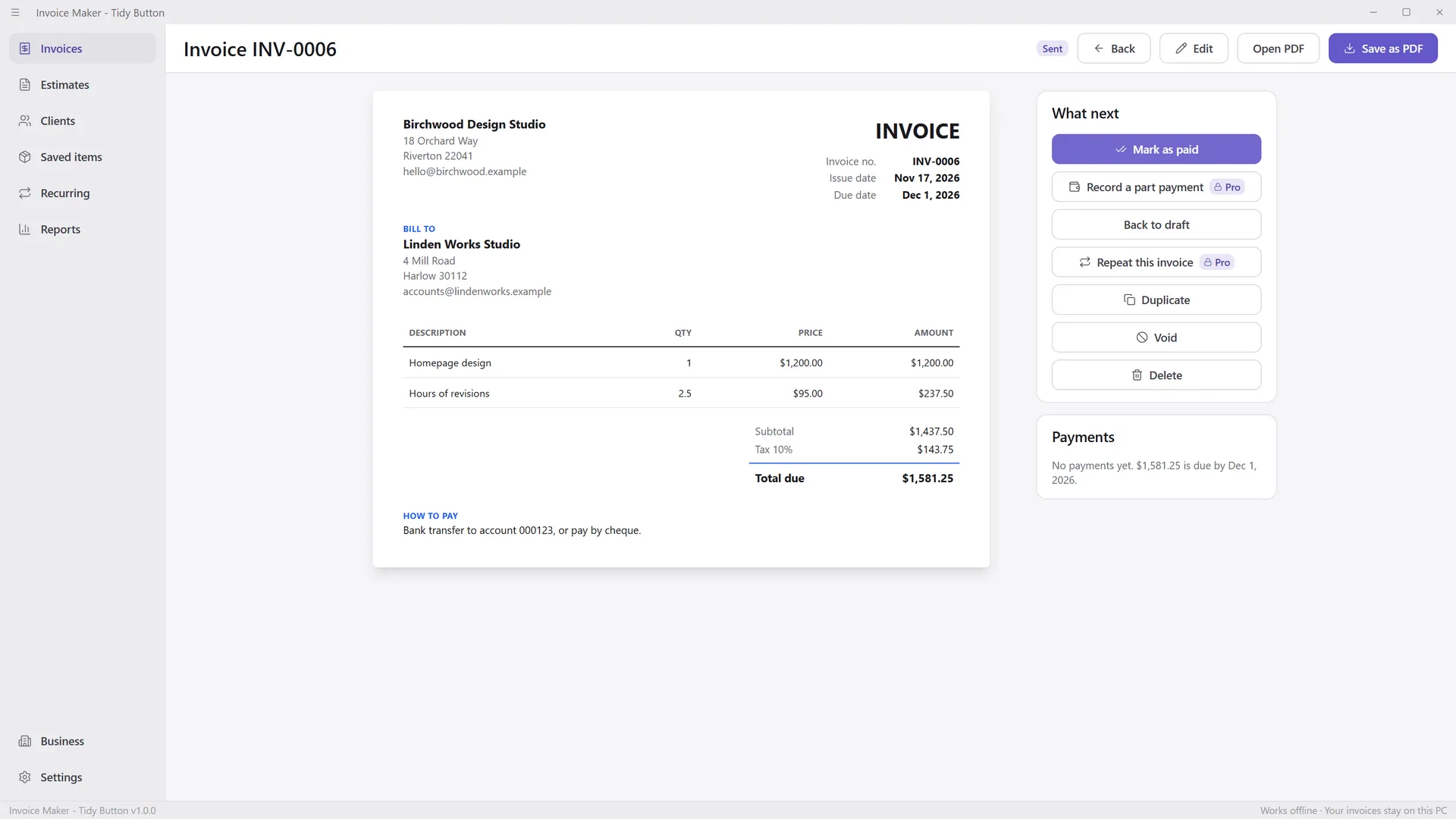
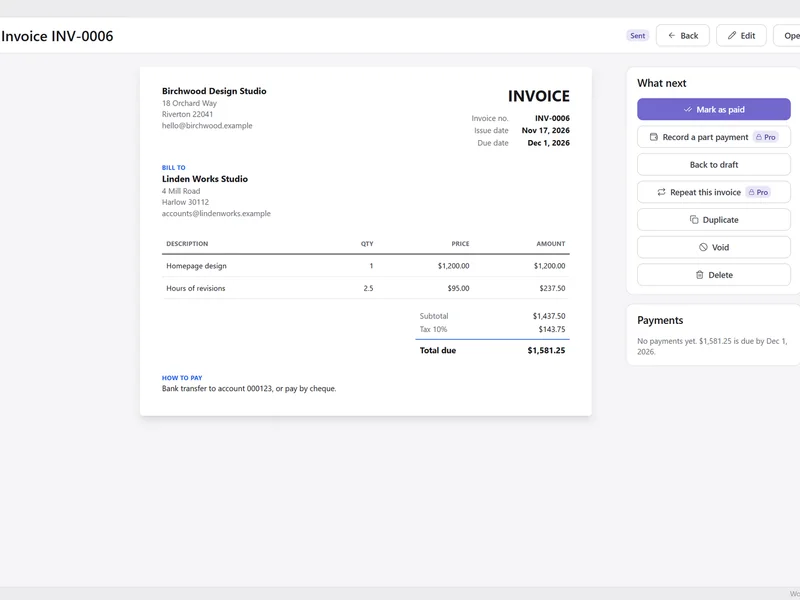
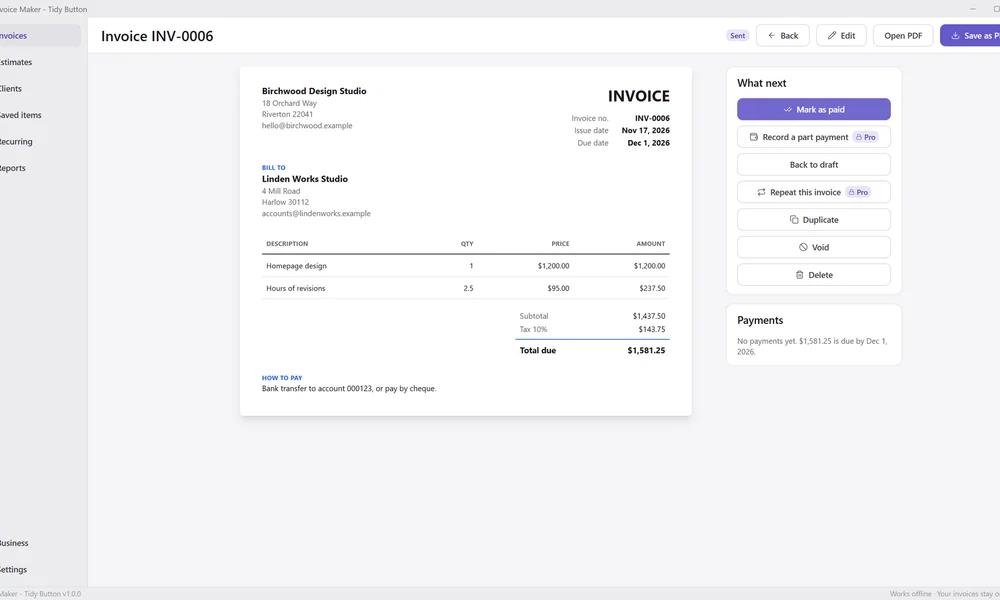
Invoice
A clear invoice you can mark as sent or paid, or save as a PDF
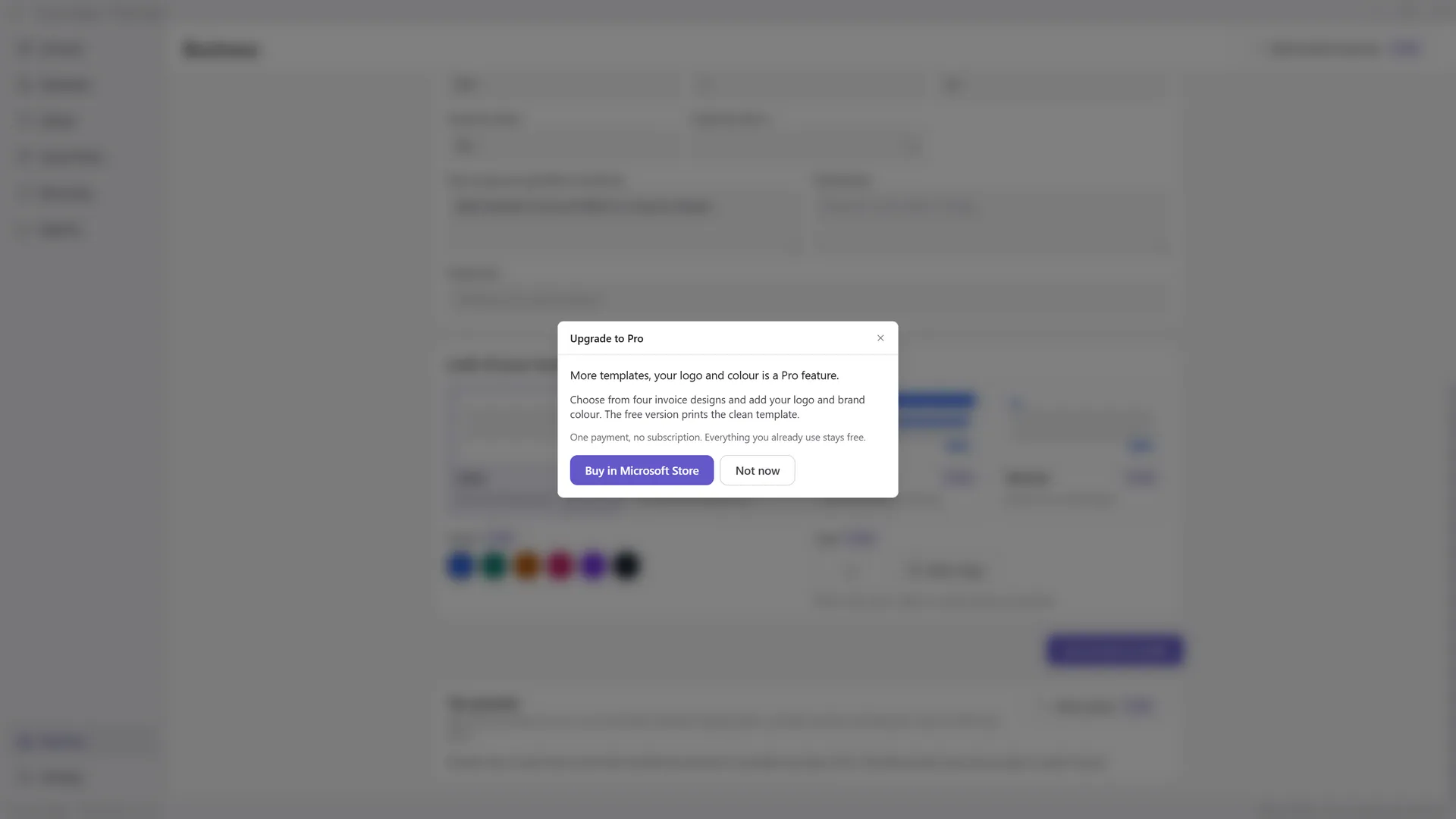
Pro
Pro features are marked, and a calm note appears only when you touch one
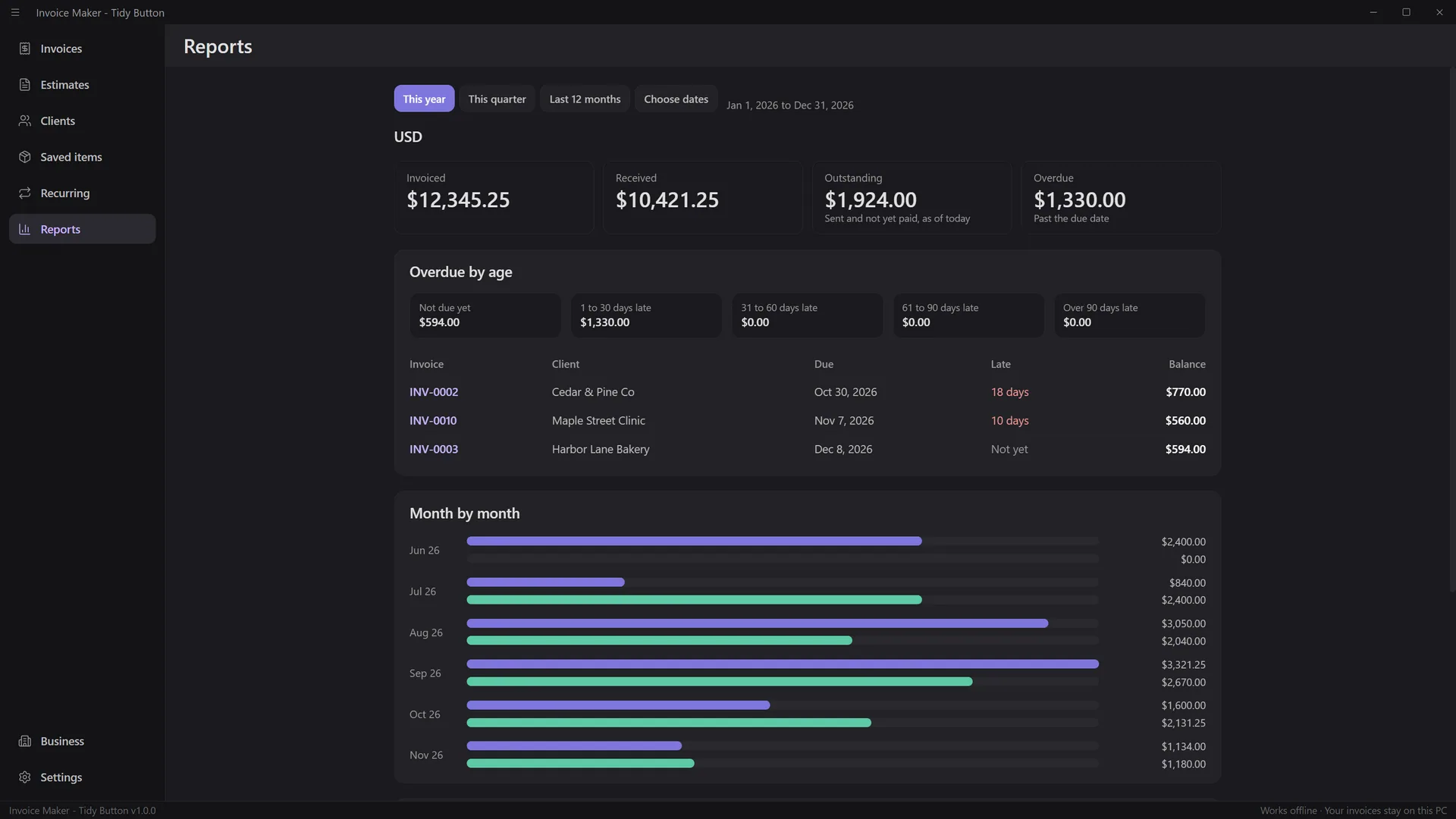
Reports
Pro: overdue invoices by age, and money invoiced and received by month
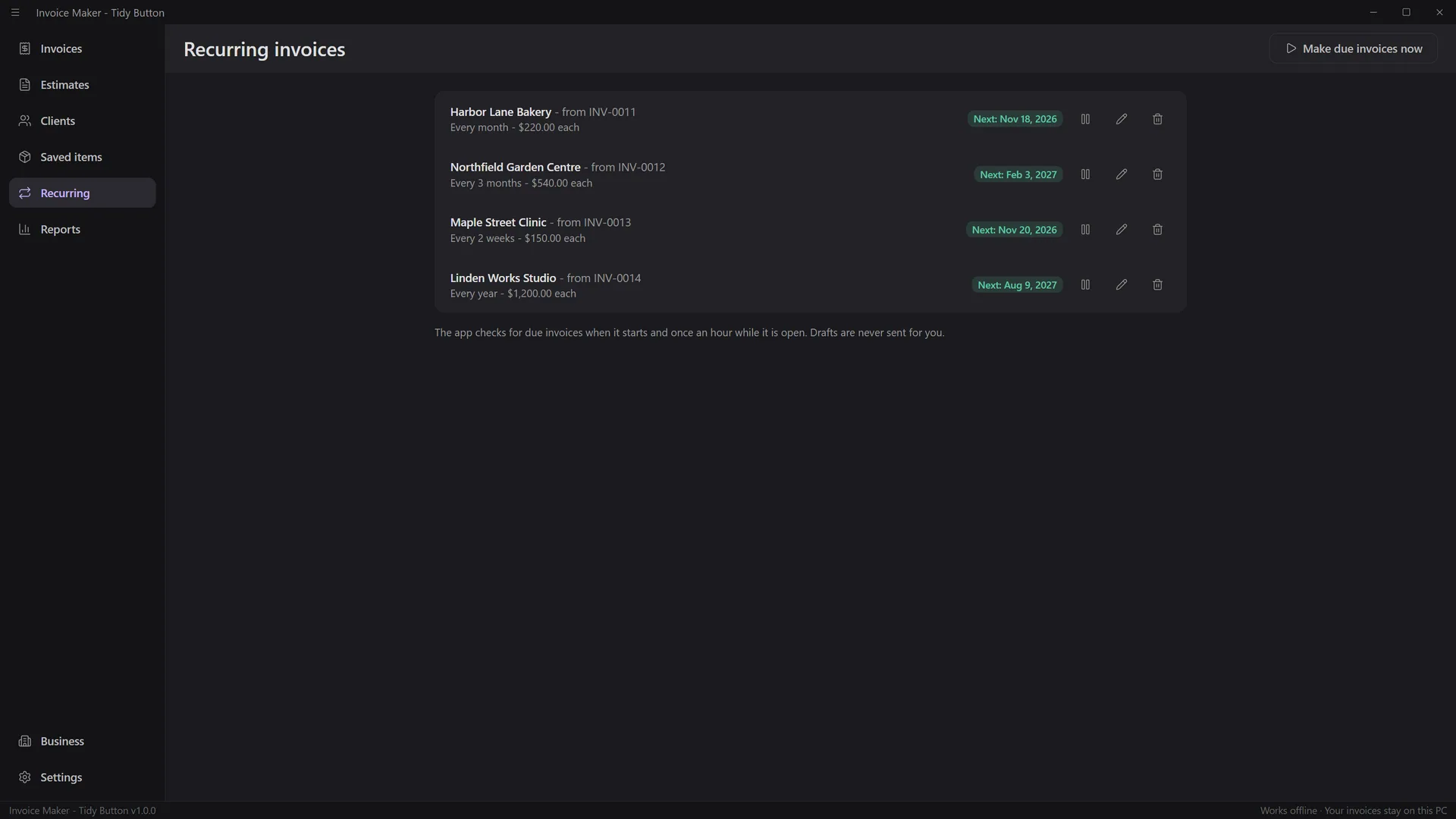
Recurring
Pro: repeat retainers on a schedule, as drafts that are never sent for you
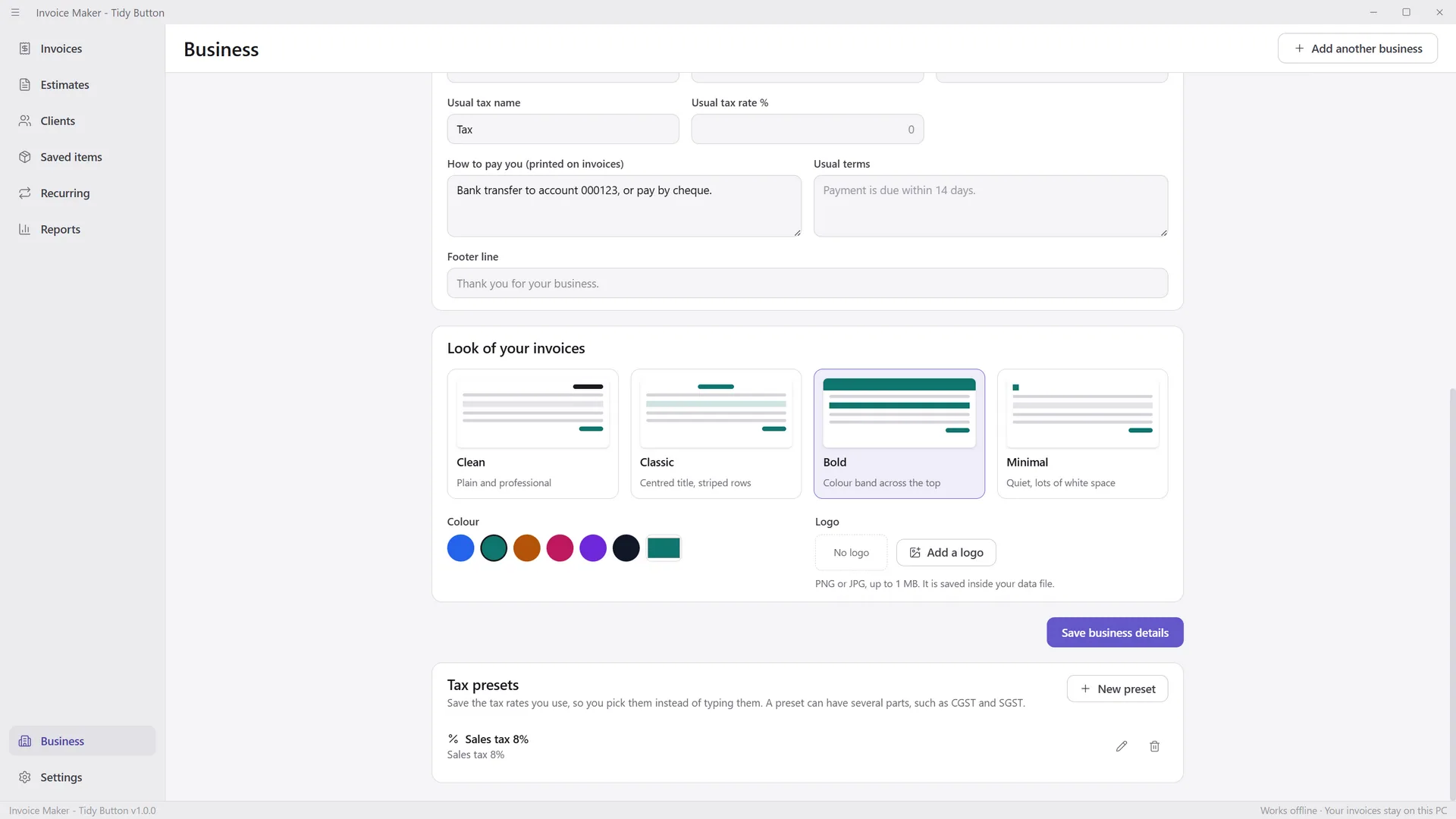
Look
Pro: four invoice designs, your colour and logo, and saved tax presets
Screens show made-up sample clients and invoices. The app has light and dark themes.
How it works
Three steps. No manual.
01
Add your details
Type your business name, address and how you want to be paid, once.
02
Fill in the invoice
Pick a client, add lines and a tax rate, and watch the total update.
03
Save the PDF
Mark it as sent and save it as a PDF to send to your client.
What it does
What it does.
Invoice Maker lets freelancers, tradespeople and small studios bill clients from their own PC. Add your business details once, pick a client, add your lines and save the invoice as a PDF. Everything is saved in one file in your Documents folder and works with the internet turned off. There is no account and no subscription.
Unlimited, free
Make as many invoices and estimates as you like, with as many lines as you need. PDF export and backup are free too.
Totals as you type
Quantities to 3 decimals, a price, a discount per line or for the whole invoice, and a tax rate. The total updates as you type.
Exact money
Amounts are kept in whole cents, so totals never drift by a penny. Each invoice has one currency, and reports never mix currencies.
PDF in one click
Save the invoice as a PDF or open it at once. A4 or Letter size is chosen from your PC's language.
Estimates become invoices
Mark an estimate sent, accepted or declined, then turn it into the next invoice in one click.
Know who owes you
Draft, sent, part paid, paid, overdue and void. A summary shows what is outstanding and what is overdue.
Clients and saved items
Reuse clients and items. Client details are copied onto each invoice, so changing a client never changes an old one.
Backup and restore
Back up to a file and restore it with two buttons. Restoring keeps a copy of the data it replaced.
The small print, in plain English
Safe by design.
Every invoice has a status, so you know who still owes you.
A clear total due, your payment details and a PDF in one click.
Nothing is uploaded. Your invoices and clients stay on your PC.
Your data is one file in your Documents folder, and it survives an uninstall.
Free has no limit on invoices, estimates, clients or lines.
Pro is one payment, never a subscription. Nothing you already use becomes locked.
Works offline. No account. No ads. No tracking.
What is free
Free is really free.
No limit on invoices, and Pro is one payment.
Pro is marked, and nothing you already use is locked.
Invoices
No cap
Unlimited invoices and estimates, with unlimited lines.
PDF
Always free
Save any invoice as a PDF, free.
Backup
Always free
Back up your data to a file and restore it.
Pro
One payment
More business profiles, four designs with your logo and colour, tax presets, recurring invoices, reports and CSV export.
Tax
Free and Pro
One tax rate per invoice is free. Tax on each line, prices that include tax and split taxes are Pro.
Payments
Free and Pro
Mark an invoice paid for free. Part payments and overdue reports are Pro.
The free app works fully offline. Pro is $14.99, once.
Good for
Handy when you need to bill today.
Freelancers who bill a few clients a month
Tradespeople who need an invoice on the same day
Small studios that want a PDF with their own payment details
Anyone tired of paying a monthly fee to send an invoice
Questions
Plain answers.
Is anything uploaded?
No. Your invoices and clients stay in a file on your PC. The app works with the internet turned off.
Is there a limit on invoices in the free version?
No. You can make as many invoices and estimates as you like, with as many lines as you need.
What does Pro add?
More than one business profile, four invoice designs with your logo and colour, tax presets and tax on each line, recurring invoices, part payments and reports, and CSV export. It is one payment of $14.99, not a subscription.
Where is my data kept?
In one file in your Documents folder, so it is still there if you uninstall the app. You can back it up to a file and restore it from Settings.
Are the totals exact?
Yes. Amounts are kept in whole cents, so totals never drift by a penny.
Does it send invoices for me?
No. It makes the PDF and you send it. Recurring invoices are made as drafts and are never sent for you.