Coming to the Microsoft Store
Video Analysis for Coaches See every frame of a clip.
Step, slow down, zoom and draw on any video. Offline, no account.
Not on sale yet. The app is still being built.
We will link the Store listing here the day it is live. Until then there is nothing to download.
- Works offline
- No account, no ads, no tracking
- Your clips never leave your PC
- Free
See it
Four views. One clip, up close.
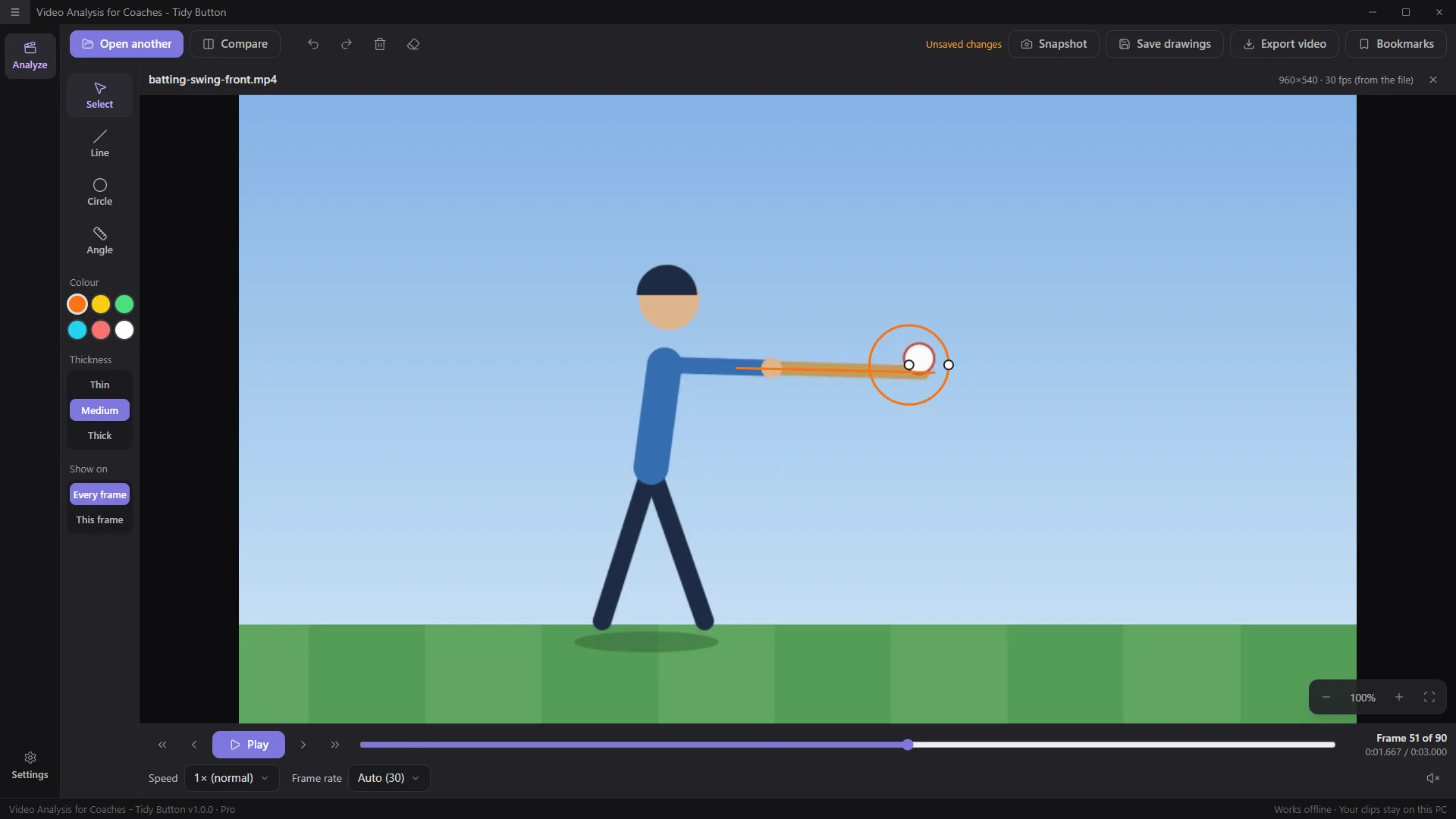
Draw
Stop on a frame and draw a line and a circle on it
Slow motion
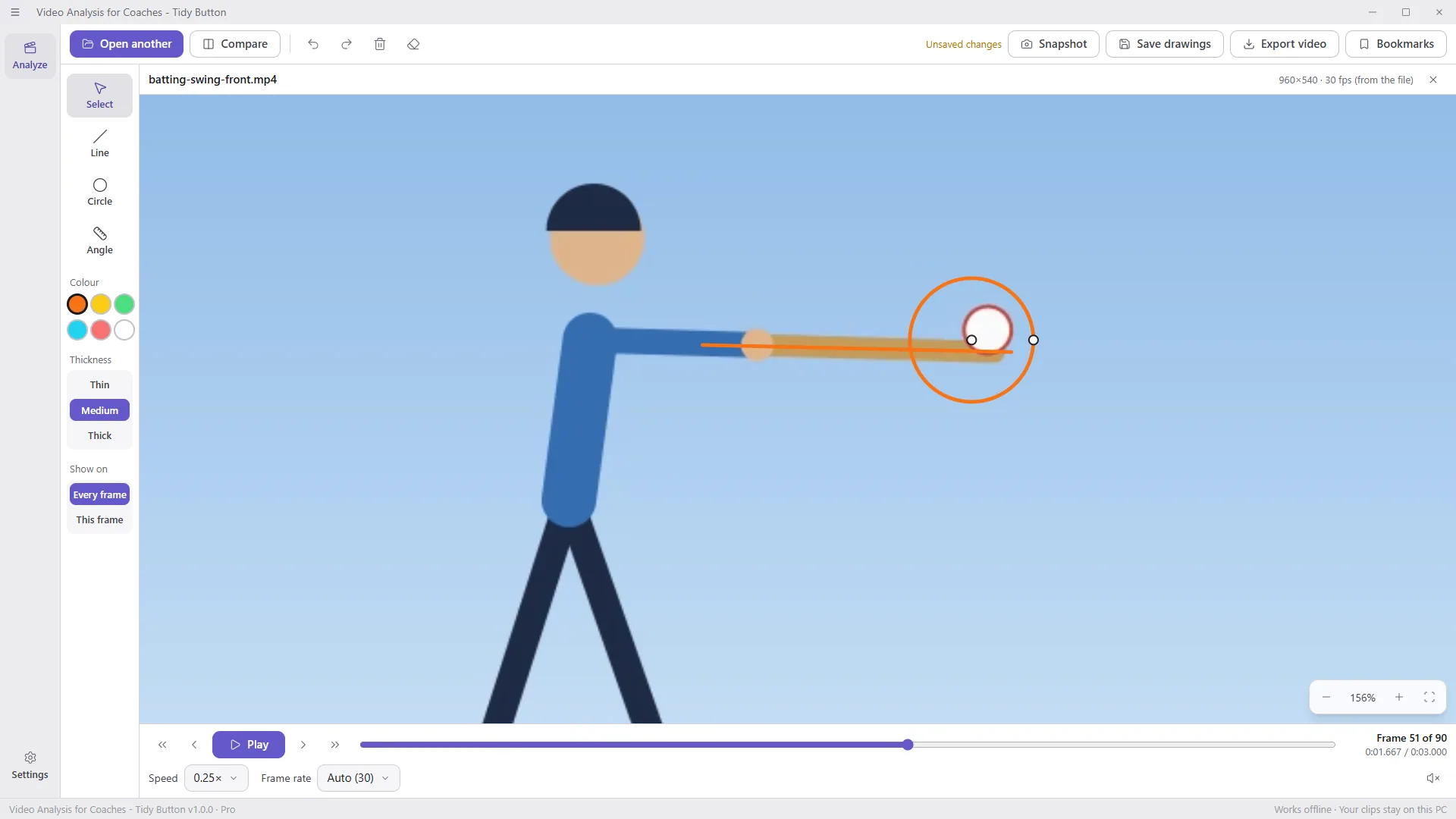
Slow the clip down and zoom in on the detail
Compare
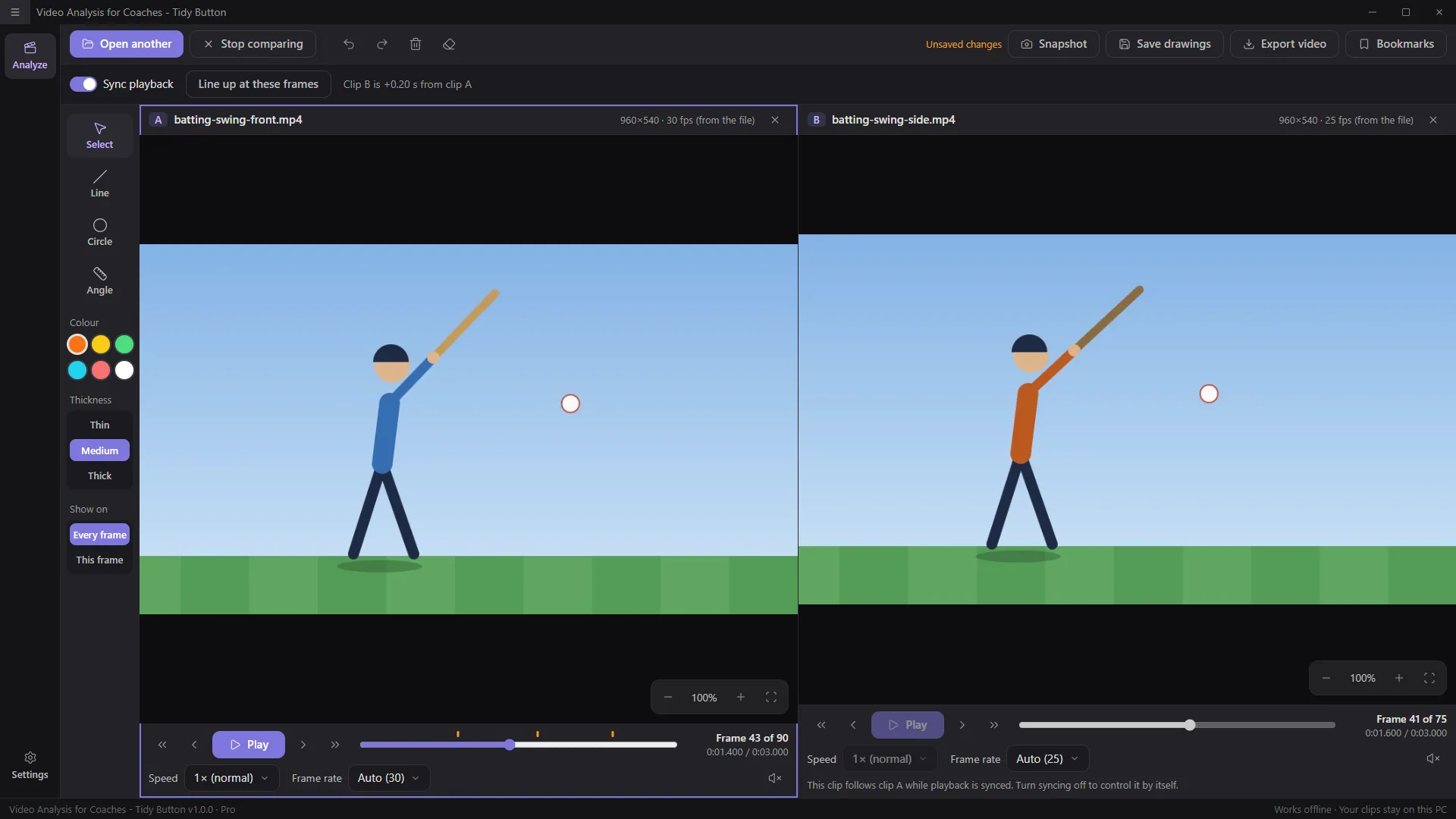
Pro: two clips side by side, played and stepped together
Bookmarks
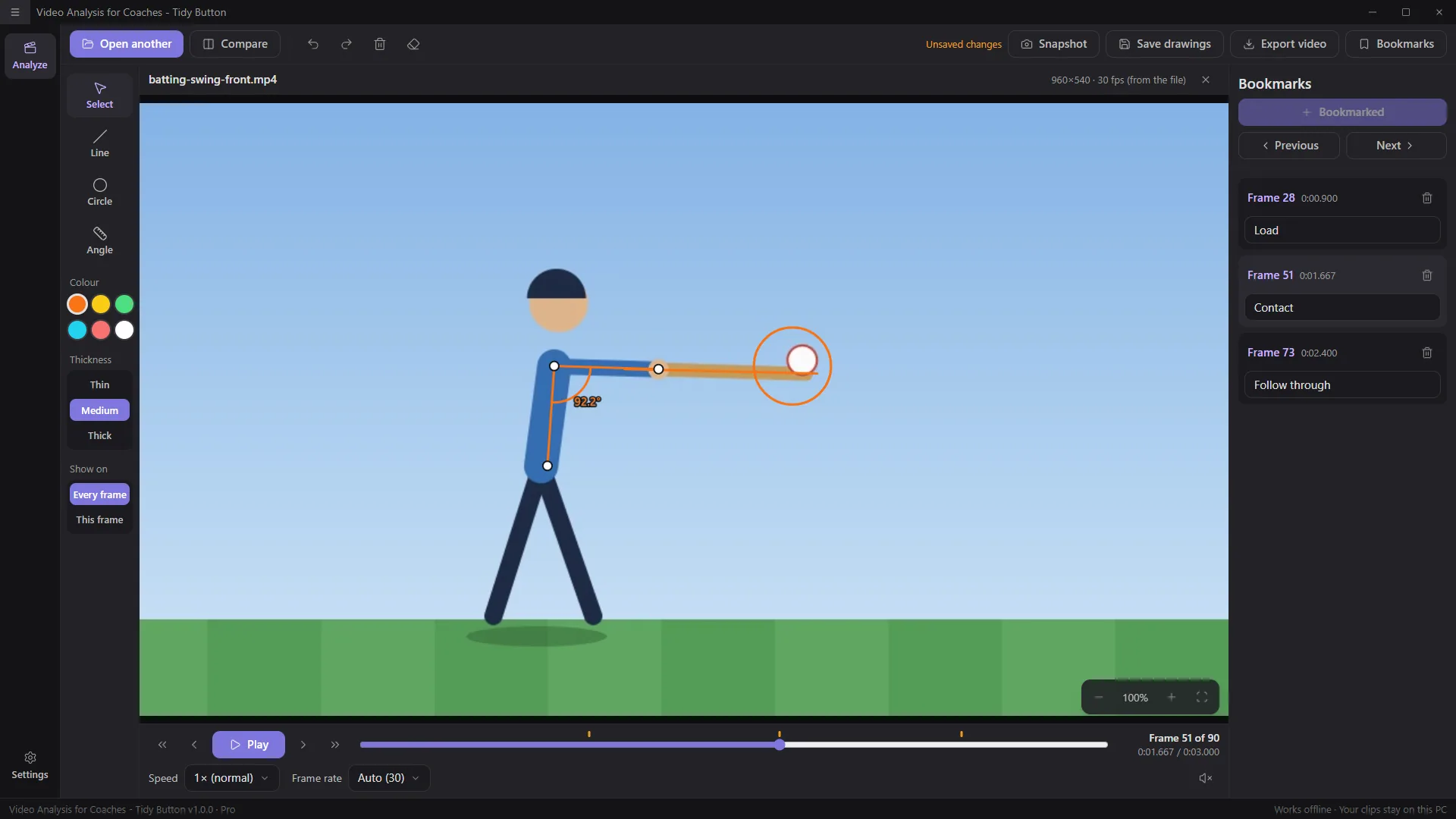
Pro: bookmark key frames and add a note to each
Screens show a demo folder, not a real PC. The app has light and dark themes.
What it does
What it does.
Open a clip of a swing, a throw, a stride or a jump and stop on the moment you want to look at. Step one frame at a time, slow the clip right down and zoom in on the detail. Draw a line or a circle on the picture, save the frame as a snapshot, and keep your drawings next to the clip so they are there the next time you open it.
Frame by frame
Step one frame or ten frames at a time with the buttons or the arrow keys. The frame number and time are always on screen.
Slow motion and zoom
Play at 0.1x, 0.25x, 0.5x, normal or 2x speed. Zoom with the buttons or the mouse wheel and drag the picture to move it.
Lines and circles
Draw in six colours and three thicknesses, on every frame or only the current one. Select, move and reshape with undo and redo.
Snapshots and saved drawings
Save any frame as a PNG picture with your drawings on it. Drawings are saved next to the clip and load again later.
Compare two clips
An optional one-time Pro add-on opens a second clip side by side and plays, pauses and steps both together.
Pro tools
Pro also measures angles in degrees, keeps bookmarks with notes on key frames and exports a video with your drawings on it.
The small print, in plain English
Safe by design.
- Your clips stay where they are. Nothing is copied or uploaded.
- Drawings are saved only when you press Save drawings.
- Works offline. No account. No ads. No tracking.
- Pro is optional and one payment. Everything above stays free.
Good for
Handy when the moment is too quick.
- Checking a swing, a throw or a stride
- Showing an athlete exactly what you saw
- Comparing two attempts side by side
- Marking key moments in a clip with notes
- Slowing down a clip that is too fast to follow
Questions
Plain answers.
Does it change my video?
No. The clip stays exactly as it is. Your drawings are saved in a separate small file next to it. Snapshots and exported videos are new files that you save where you choose.
Which video files does it open?
MP4, MOV, M4V, WebM and MKV files. Some phone clips saved as HEVC (H.265) may need the free HEVC Video Extensions from the Microsoft Store.
Can I open more than one clip for free?
One clip at a time is free, with no limit on how long it is or how many clips you open over time. Opening two clips side by side is part of the optional Pro add-on.
What does Pro add?
Two-clip compare with synced playback, angle measurement, bookmarks with notes and exporting a video with your drawings on it. It is one payment, not a subscription.
Does it need an account or an internet connection?
Neither. There is no account, no ads and no tracking. Opening clips, stepping, drawing and saving work offline. The only network use is the optional check of a Pro licence.
Which versions of Windows does it run on?
Windows 10 and Windows 11.