Free on the Microsoft Store
Font Manager Every font, in your own words.
Preview, compare and group your fonts with your own sample text. See the licence text stored in each font and find duplicates. Browse a folder of fonts without installing them. Works offline, with no account.
Unlimited groups.
Pro keys go on sale when this app's Pro update reaches the Microsoft Store.
One key for this app. Free to use without it. See all pricing
Prefer the command line? winget install 9NN6V2BR2X8V --source msstore
- Works offline
- No account, no ads, no tracking
- Fonts are only read
- Free
See it
Six views. Pick the right font.
Browse
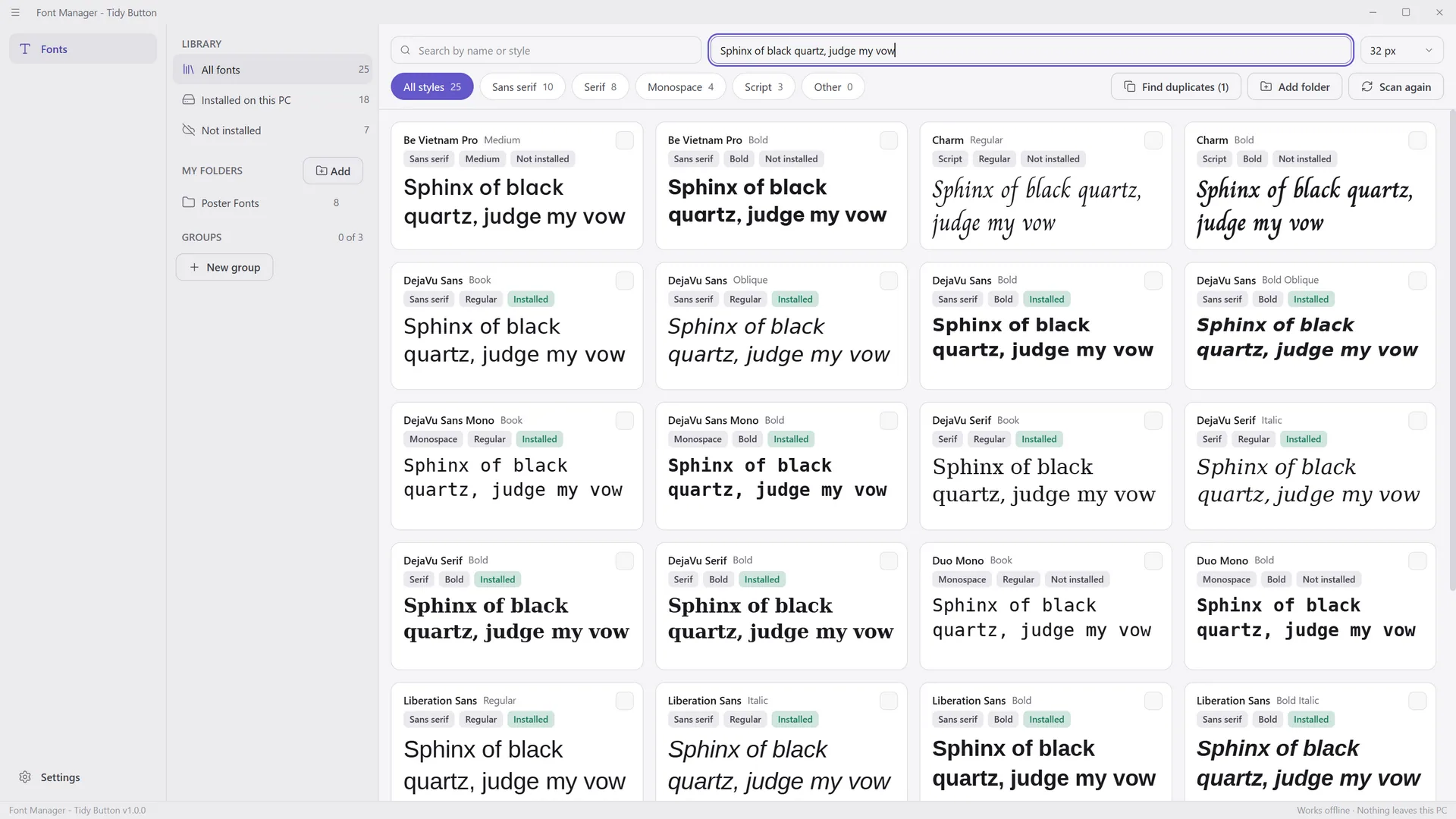
Every font on your PC at a glance, previewed with your own sample text
Filter
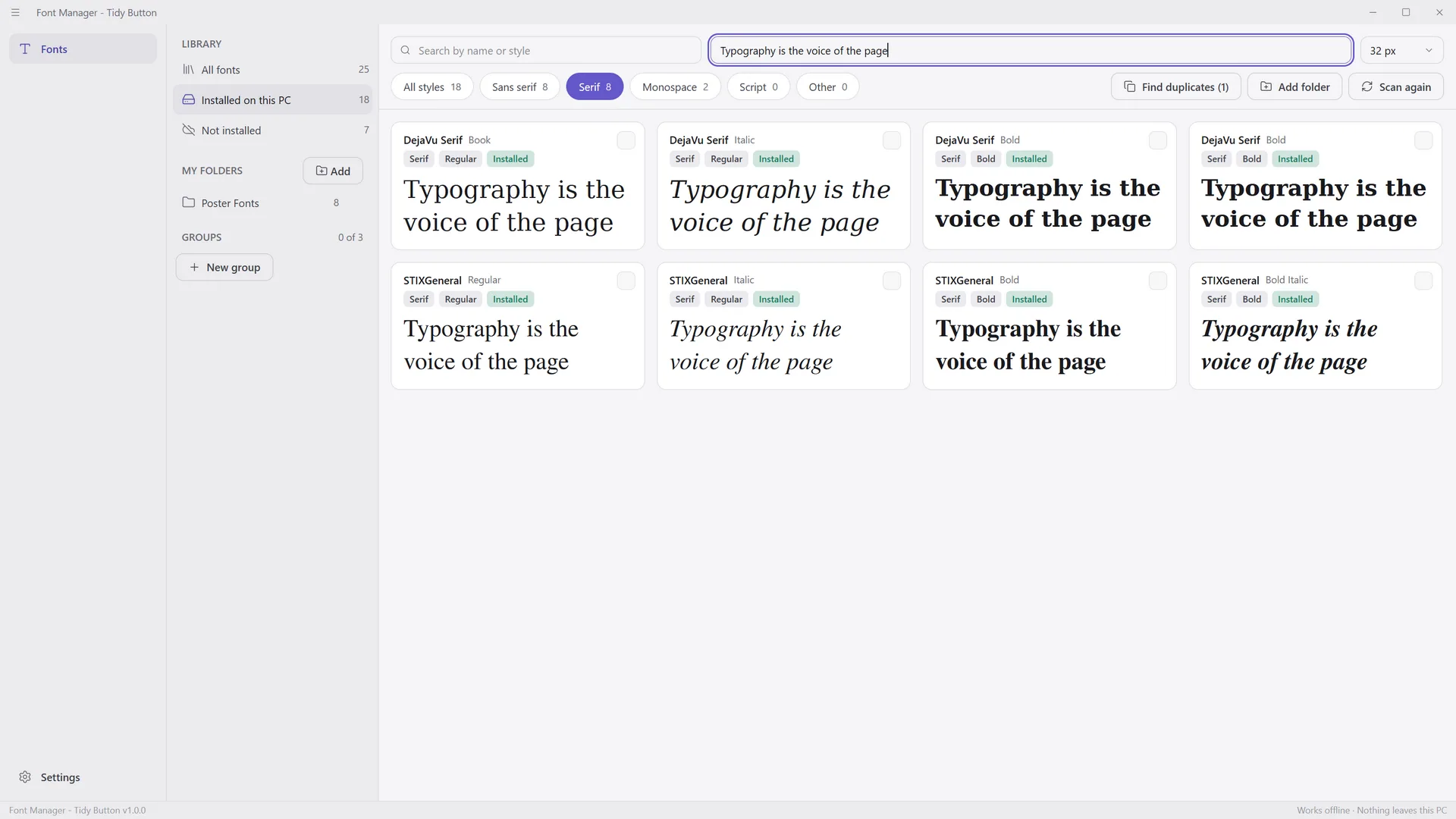
Filter by serif, sans serif, monospace or script, and by installed or not installed
Details
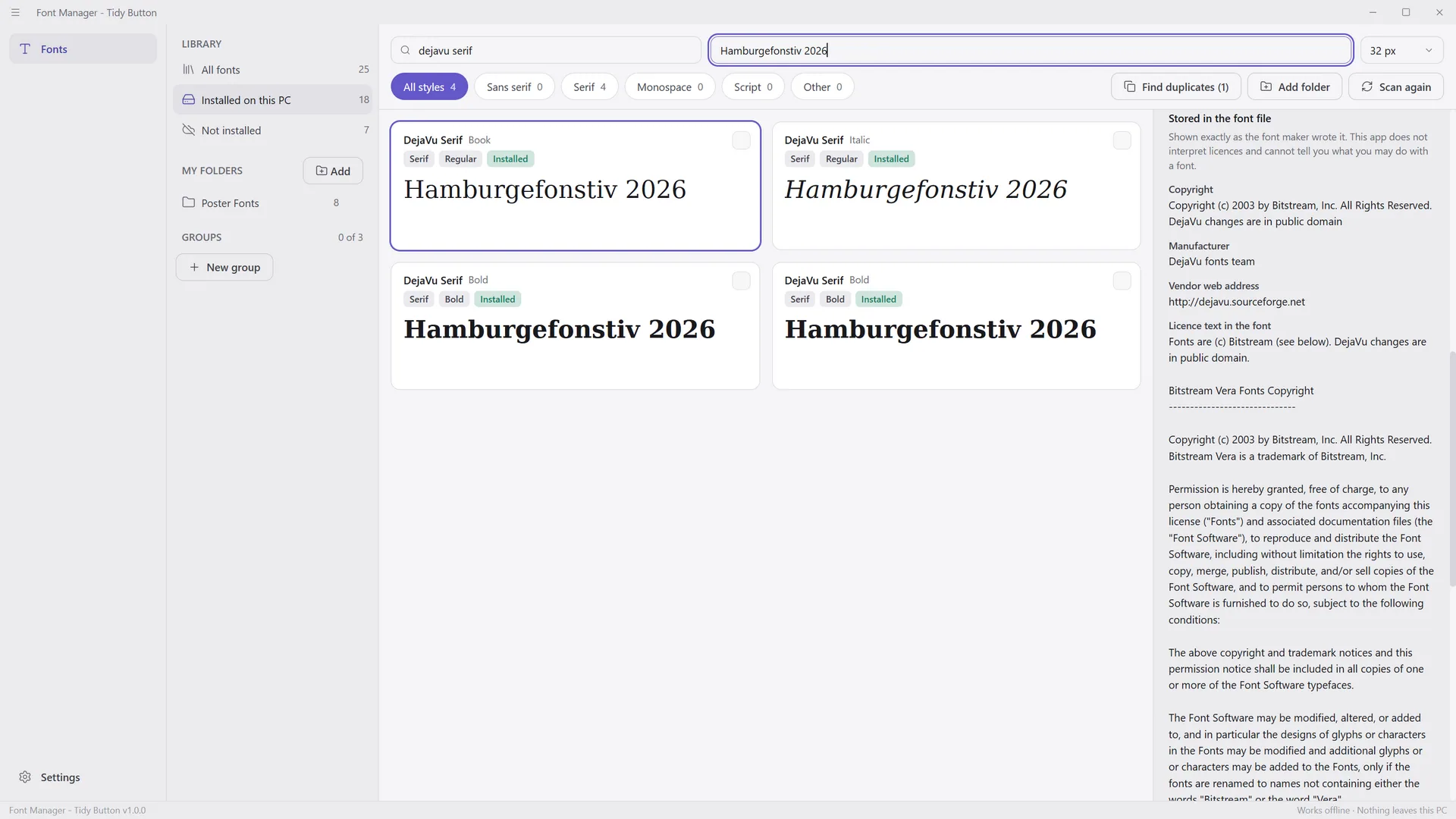
Read the copyright and licence text stored inside the font, exactly as written
Compare
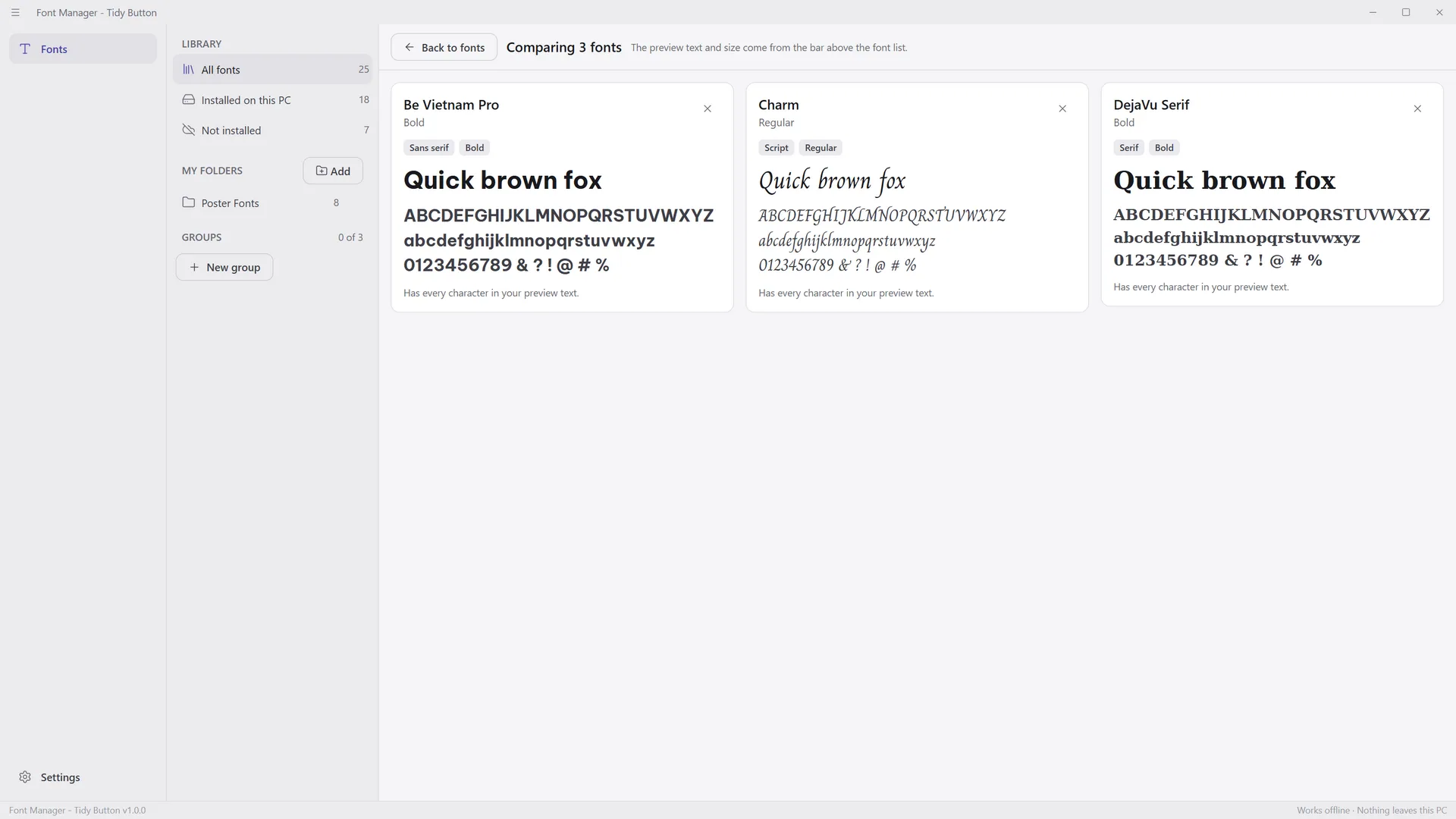
Compare up to four fonts side by side with the same text, alphabet and digits
Groups
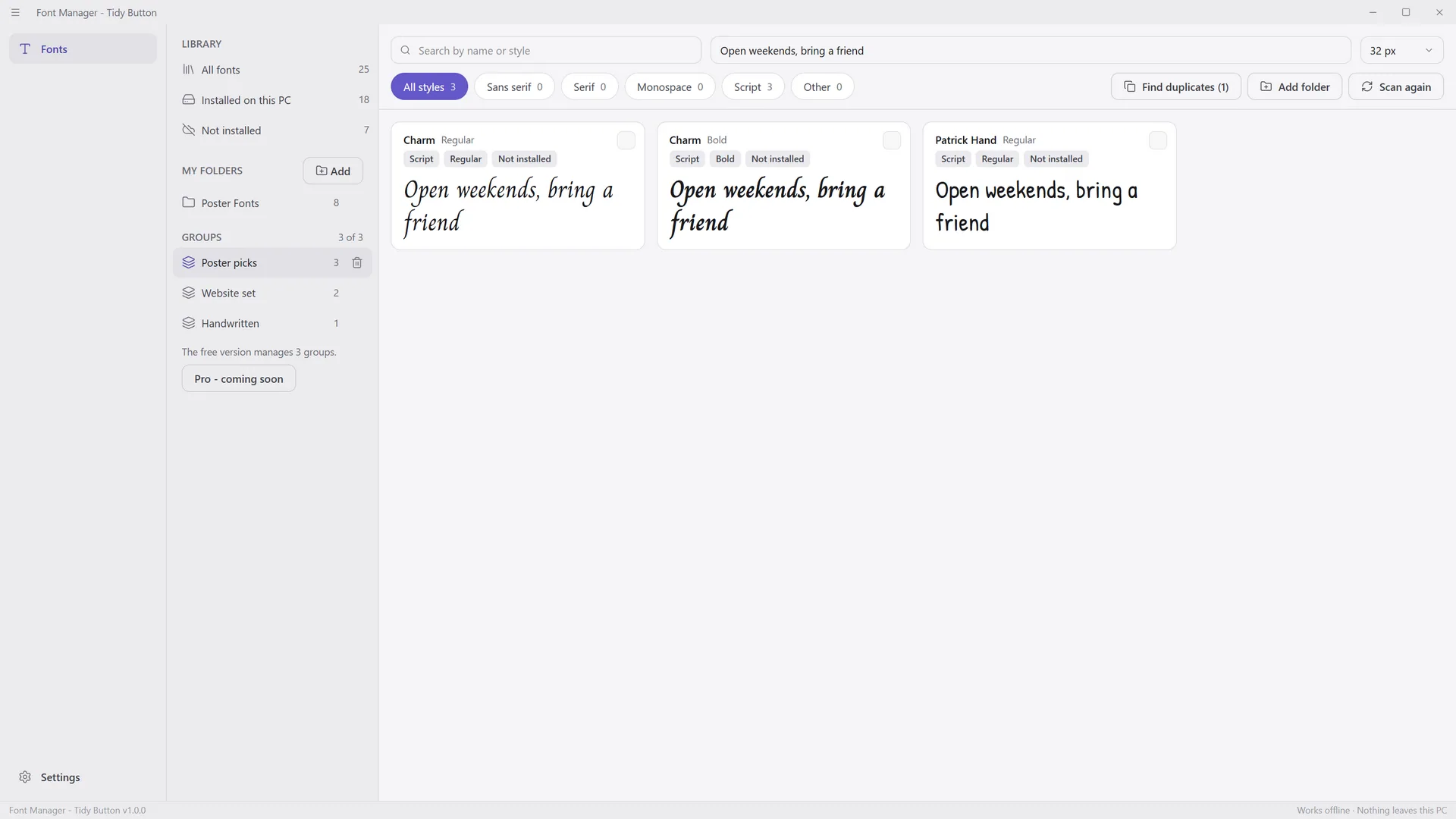
Group fonts into sets. The free version manages 3 groups
Duplicates
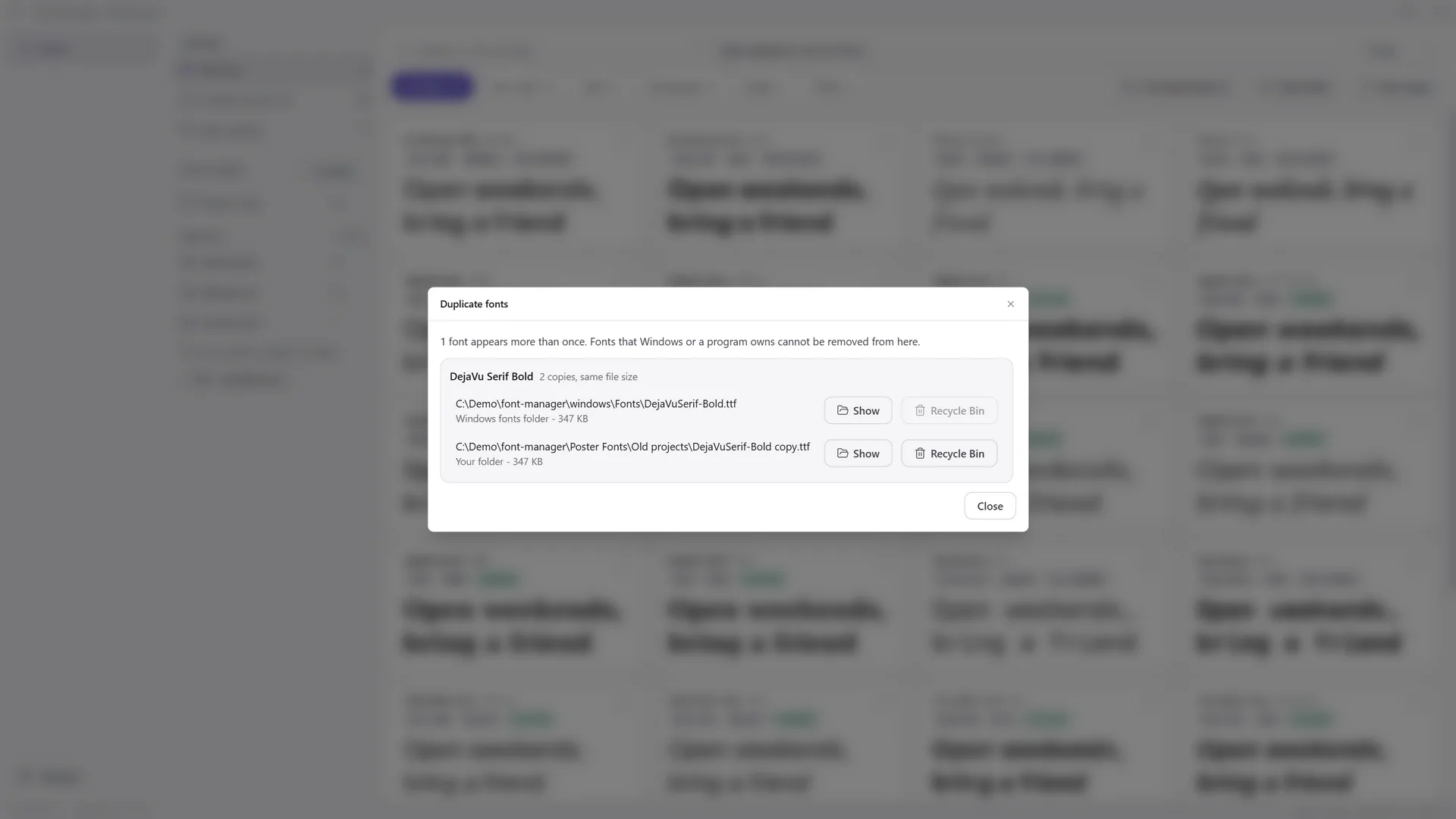
Find duplicate fonts. Fonts owned by Windows cannot be removed
Screens show demo fonts. The app has light and dark themes.
What it does
What it does.
Font Manager shows every font on your PC, and any folder of fonts you add, in a fast preview grid. Type your own sample text once and see it in every font at the same time, at 16 to 96 pixels. Fonts are only read. The app never changes or deletes a font unless you ask, and nothing leaves your PC.
Your own sample text
Type a line once and see it in every font. Pick a size from 16 to 96 pixels and search by name or style.
Filter by style
Serif, sans serif, monospace or script, and installed or not installed.
Compare up to four fonts
Side by side with the same text, plus the full alphabet and digits.
Groups
Group fonts into sets such as Poster fonts or Website set. The free version manages 3 groups.
Browse without installing
Add a folder and its fonts are listed, previewed and searchable, including .ttf, .otf and .ttc. Big libraries load in the background with a progress bar and Cancel.
Find duplicates
Fonts that appear more than once are listed with their locations and sizes. Copies you own can go to the Recycle Bin after you confirm. Fonts that belong to Windows or to a program are never offered for removal.
Read the licence text
The copyright, manufacturer, licence text and licence web address stored inside the font file are shown exactly as written. The app does not interpret licences or give licence advice.
Install, honestly
Open with Windows to install hands the font to the Windows font window. Use for this session only makes a font available to your other programs until you sign out or restart. Neither needs administrator rights.
The small print, in plain English
Safe by design.
- Fonts are only read. The app never changes or deletes a font unless you ask.
- Fonts in the Windows folder or in program folders are refused by the app itself and are never removed.
- It reads the Windows fonts folder, your account's font folder and folders you add, and never your documents or photos.
- Works offline. No account, no ads, no tracking.
Good for
Handy when the font list is endless.
- Choosing a font for a poster or a website
- Finding duplicate fonts that waste space
- Looking through a font download before installing anything
Questions
Plain answers.
Does it install fonts?
Only when you ask. Open with Windows to install hands the font to the Windows font window with its own Install button. Use for this session only makes a font available until you sign out or restart. Neither needs administrator rights.
Can it delete fonts?
Only copies you own, after you confirm, and they go to the Recycle Bin. Fonts that belong to Windows or to a program are never offered for removal.
Can it tell me if I may use a font?
It shows the copyright and licence text stored inside the font file, exactly as written. It does not interpret licences and does not give licence advice.
Can I look at fonts without installing them?
Yes. Add a folder and its fonts are listed, previewed and searchable, including .ttf, .otf and .ttc files.
Is anything uploaded?
No. The app makes no network requests and your fonts stay on your PC.
Is there a limit in the free version?
The free version previews and compares every font and manages 3 groups. A Pro add-on is planned (coming soon).
Which versions of Windows does it run on?
Windows 10 and Windows 11.