Coming to the Microsoft Store
Clipboard Manager Copy once, paste again.
Every copy is saved with its formatting. Search your history, pin the things you use daily, keep snippets and paste with a quick popup. Copies marked private are never saved. Works offline, no account, no ads.
Not on sale yet. The app is still being built.
We will link the Store listing here the day it is live. Until then there is nothing to download.
- Works offline
- No account, no ads, no tracking
- Private copies never saved
- Free
See it
Eight views. From copy to paste.
History
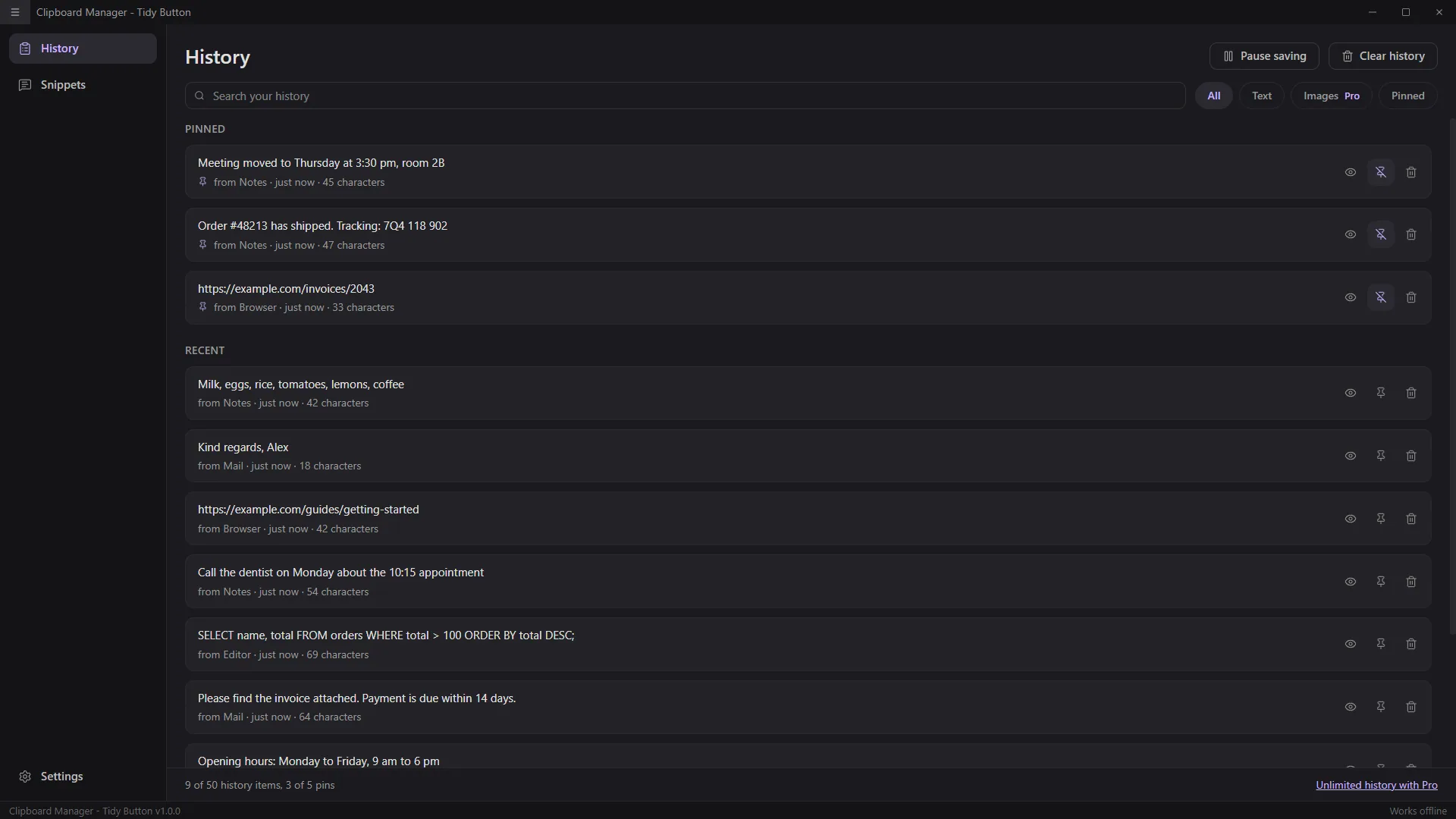
Your copies, newest first, with pinned items at the top
Search
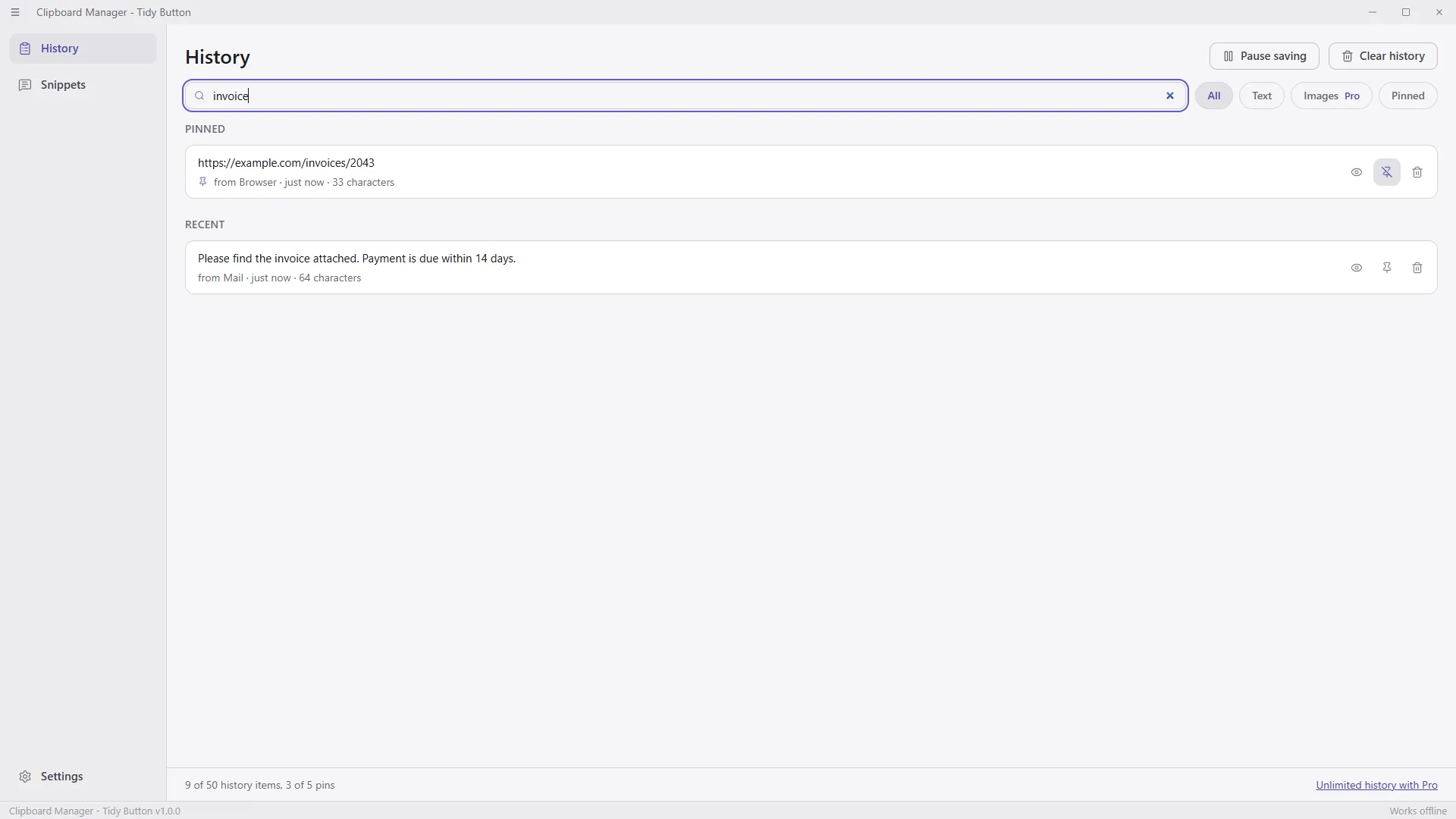
Search finds a copy as you type, in the light theme
Snippets
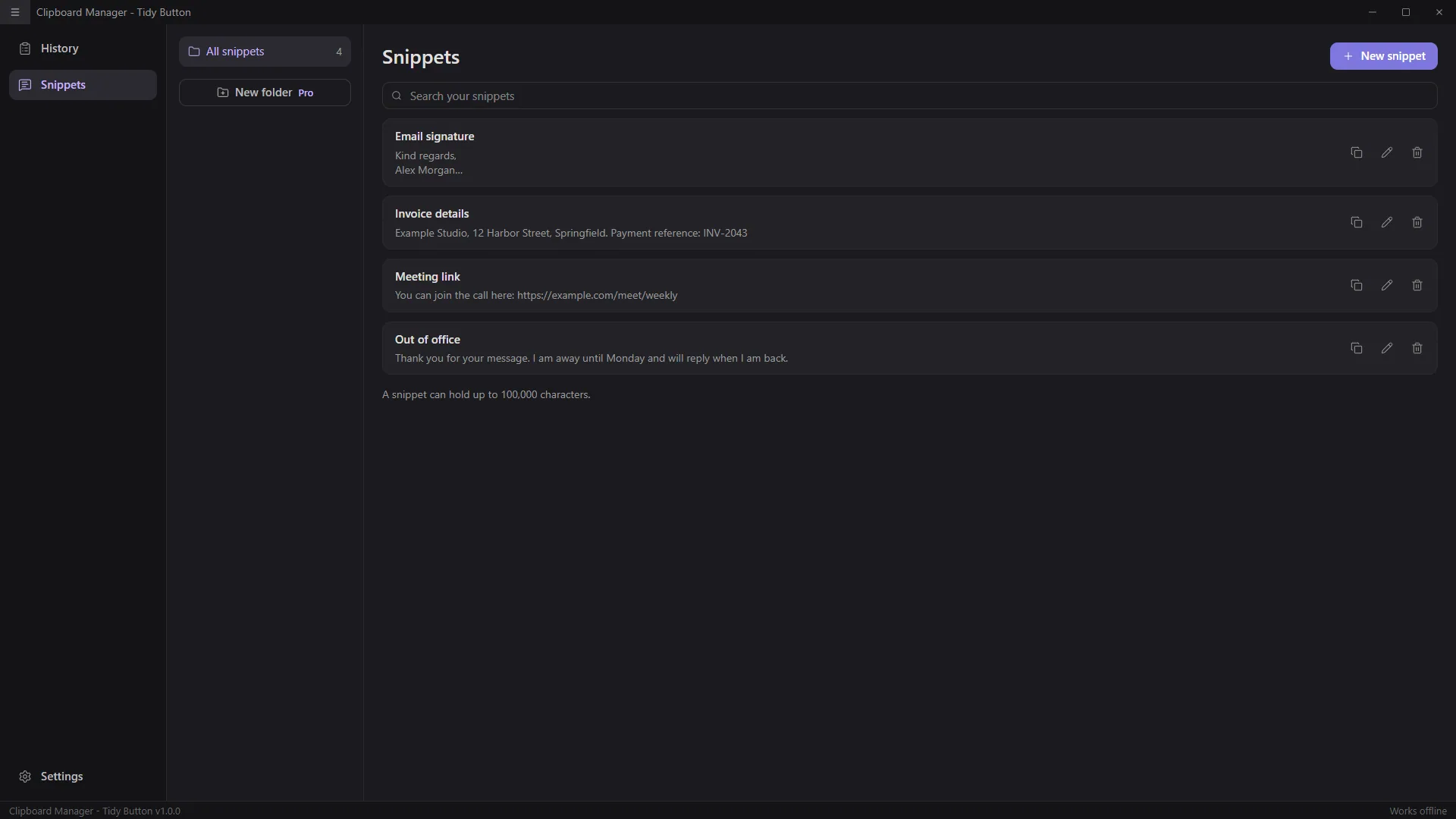
Reusable pieces of text, ready to copy or paste
Privacy
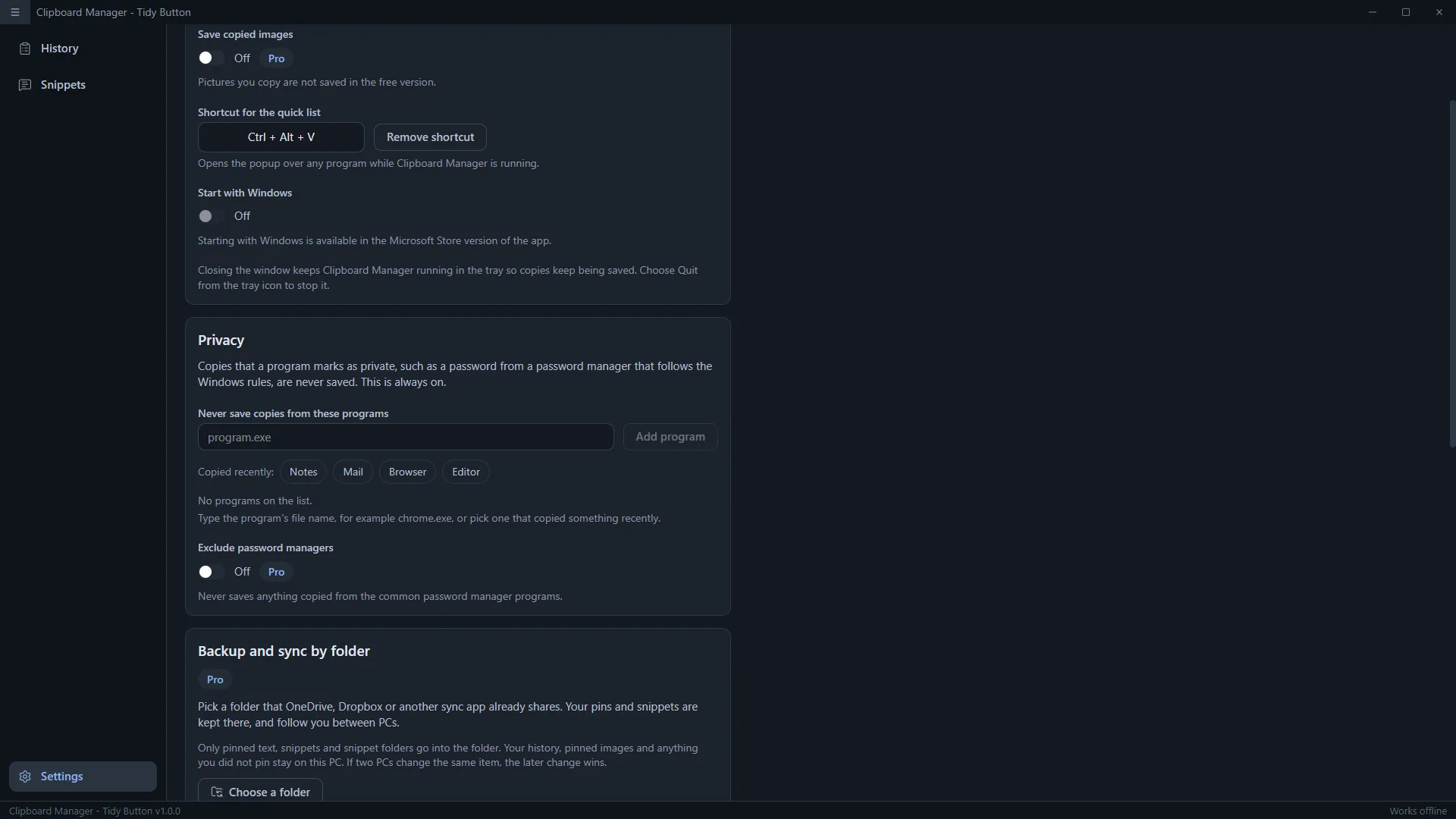
Choose programs whose copies are never saved
Screens show invented sample text. The app has several themes, including light and dark.
What it does
What it does.
A calm clipboard history for text. Search it, pin what you need, keep reusable snippets and paste from a popup that opens on a shortcut. Everything stays on your PC, and copies that a program marks as private are never saved.
History you can search
Copied text is saved with its formatting and the program it came from, newest first.
A quick popup
Open it with a shortcut or from the tray icon. A click or Enter pastes into the program you were in, and Shift pastes plain text.
Pins
Pin up to 5 items so they stay at the top and never roll off.
Snippets
As many reusable pieces of text as you like, ready to copy or paste.
Privacy controls
Copies marked private are never saved. List programs to ignore, pause saving or clear your history.
Backup
Save your pins and snippets to a file and restore them later.
Optional Pro
Unlimited history and pins, snippet folders, copied pictures, a password manager switch and folder backup and sync. The free version keeps the latest 50 copies and 5 pins.
The small print, in plain English
Safe by design.
- Copies marked private, such as passwords from a password manager, are never saved.
- Your history stays on your PC and is never uploaded.
- Nothing you saved is deleted if you do not buy Pro.
- No account. No ads. No tracking.
Good for
Handy when you paste the same thing twice.
- Writing the same replies again and again
- Moving text between programs
- Finding something you copied an hour ago
Questions
Plain answers.
Does it save passwords?
No, not when a program marks a copy as private, which is what password managers do. You can also list programs whose copies are never saved.
Is my history uploaded anywhere?
No. It stays on your PC.
Can I pause it?
Yes. Press Pause saving, and the app stops saving copies until you press Resume saving.
Is there a limit in the free version?
The free version keeps the latest 50 copies and 5 pinned items, with unlimited snippets. Pro is an optional one-time add-on.