We will link the Store listing here the day it is live. Until then there is nothing to download.
Real app, with an invented book.
Works offline
No account, no ads, no tracking
No watermark
Free
See it
Seven views. One cover, whole.
Start
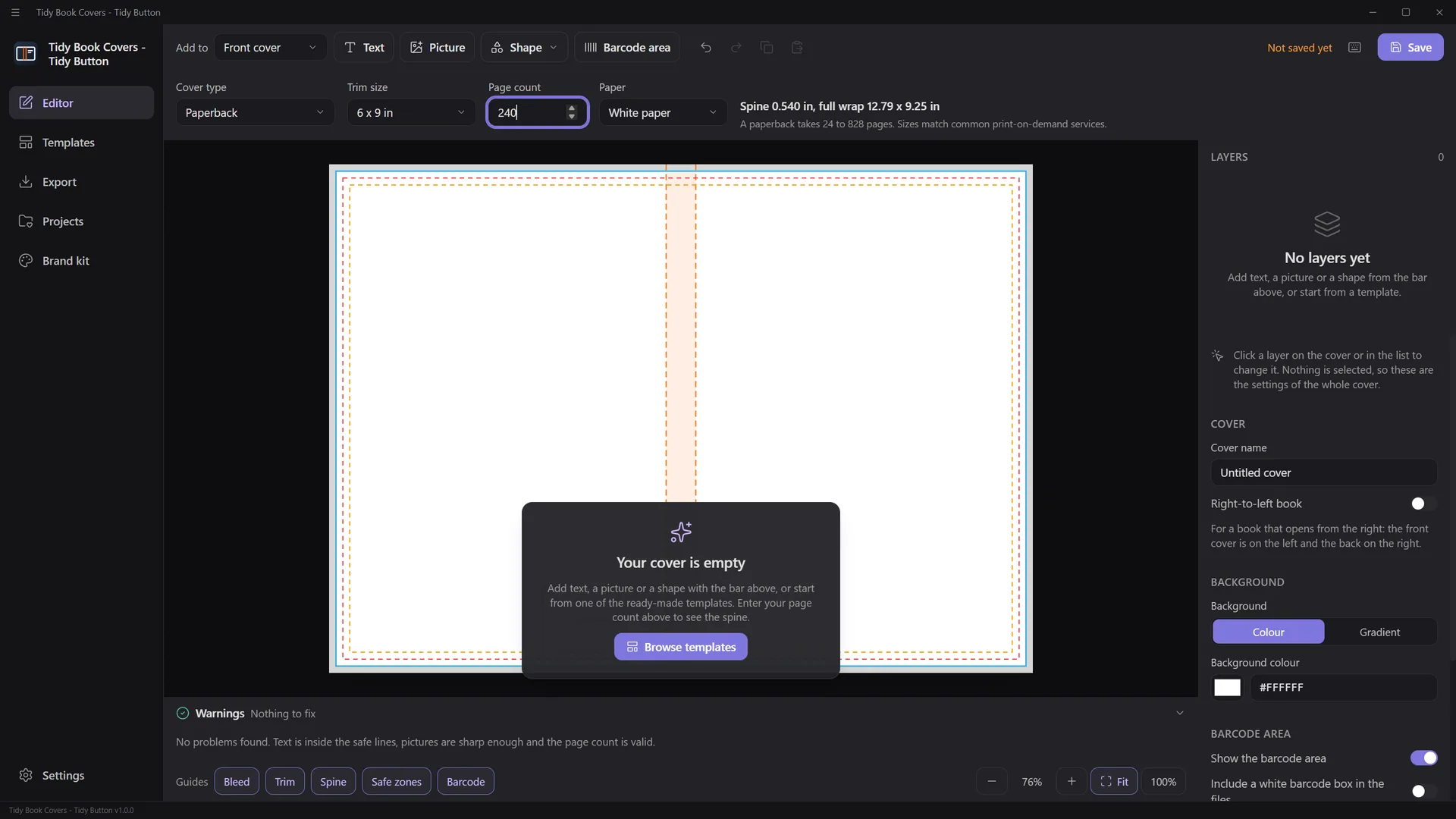
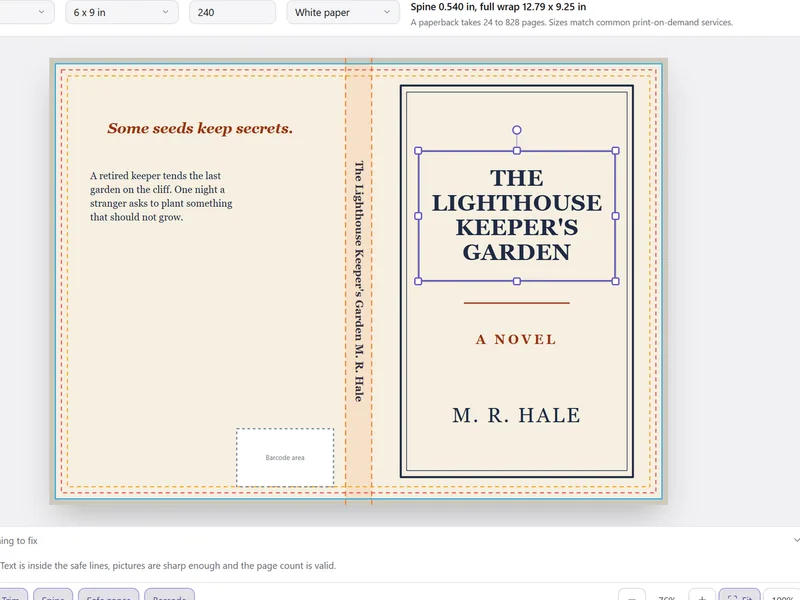
Start with an empty cover and enter your page count to see the spine and full wrap size
Front cover
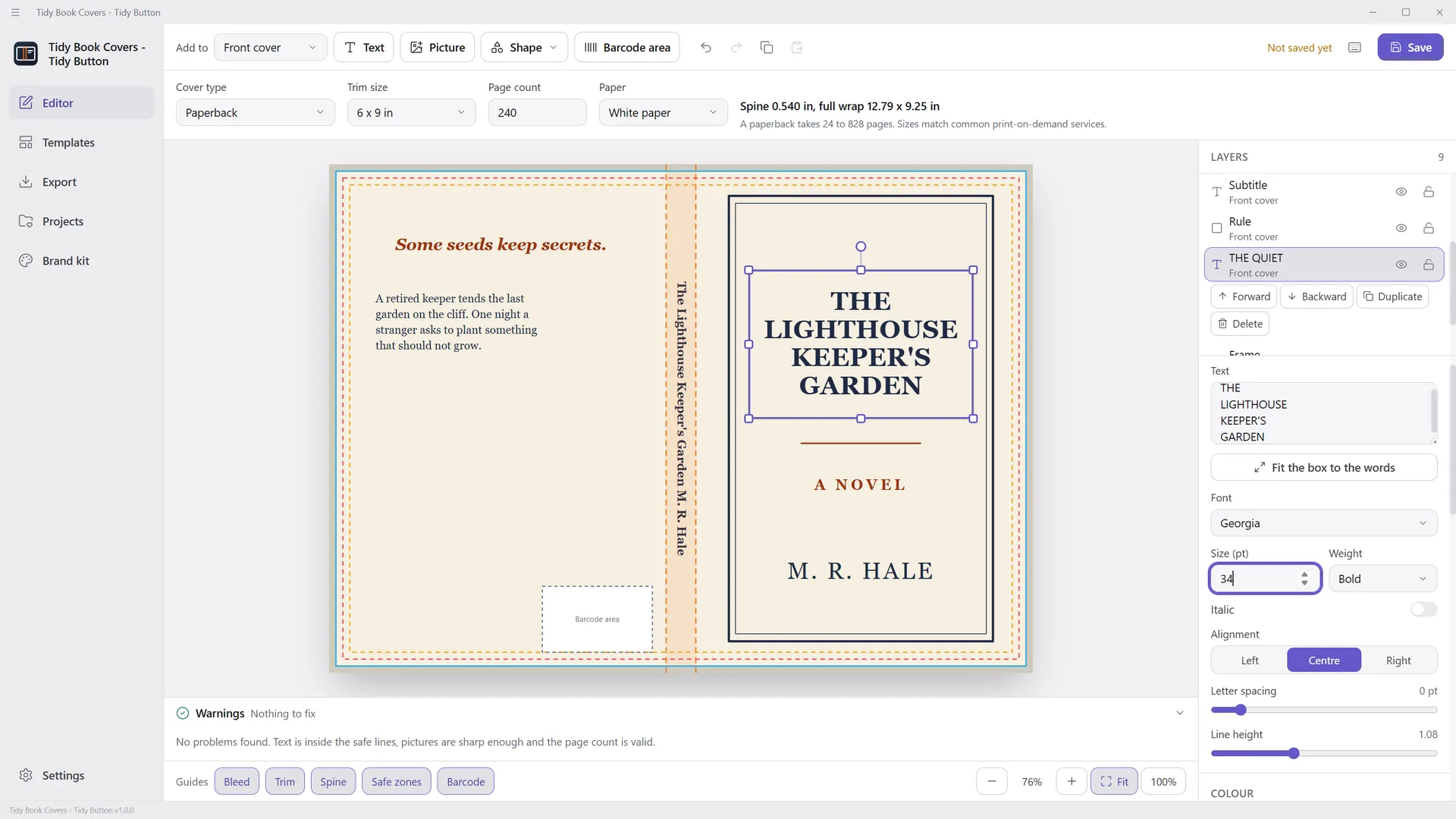
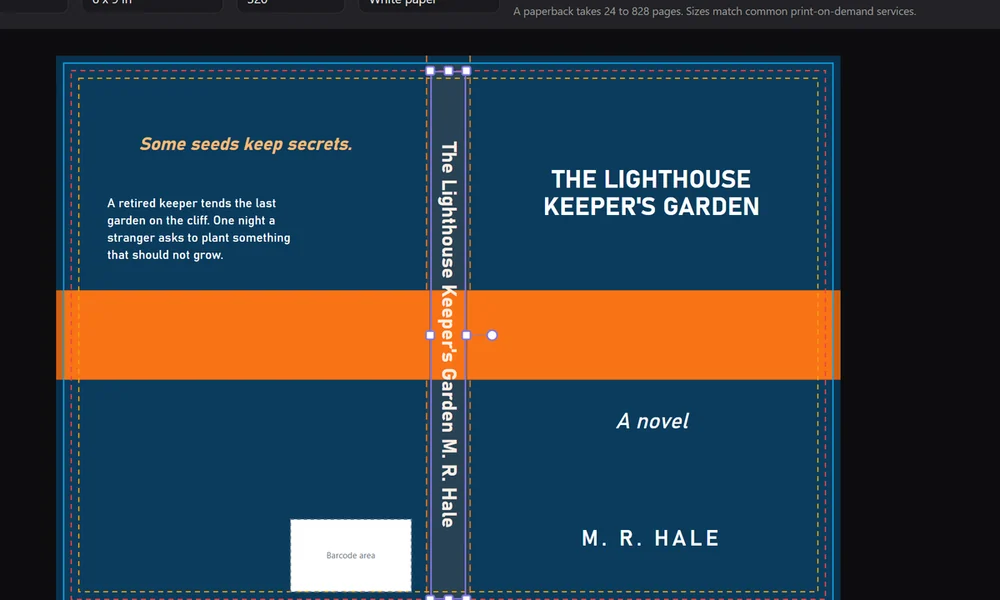
Design the front cover with text, shapes and ready-made designs
Full wrap
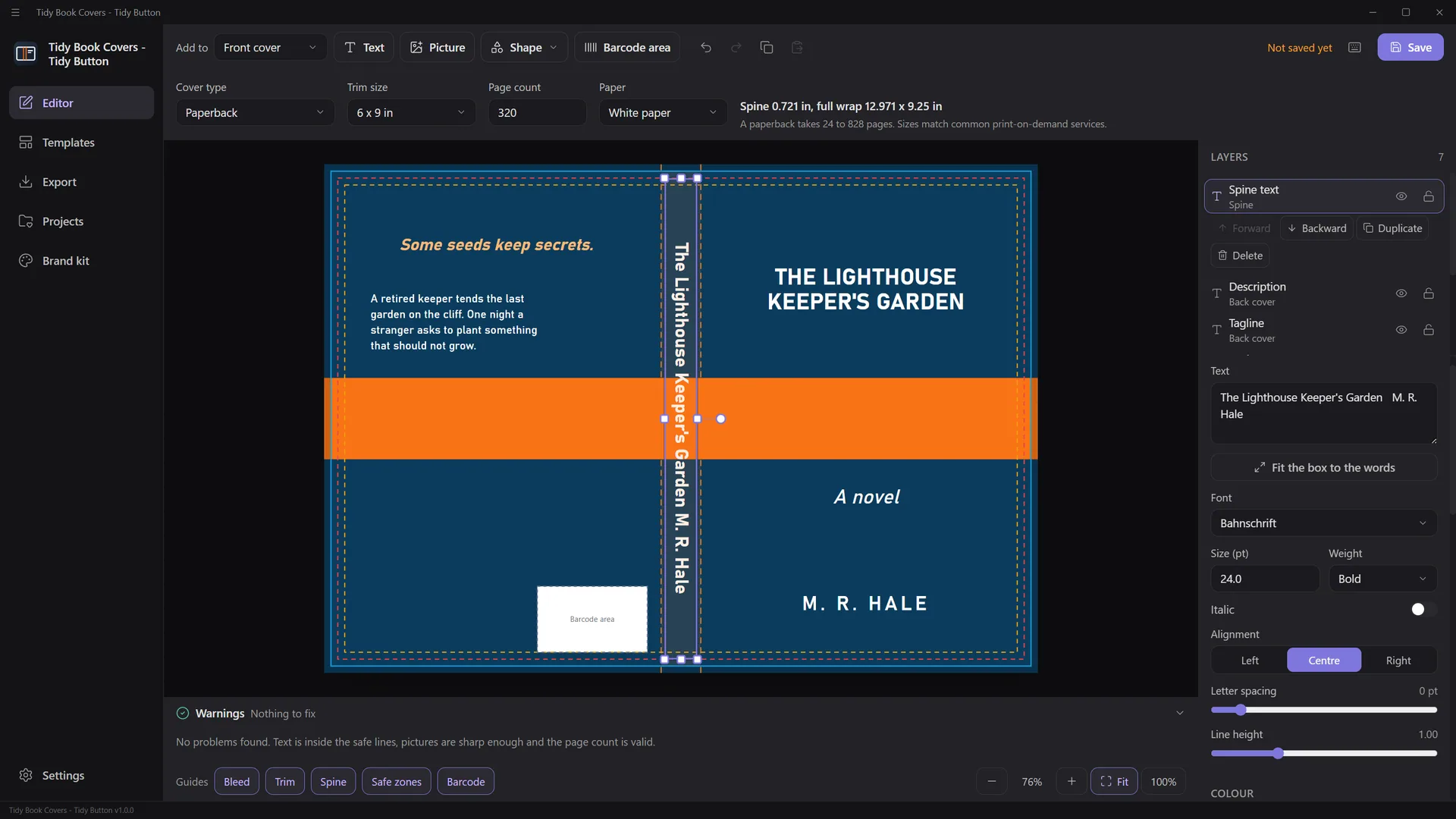
Back cover, spine and front cover in one view, with the title up the spine
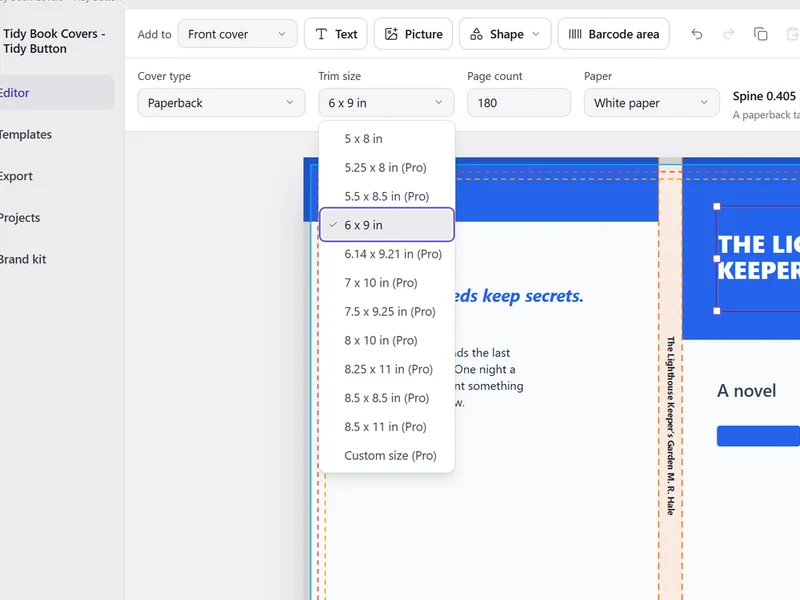
Size
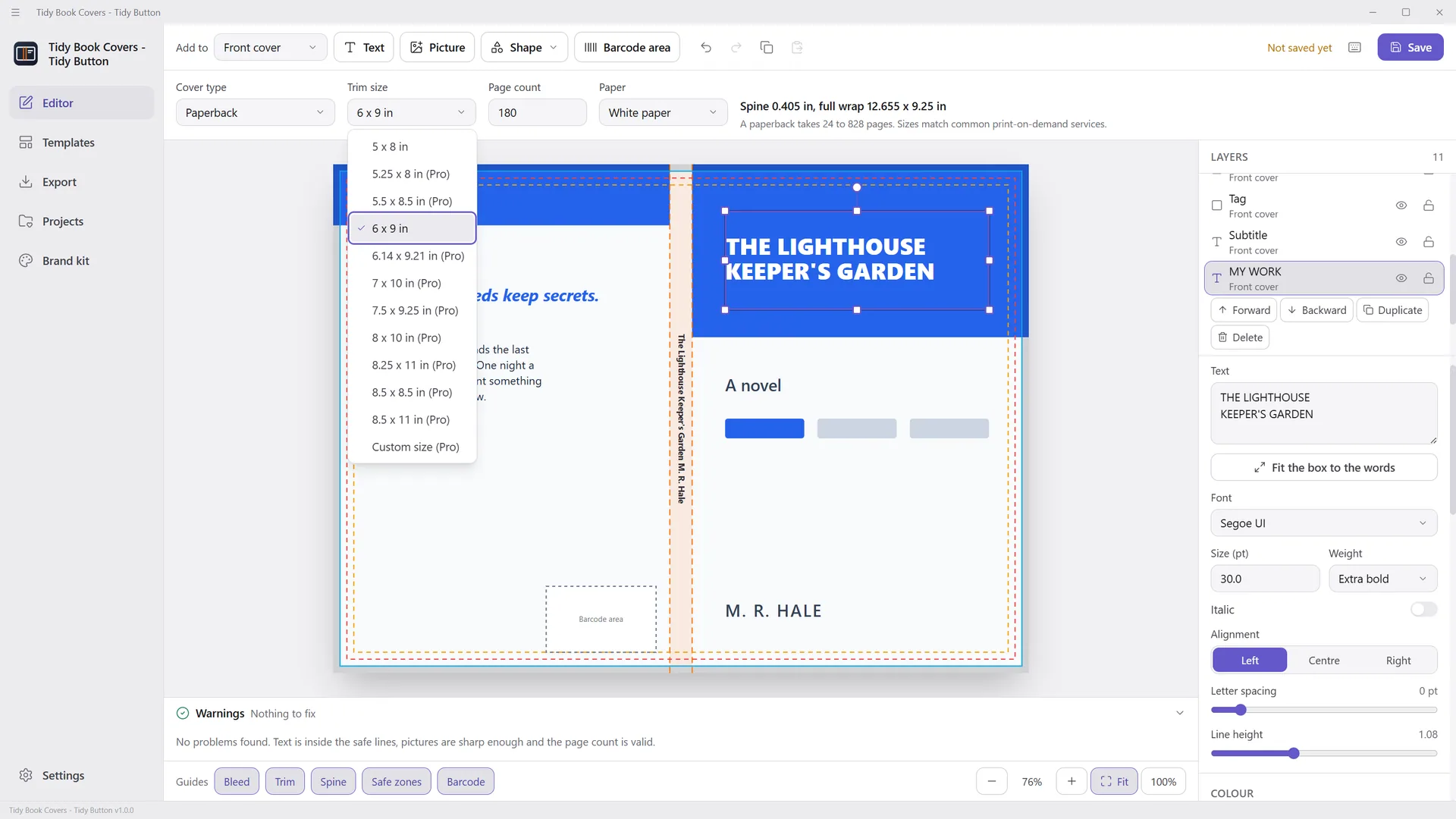
Choose the trim size and paper: free has two sizes, Pro has every common size
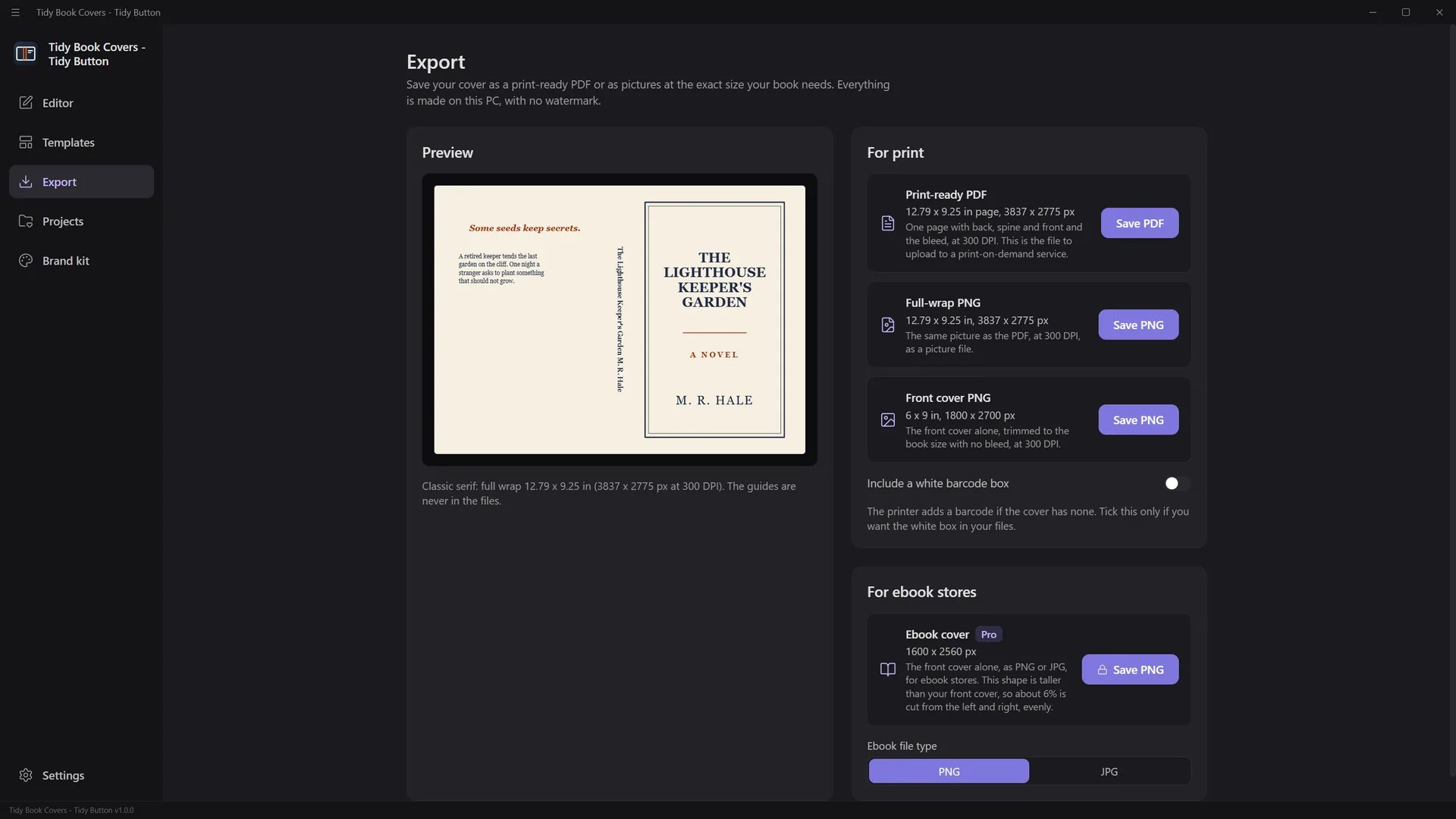
Export
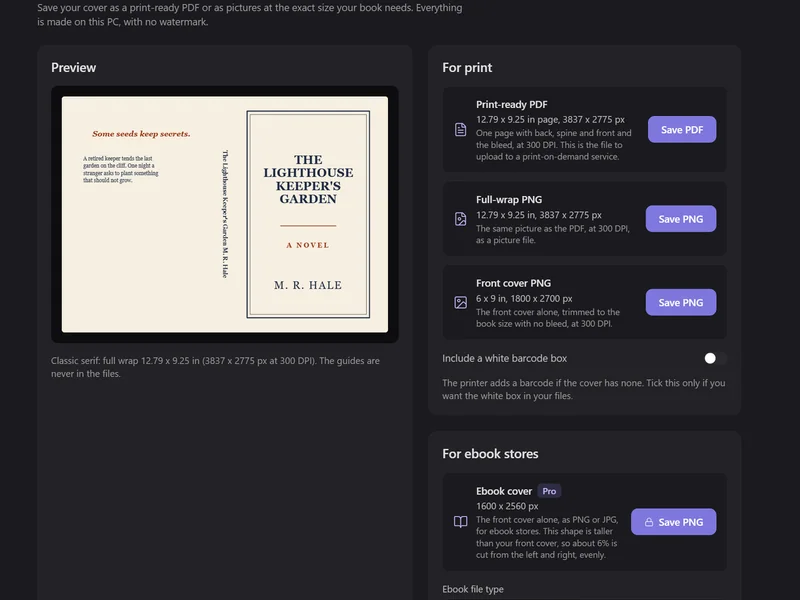
Save a print-ready PDF or a PNG at 300 DPI, without the guides
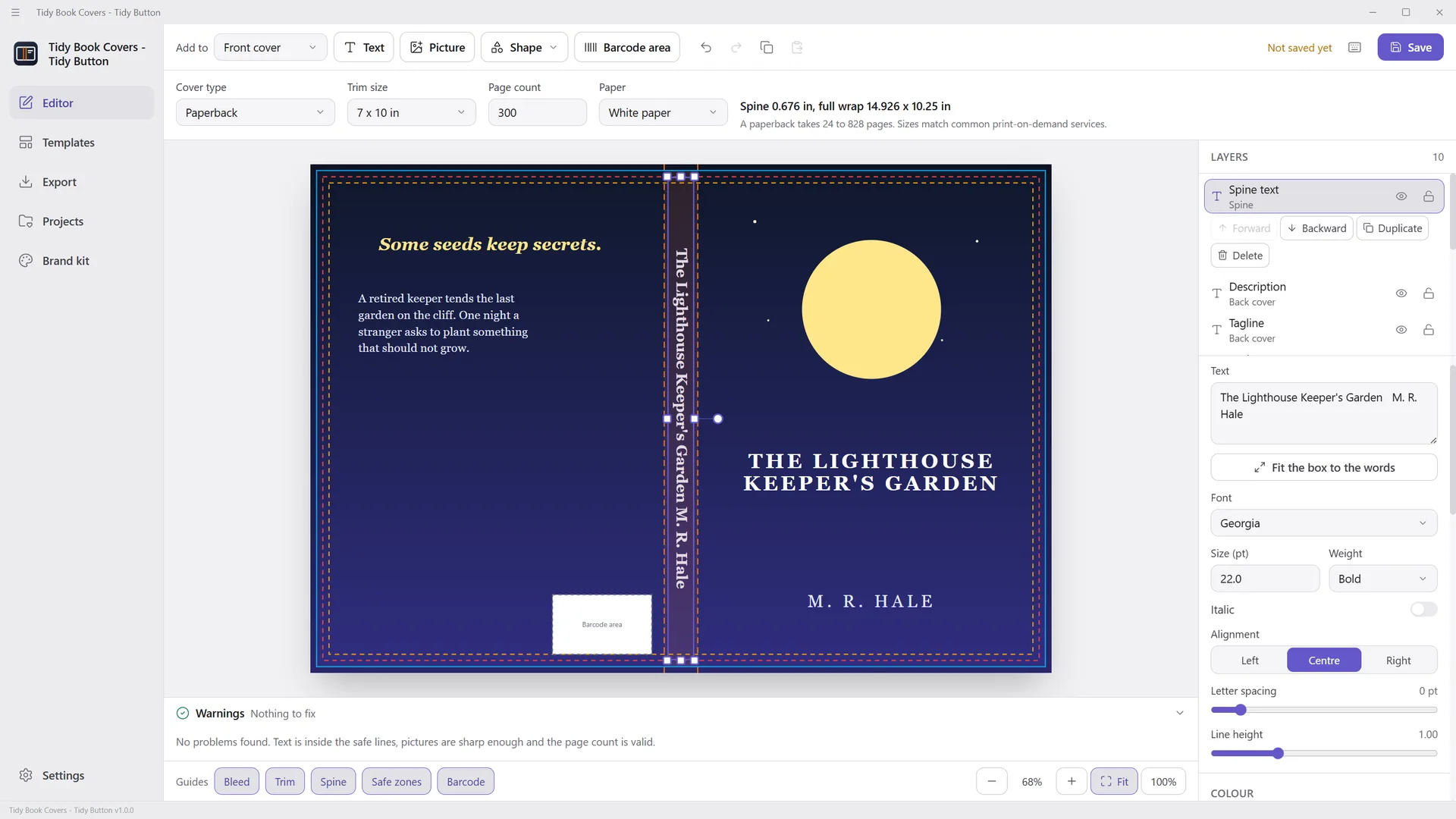
Pro
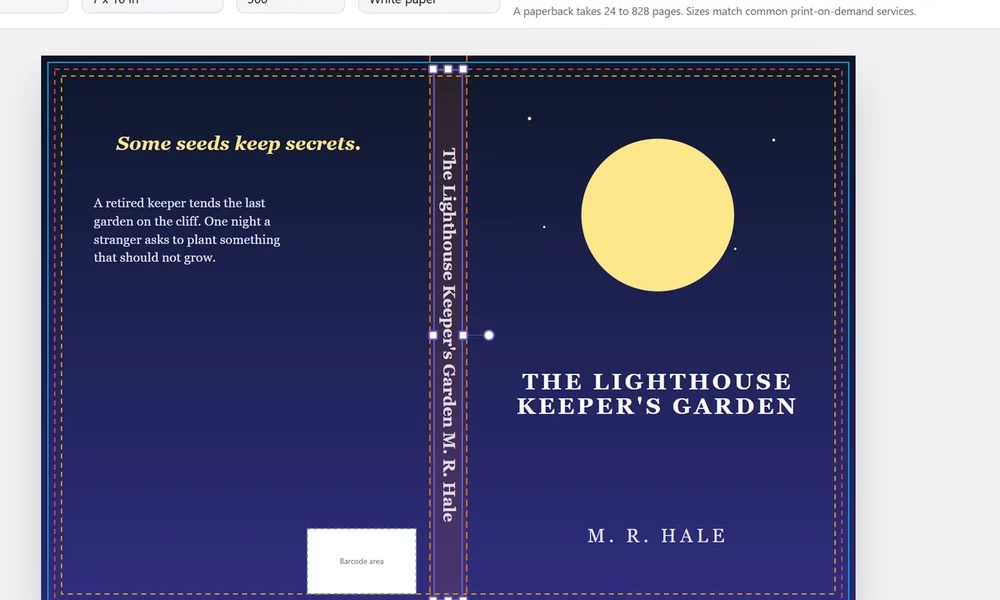
Pro: more sizes and every design, here a 7 x 10 in book
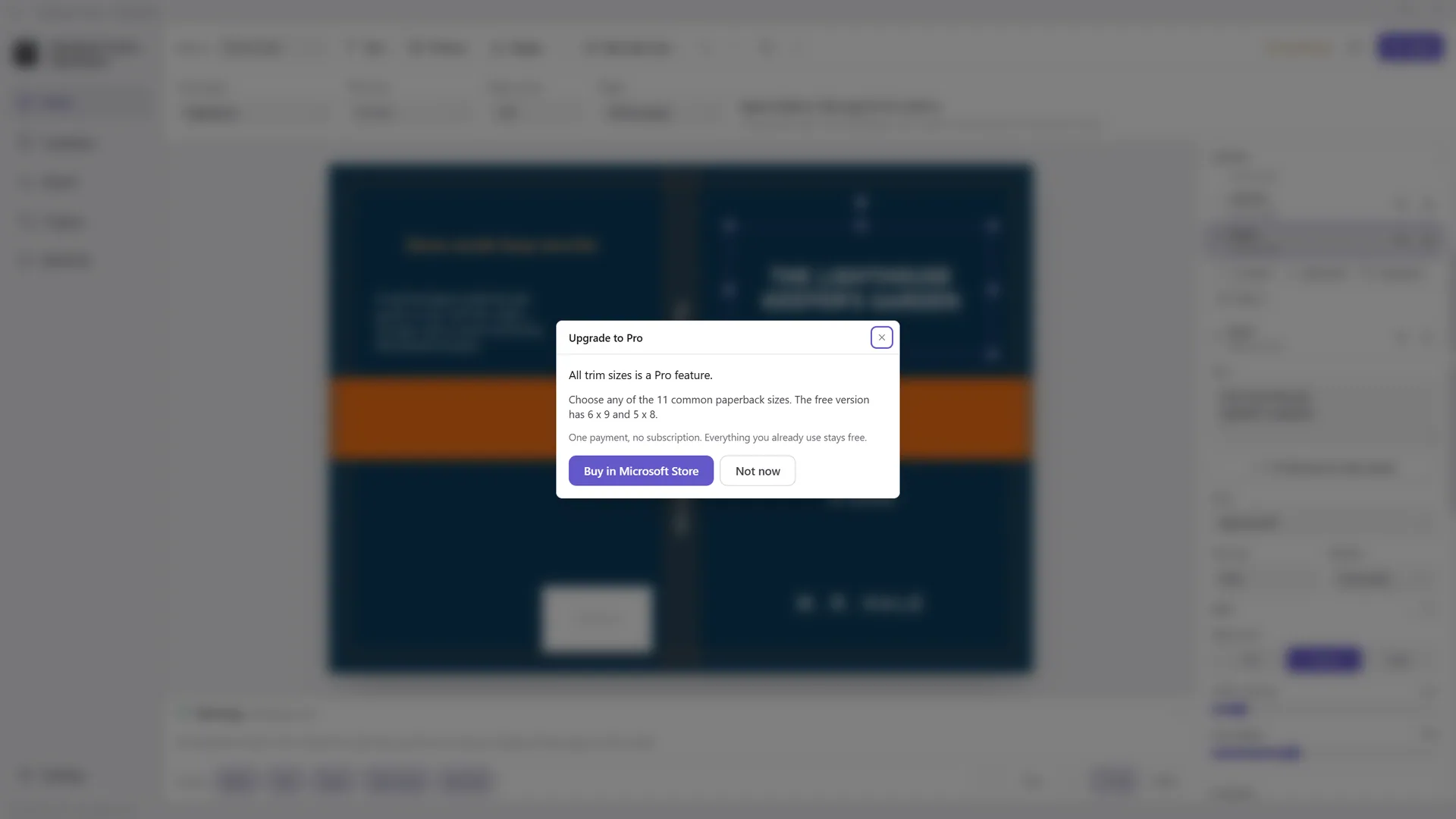
Free limit
Pro controls show a calm Upgrade dialog when touched
Screens show an invented book and the app's own designs. The app has light and dark themes.
How it works
Three steps. No manual.
01
Set up the book
Choose the trim size and paper and type your page count. The spine and full size appear.
02
Design the cover
Start from a design or add text, pictures and shapes to the back, spine and front.
03
Save the files
Save the print PDF at 300 DPI. Pro also saves the ebook cover.
What it does
What it does.
A print-on-demand paperback cover is one wide page: back cover, spine and front cover, with a bleed all round. Pick the trim size, type your page count and choose the paper, and the app works out the spine and the exact size of the file. Everything happens on your PC. Your pictures and text never leave it, and the free app works with the internet turned off.
Spine worked out
The spine width comes from your page count and the paper, and the full wrap size is shown as you type.
Guides that do not print
Bleed, trim, spine, safe zones and a barcode area are drawn on the canvas and never written into your files.
Back, spine and front
Add text, pictures and shapes to each part, with move, resize, rotate, lock, hide, undo and redo.
Twelve original designs
Start from a ready-made design drawn in the app. Each one re-fits your trim size and page count.
Print files at 300 DPI
A print-ready PDF with bleed, a full-wrap PNG and a front-cover PNG, with no watermark.
Warnings before you print
Text too close to the trim edge or a fold, spine text on a thin book, low-resolution pictures and a missing page count are flagged.
Ebook cover too
Pro exports the front cover at 1600 x 2560 pixels as PNG or JPG, from the same design.
Your projects are files
Projects are saved in your Documents folder, with backup and restore. Pro adds a brand kit for your colours and fonts.
The small print, in plain English
Safe by design.
Guides keep words inside the safe lines, and are never printed.
Exact sizes, at 300 DPI, with no watermark.
Nothing is uploaded. Your pictures and text are processed on your PC and never leave it.
No watermark and no mark of any kind on the files you export.
Guides are for you only. They are never written into the PDF or the pictures.
The free version makes paperback covers in 6 x 9 and 5 x 8 and keeps one project. Pro is a one-time payment, no subscription.
Works offline. No account. No ads. No tracking.
What it checks
Your cover, sized right.
The spine and size follow your page count; the warnings catch the rest.
Common paperback sizes, and a custom size in Pro.
Spine
Live
Worked out from the page count and the paper type.
Bleed
Built in
Added all round the full wrap, as print-on-demand services ask.
Safe zones
Checked
Warnings when text is too close to the trim edge or a fold.
Barcode
Reserved
A barcode area is reserved on the back cover; the printer adds the barcode.
Pictures
Flagged
A warning when a picture has too few pixels for the size it is printed at.
Ebook
Pro
Export the front cover at 1600 x 2560 pixels with Pro.
Sizes follow common print-on-demand services. Check your own printer's template before you order.
Good for
Handy when the spine matters.
Self-publishers making a paperback cover
Workbook and journal makers
Small publishers who need the spine right the first time
Turning one design into a print cover and an ebook cover
Questions
Plain answers.
Is anything uploaded?
No. Your pictures and text are processed on your PC and never leave it. The free app works with the internet turned off.
Is there a watermark?
No. Exported files carry no watermark and no mark of any kind, and the guides are never written into them.
How is the spine worked out?
From your page count and the paper you choose: white, cream, premium colour or standard colour.
What can I export?
A print-ready PDF at the exact full-wrap size with bleed, a full-wrap PNG and a front-cover PNG, all at 300 DPI. Pro also exports an ebook cover at 1600 x 2560 pixels.
What is in the free version?
Paperback covers in 6 x 9 and 5 x 8, the spine calculator for every paper type, three designs, print PDF and PNG export, the warnings panel and one saved project.
What does Pro add?
All 11 common trim sizes and custom sizes, a hardcover-style wrap, all twelve designs, ebook cover export, unlimited saved projects and a brand kit. It is a one-time payment of $14.99.